ProERP version 10.0.45 for Microsoft Dynamics 365 Finance & Operations introduces a range of new features, delegation of PTO requests, the ability to copy sales prices, workspace of telemetry by using application insights and the initialization of buckets from forecast in contract management. This release also delivers several enhancements to existing functionalities, such as fee billing projections, workspace patterns, including minimum hours validation for timesheets, contract management validation and the time entry Power App.
New Features
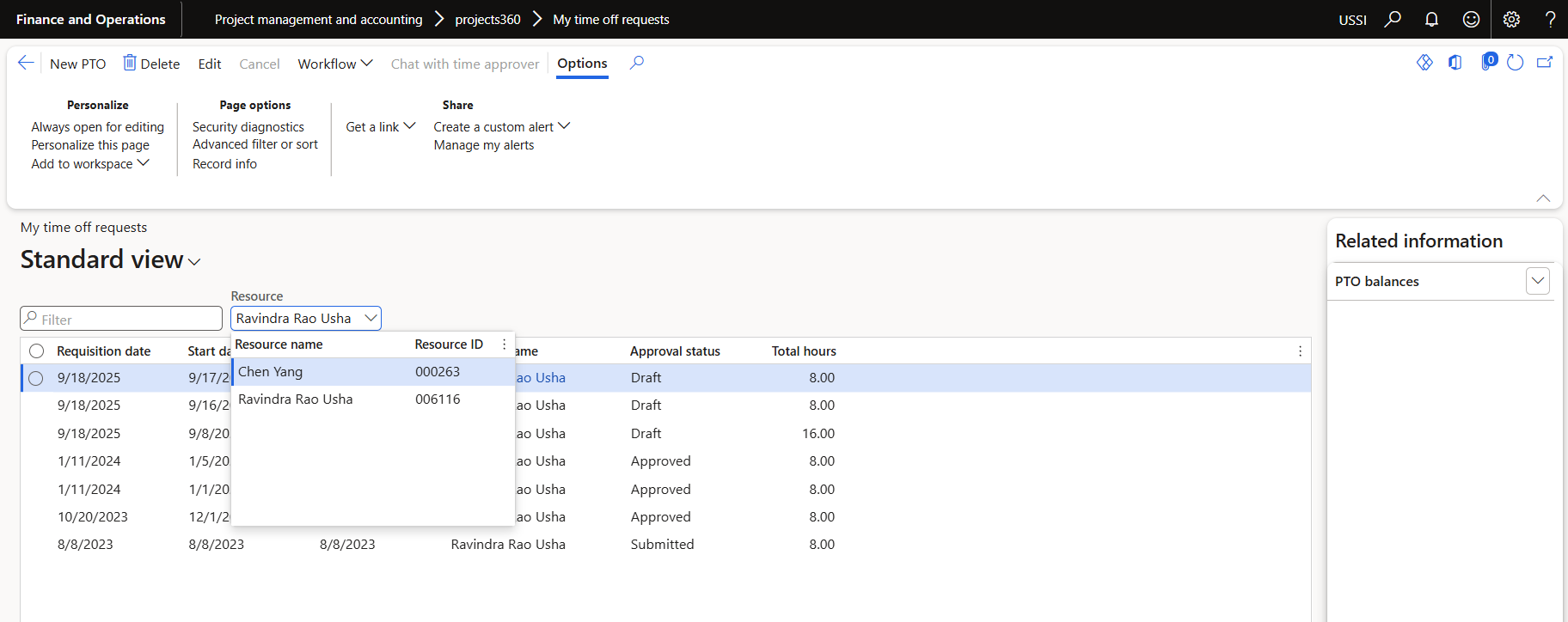
PTO delegates
The PTO creation process will be improved to allow a user to create a PTO request on behalf of another resource using the delegate function.
- Users must define delegate resources using Microsoft timesheet delegates functionality.
- Users can create PTO requests only for delegated resources who are active as of today’s date.
Ability to initialize contract buckets from forecast transactions
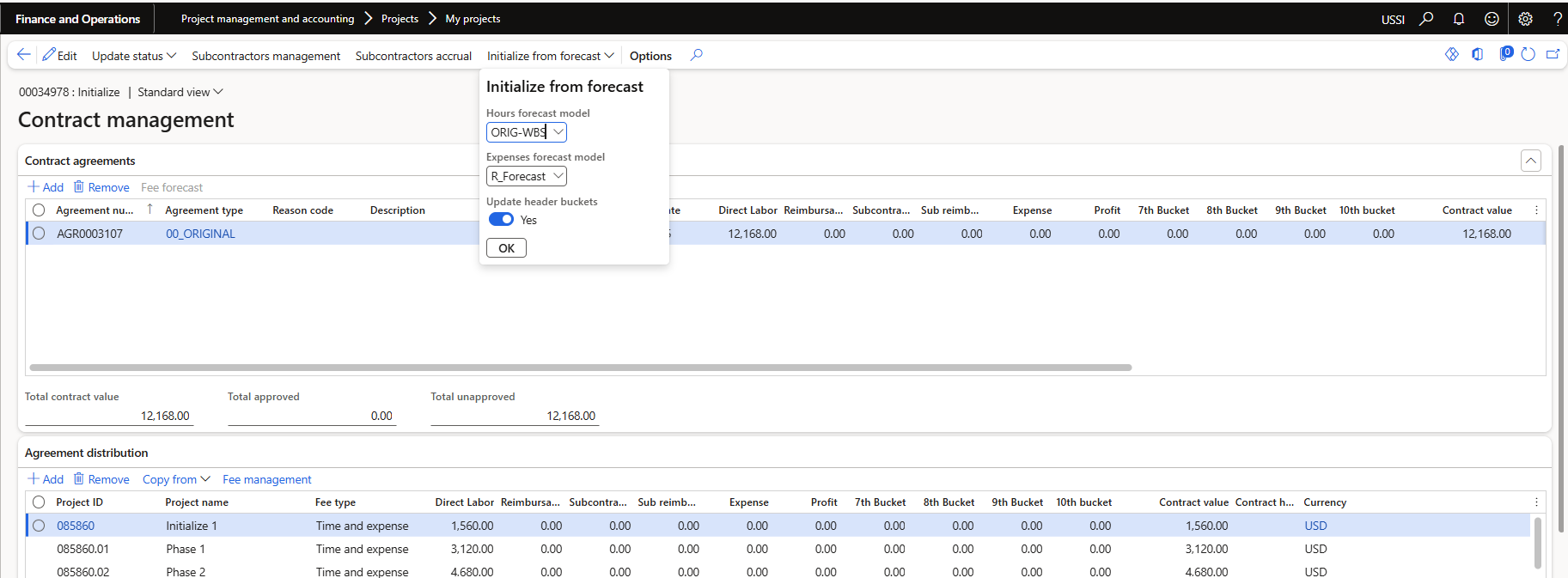
A new process has been introduced to initialize contract buckets based on forecast transactions, leveraging reporting groups to accurately map categories.
- A new button called ‘Initialize from forecast’ was added to the ‘Contract management’ form.
- This button will be available only if the contract header is in Pending status.
- A dialog form will request for the ‘Hour forecast model’ and ‘Expense forecast model’.
- The new process will use reporting groups to find the categories related to each ‘Contract bucket’.
- Also, a new field ‘Awarded amount’ was added to ‘Contract agreement header, table and form. It will remain editable while the contact header status is Pending.
Copy project sales prices for Expenses, Hours and Fees
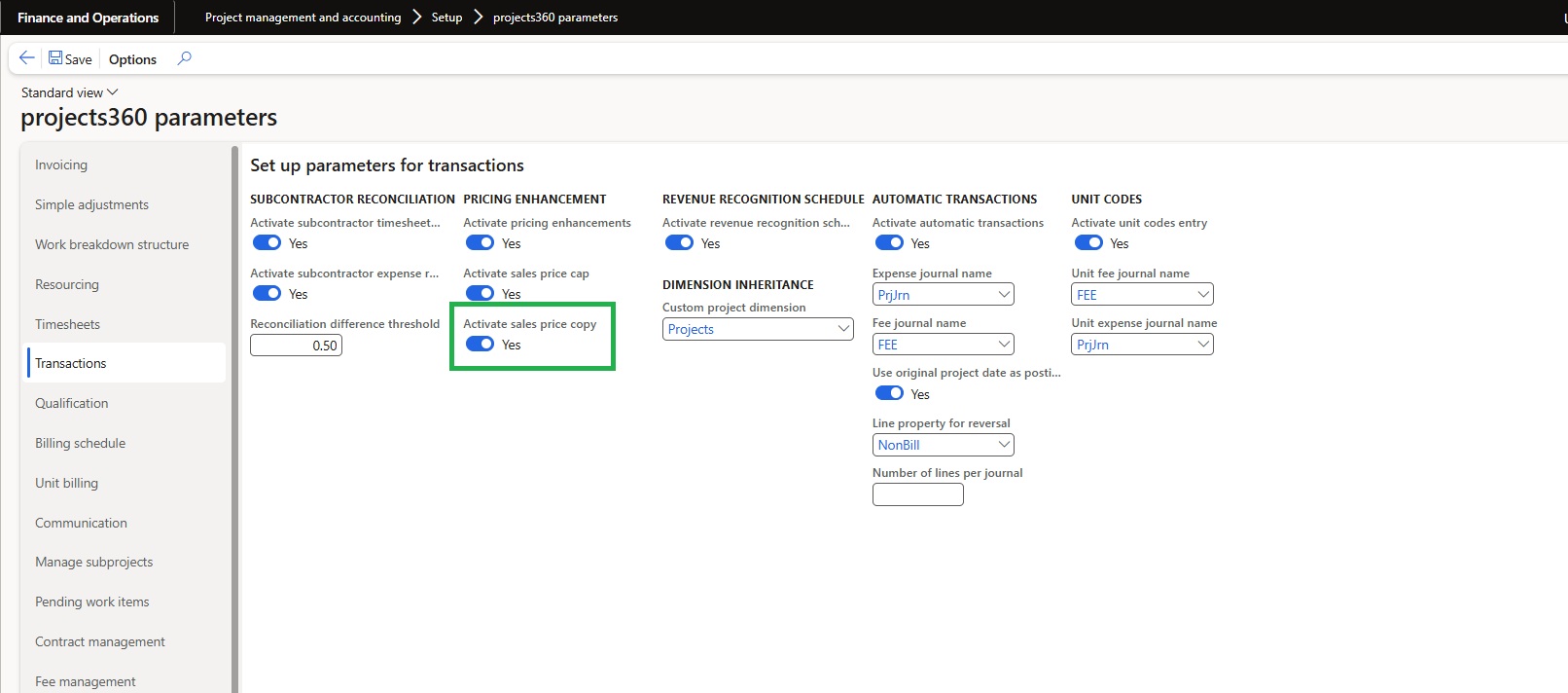
In this feature a new ’Copy to’ button will help users to copy sales prices for expenses, hours and fees to a particular project, project contract or customer account.
- This button is controlled by a new parameter called ‘Activate sales price copy’ located in project360 parameters under ‘Transactions’ tab.
- The user will specify the ‘Effective date’ and select the destination project, contract or a customer account to execute the process.

Monitoring and telemetry workspace using Application Insights – Preview
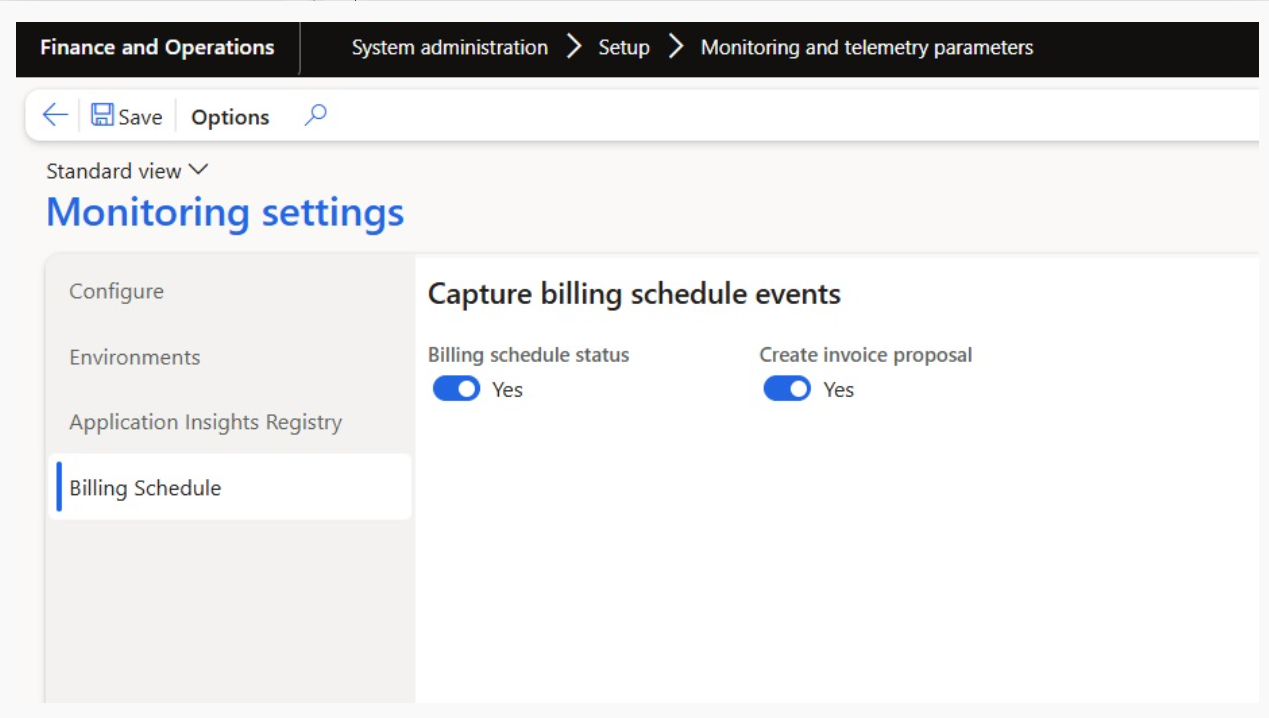
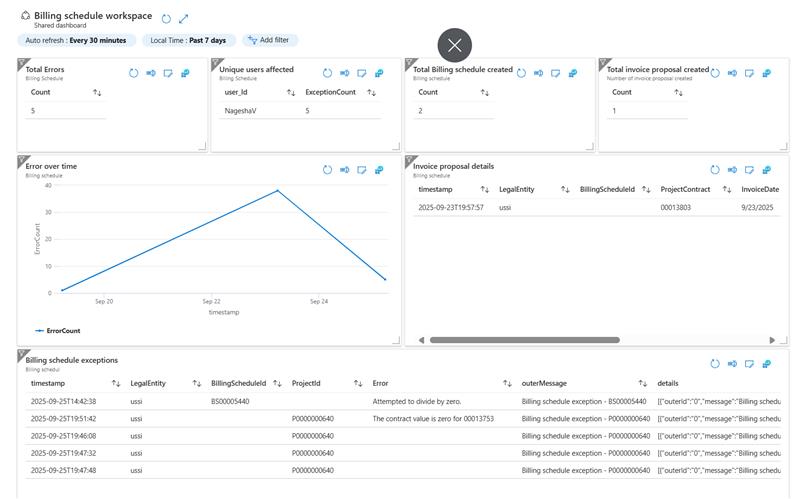
We’ve introduced a telemetry monitoring workspace as a preview feature, designed to track billing schedules, invoice proposals, and related errors. This feature enables users to monitor and trace key events, particularly changes in billing schedule status, invoice proposal creation, and error occurrences.
- Gain visibility into billing schedules, invoice proposals, and related errors.
- Quickly identify and resolve issues with real-time monitoring.
- Track changes in billing schedule status and invoice proposal creation.
- Improve reliability and confidence in your billing process.
Features Enhanced
Invoice validation on fee billing projection
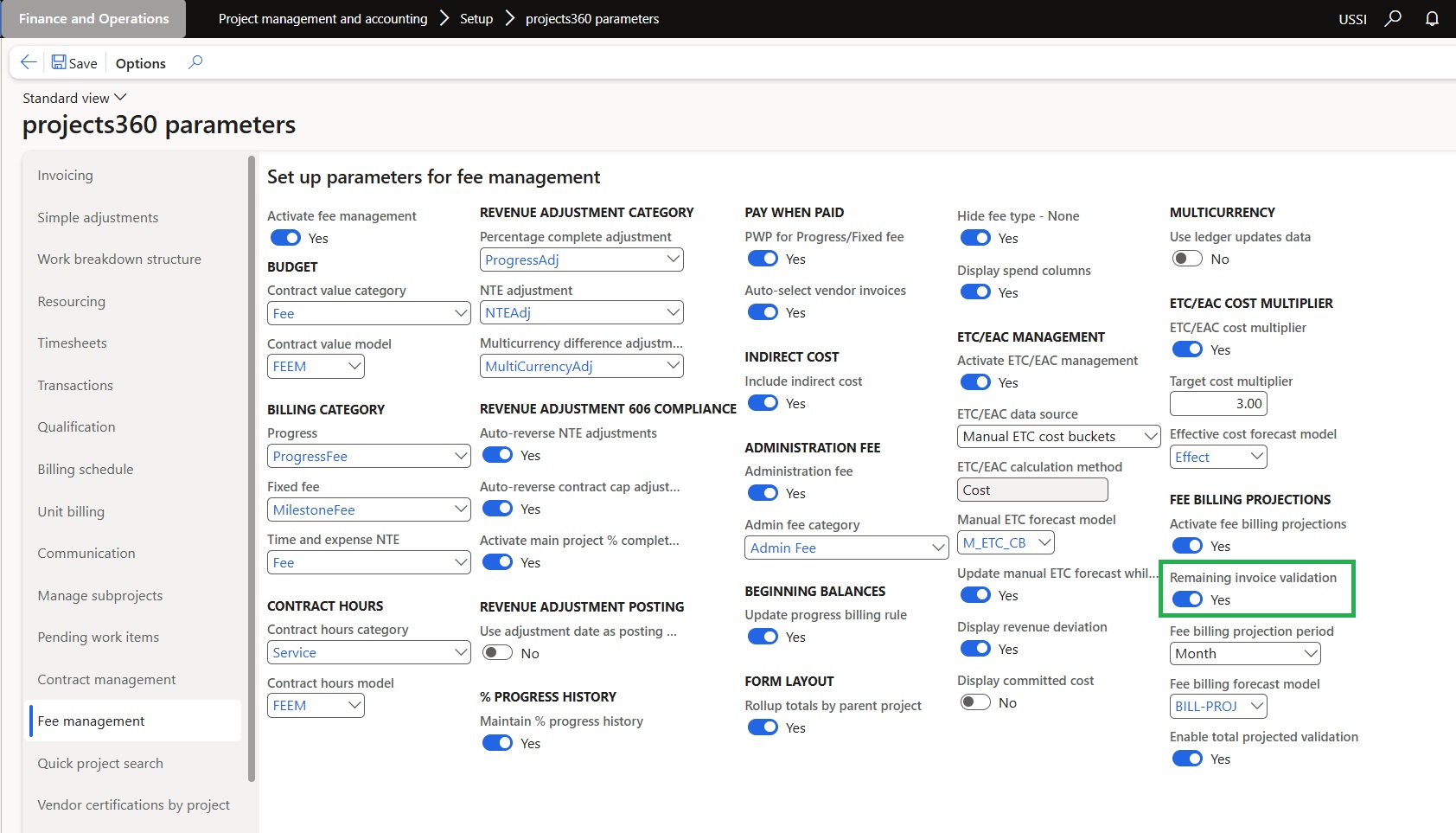
A new parameter called “Remaining Invoice Validation” has been added to the Projects360 Parameters.
- When this parameter is enabled, an additional validation is applied during Fee Billing Projections updates.’
- The system will check that both the projected amount for the current period and the total projected amount for the current and future periods do not exceed the remaining invoice amount.’
This helps ensure that projections stay within the limits of the contracted amount minus what has already been invoiced.
Migration of projects360 workspaces pattern
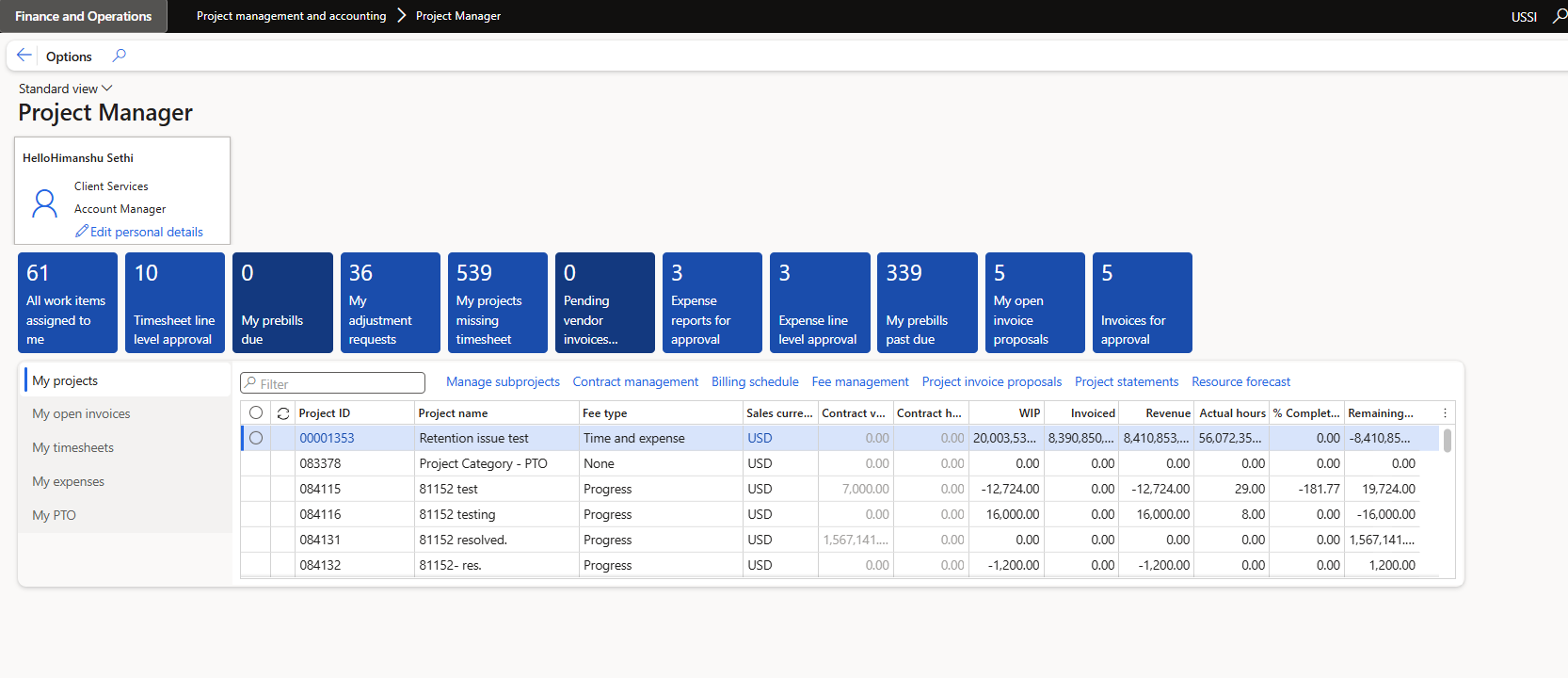
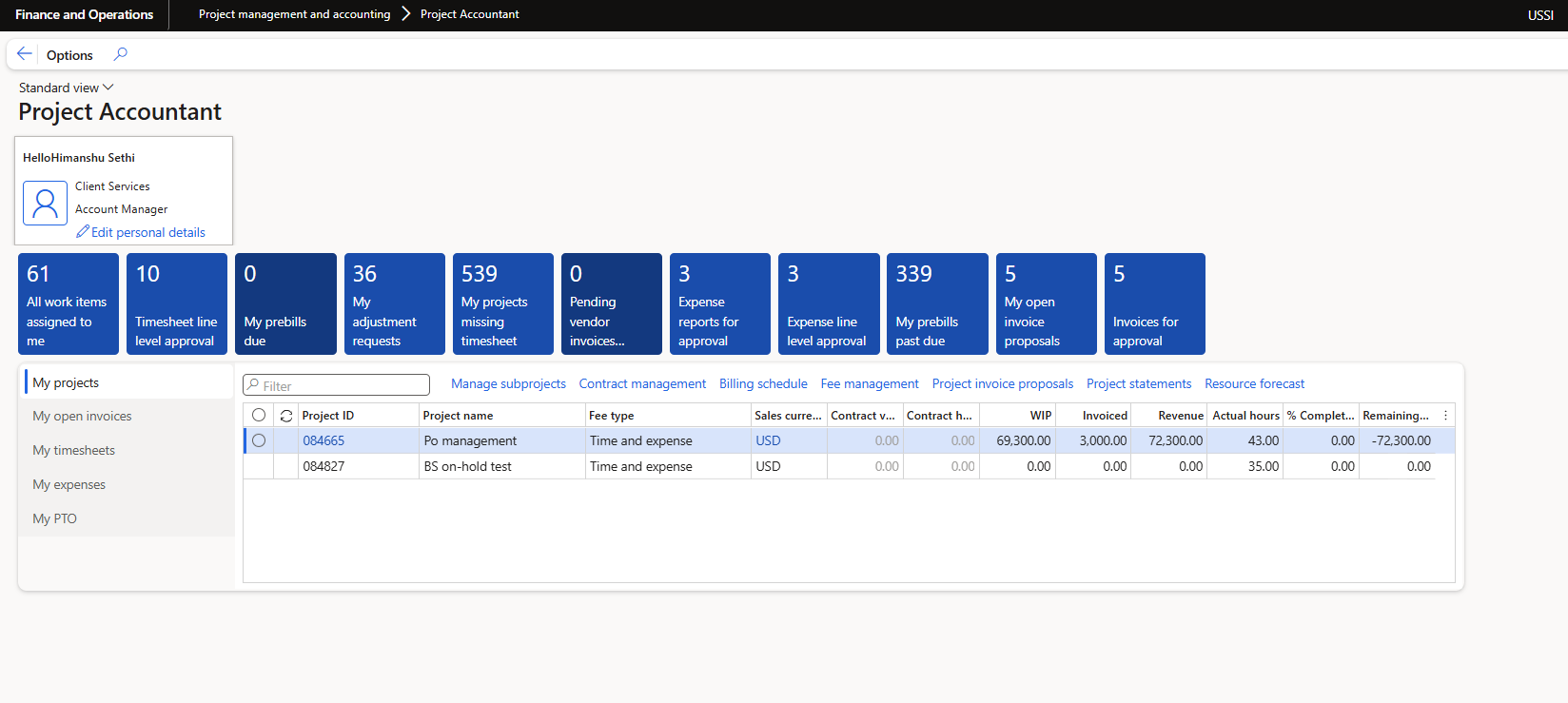
In this feature we have migrated the patterns of project360 to be vertical.
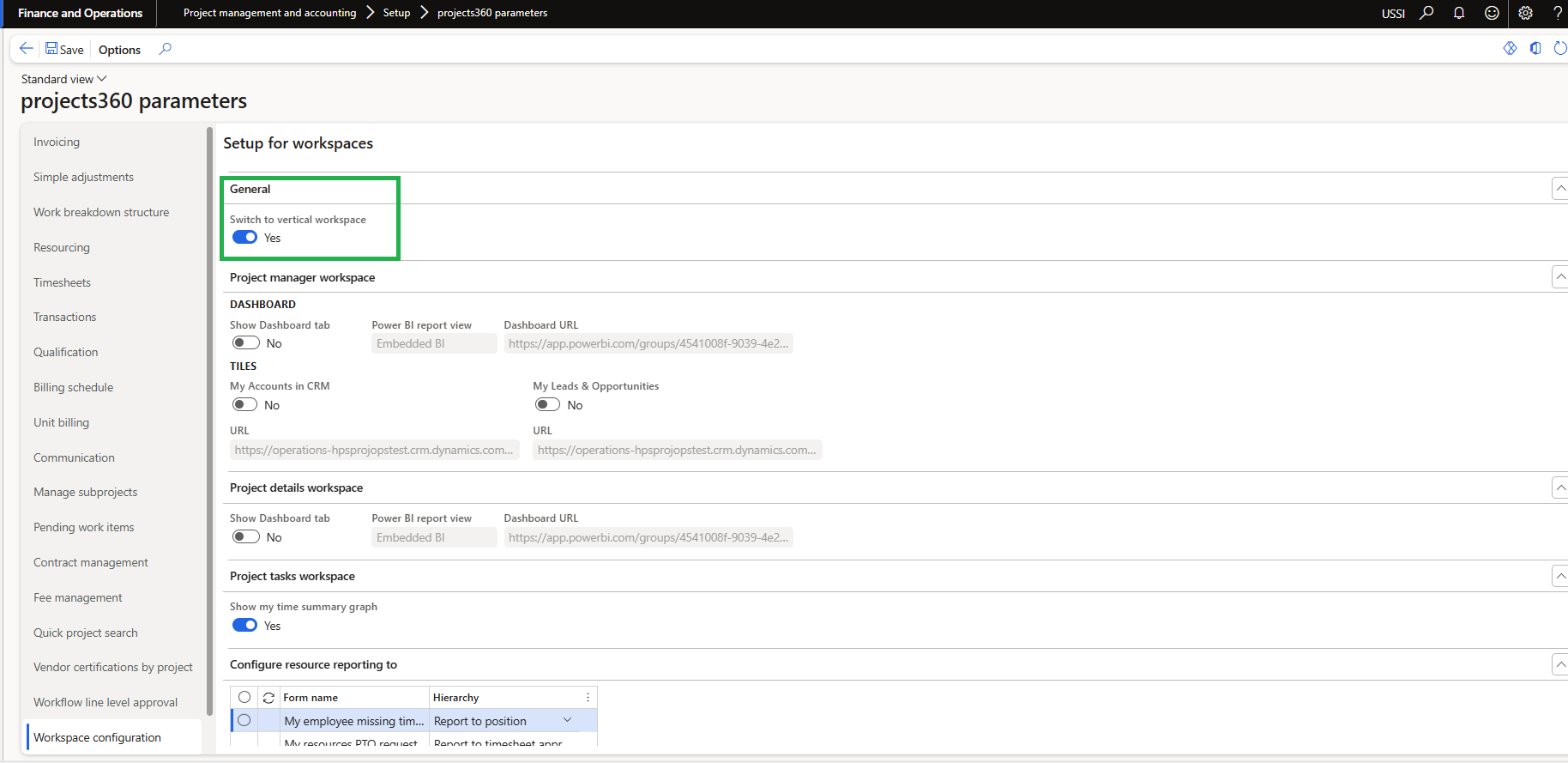
- This is controlled by parameter Switch to vertical workspace in project360 parameters under workspace configuration.’
- If below parameter is enabled, the user will be able to see the workspace form patterns and related sub patterns will be adjusted to vertical pattern.’
Unit code added to approvals in Mobile time entry app
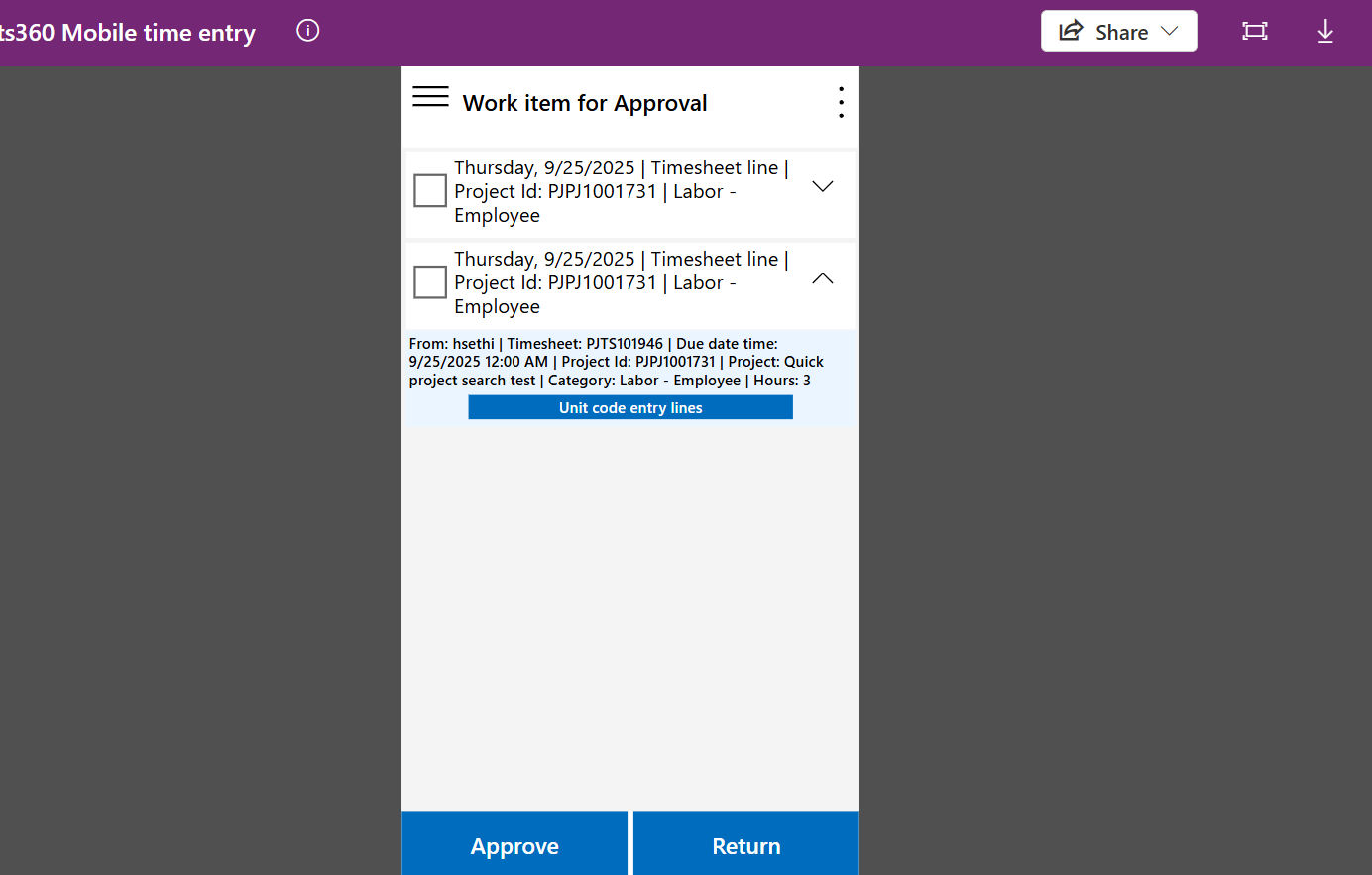
As part of this enhancement, a “Unit Code” button has been introduced on the Work Item Approval Form. This feature is designed to improve the approval experience by allowing approvers to review related unit code details before taking action.
- Approvers can now view related ‘Unit Code Entries’ directly from the approval form before approving or rejecting a time entry.
- The form will display the entered Unit Code for the corresponding timesheet line.
- This functionality is available only when there is existing ‘Unit Code Entry’ records associated with the timesheet line.
- The “Unit Code” button is accessible regardless of whether the timesheet follows a header-level or line-level workflow.
Minimum Hours for timesheet
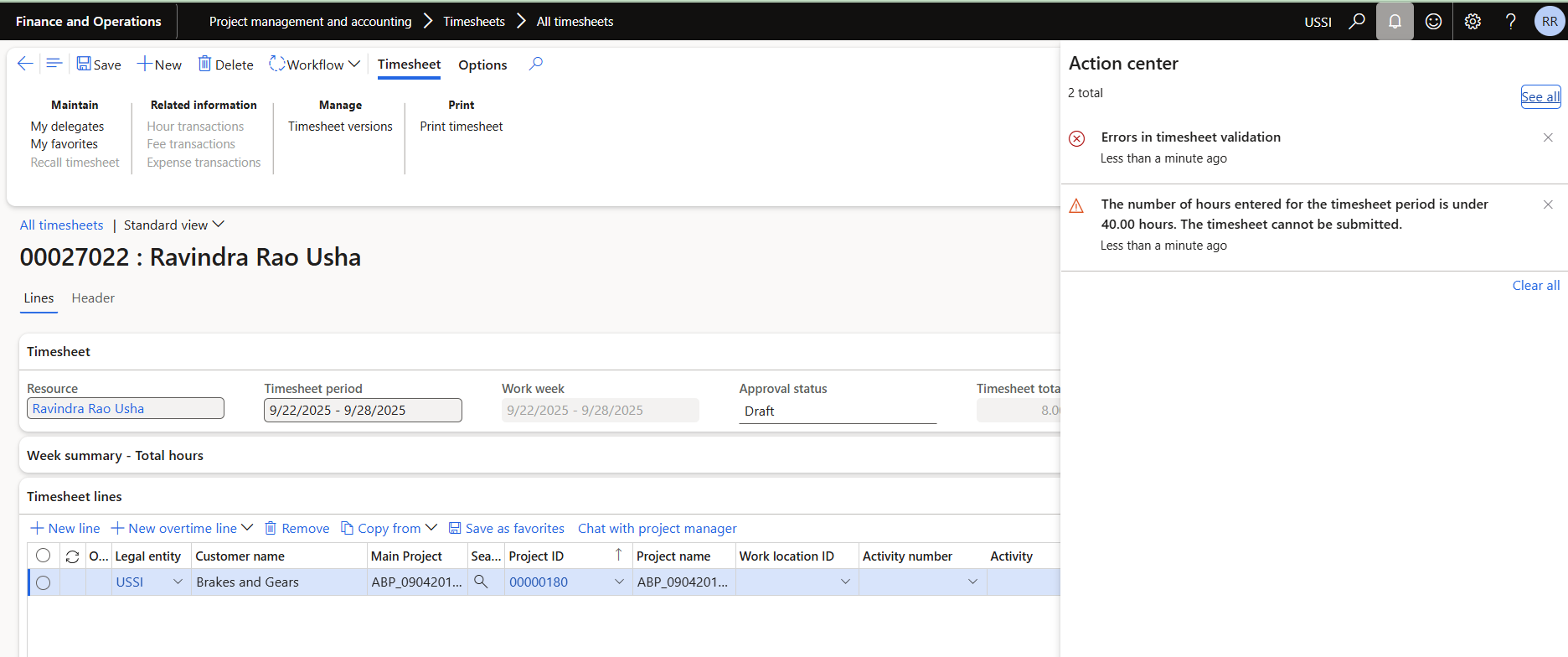
This feature introduces a new control to ensure that users submit a minimum number of working hours across all timesheets within a defined timesheet period. It enhances compliance with expected working hours and enforces consistency across submission channels.
- When user creates timesheet, system will validate the total number of hours entered by a user for the entire timesheet period, adding entries from all timesheets created during the same timesheet period.
- When a user submits a timesheet, the system checks if the total hours for the period are less than the minimum set in the new parameter. If the minimum is not zero and the user has entered fewer hours, the system will show a validation message.
- This validation will run when the timesheet is submitted from the F&O regular timesheet form, the Daily timesheet form, PowerApps, or Copilot.
- This is controlled through a new parameter added in projects360 parameters form.
Contract management validation
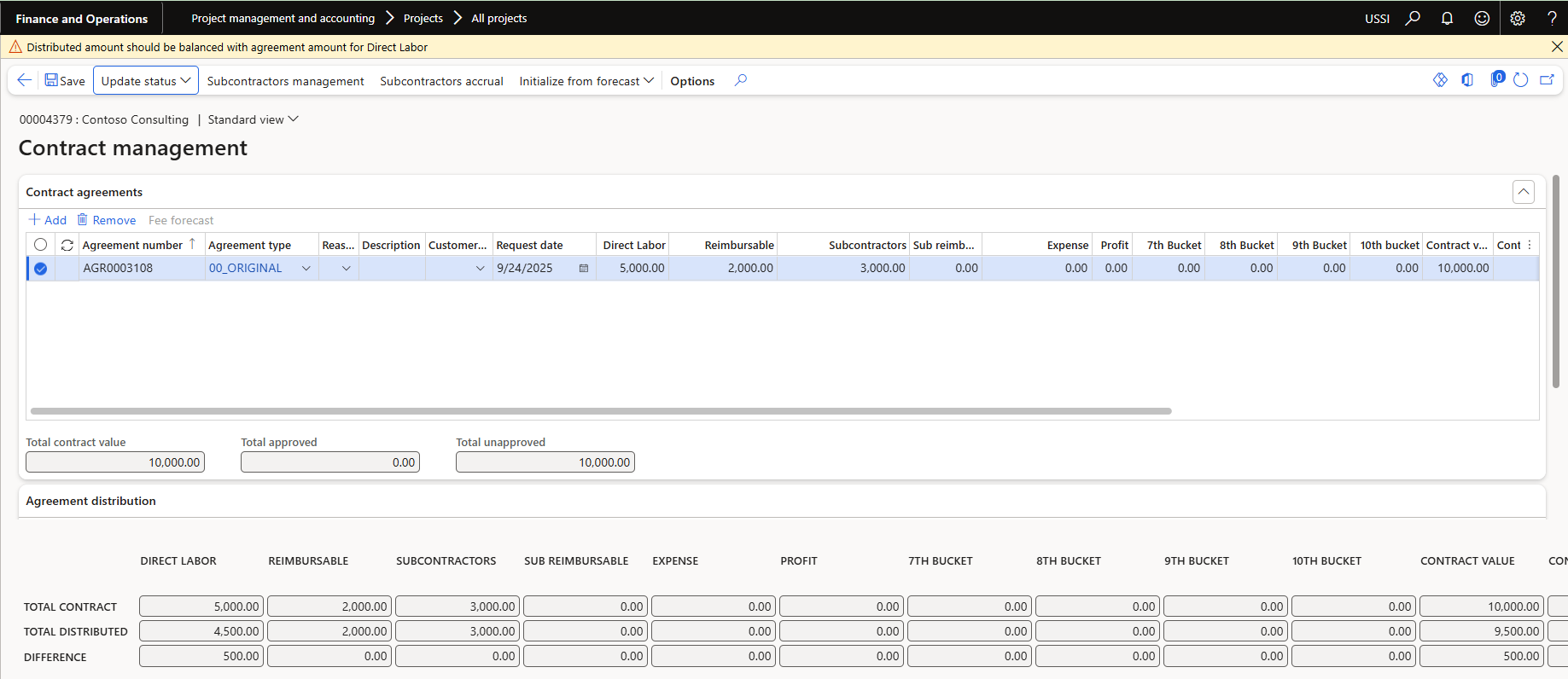
A new parameter allows you to configure the system so that the validation between header buckets and lines is triggered only during the submission or approval of a contract agreement.
- During manual updates to bucket values, the system will skip validation between the header bucket and the line buckets. This allows users to temporarily create lines that overrun the header bucket value.
- The validation will be triggered when the Contract Agreement is submitted or when its status is changed to Approved. At that point, the system will check for any exceeded values and display a warning message listing the differences.
- This is controlled through a new parameter added in projects360 parameters form.