


Copy timesheet
The Time Entry Agent makes it easy to reuse previous timesheet data by allowing you to copy entries from past periods. Instead of starting from scratch, you can quickly replicate timesheet lines from last week or any previous period, saving time and reducing manual effort.
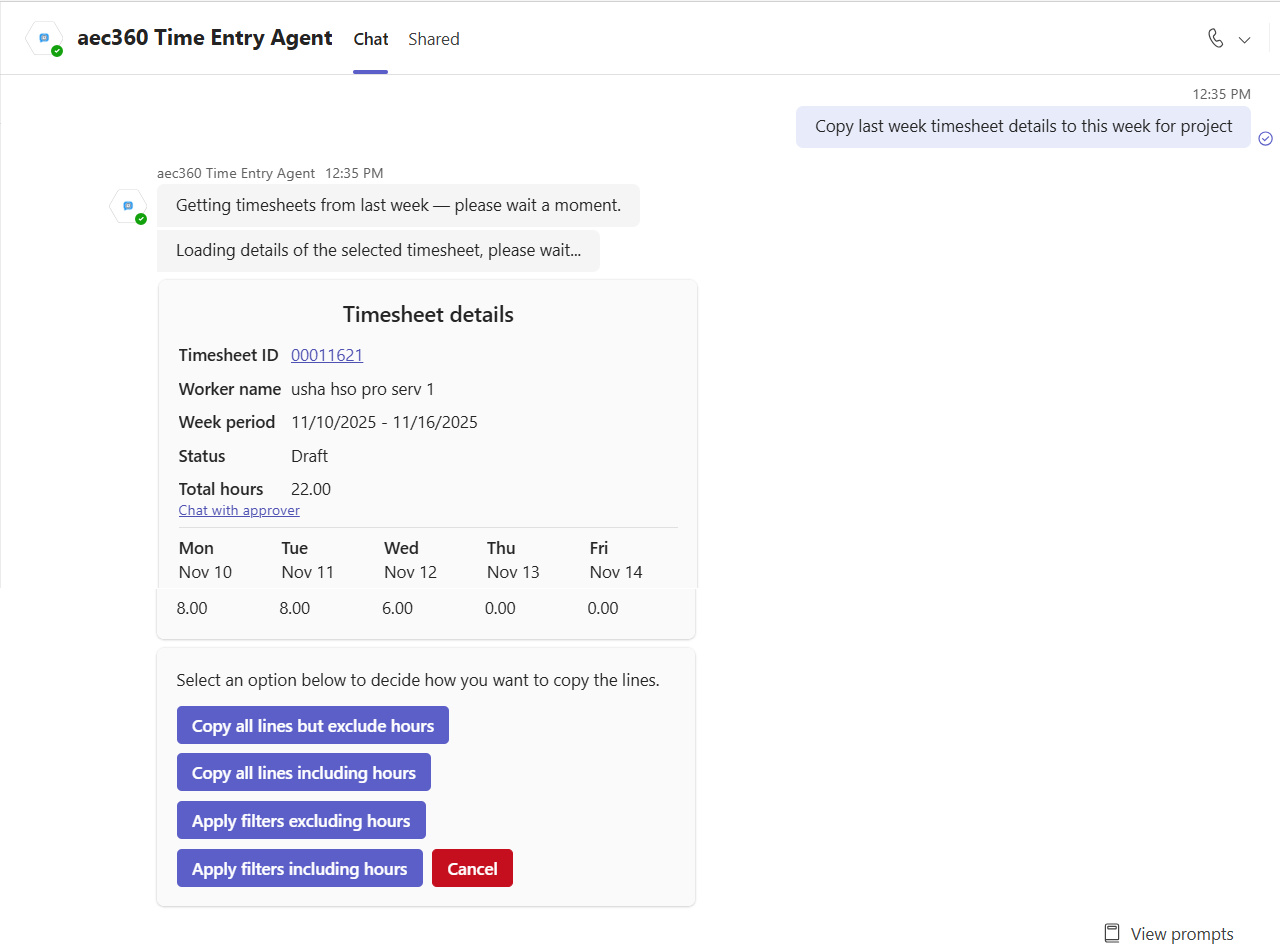
To copy timesheet entries, simply type a prompt such as, “Copy timesheet lines from last week to this week.” The agent will then retrieve your previous timesheet and display a summary, along with options for what you would like to copy. For example, you can choose to copy the entire timesheet or only specific lines, leaving the hours blank as needed.
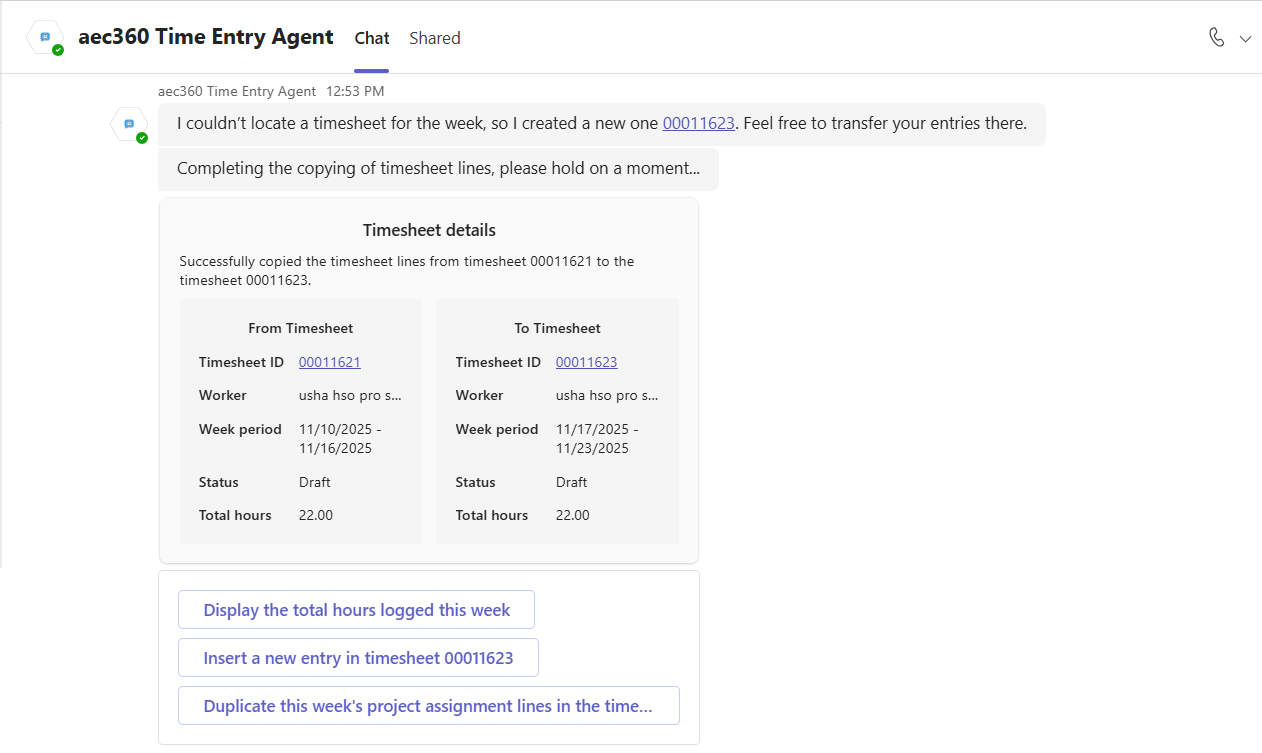
After you choose which details to copy, the agent adds them to an existing timesheet or creates a new one if none exists. Once the details are copied, it displays both the previous week’s timesheet and the current week’s timesheet, highlighting the copied entries. From there, you can review total hours logged, add new entries, or duplicate project assignment lines for the week.