


Review this week
With the Time Entry Agent, you can easily review your weekly timesheet and logged hours in Microsoft Teams, receiving a clear summary of your daily and total entries without navigating multiple screens.
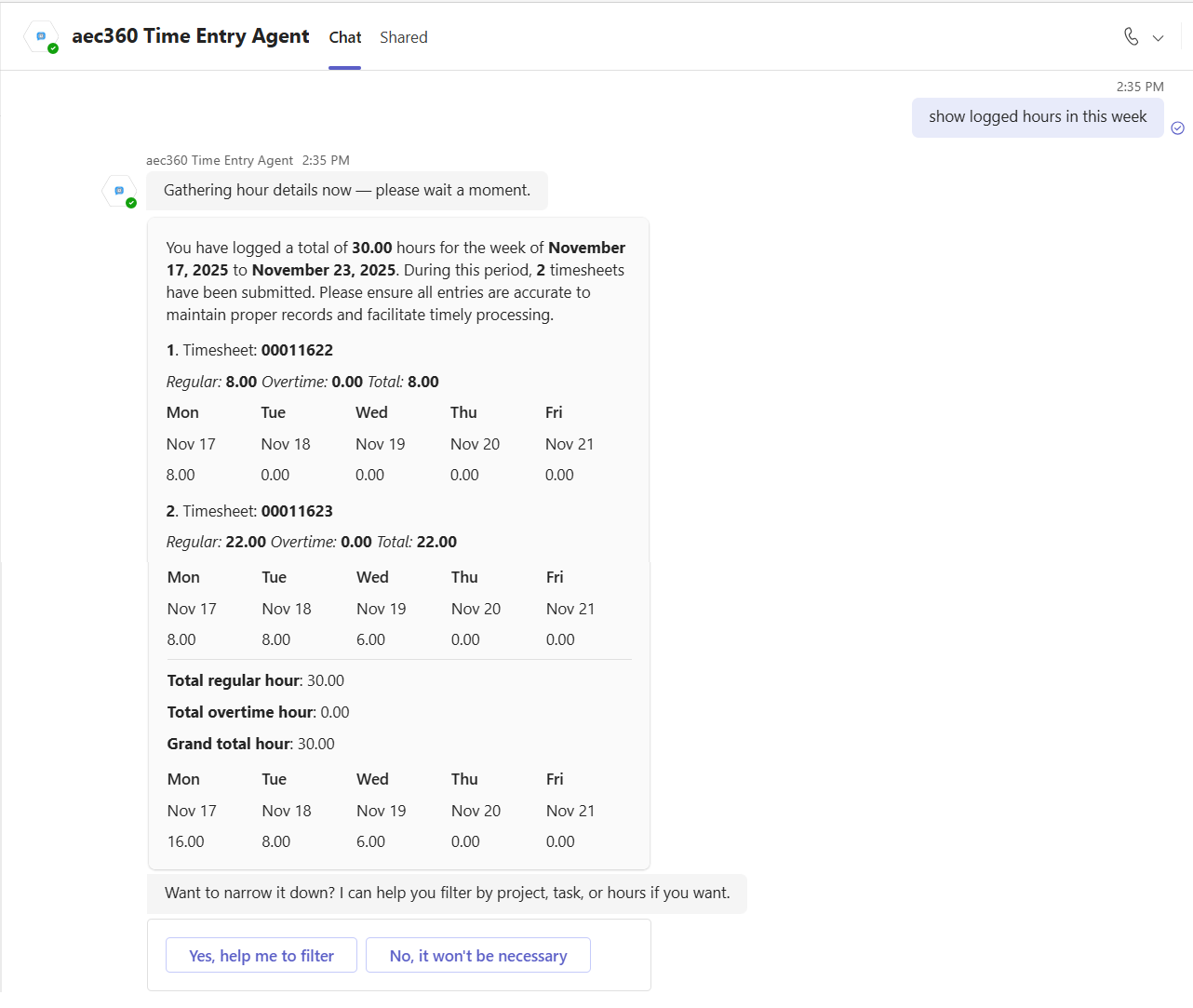
To do this, simply prompt the agent to show time entries for the week. The agent will display all key timesheet details in a single view, including the timesheet number, hours logged (both regular and overtime), and weekly totals. Additionally, the agent provides an option to filter entries for more specific review.
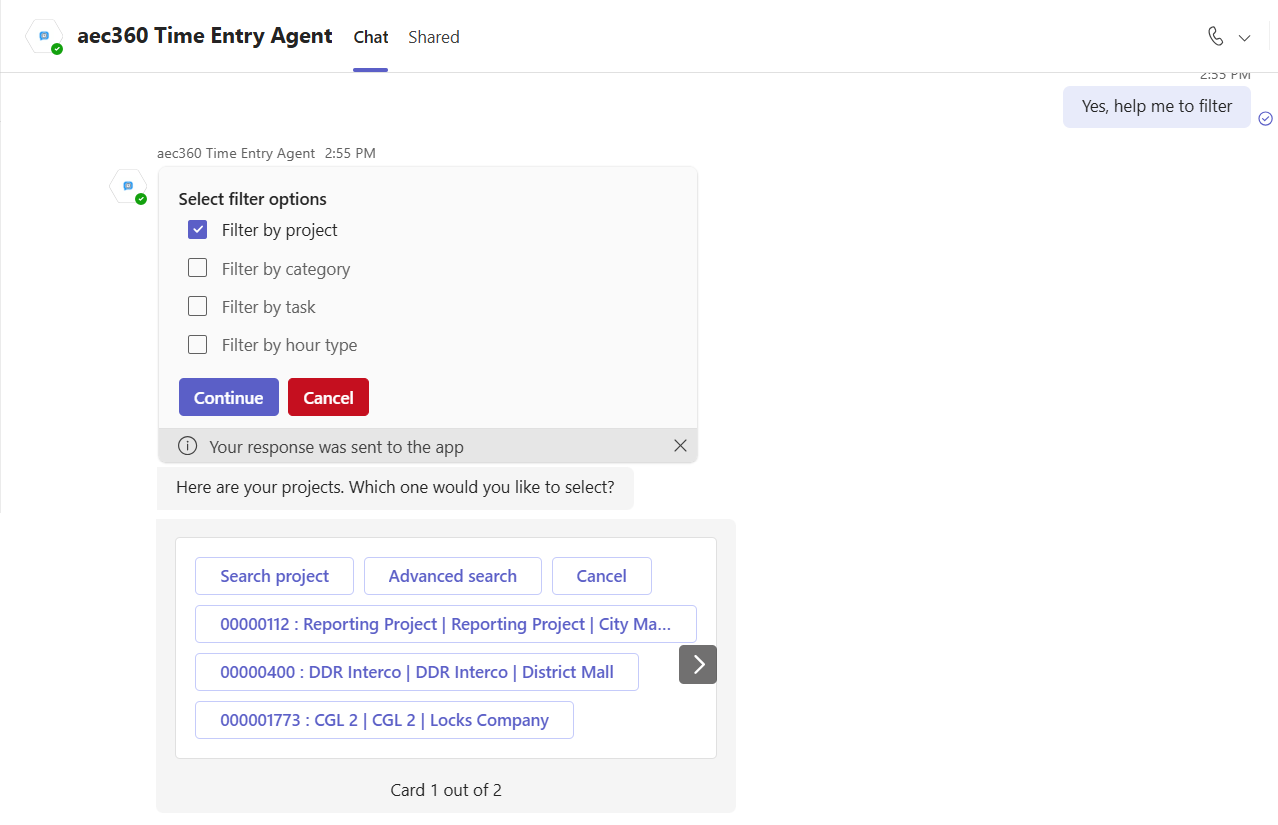
After the summary of the time logged is displayed, you can choose a project to filter and view a more detailed breakdown of the hours.
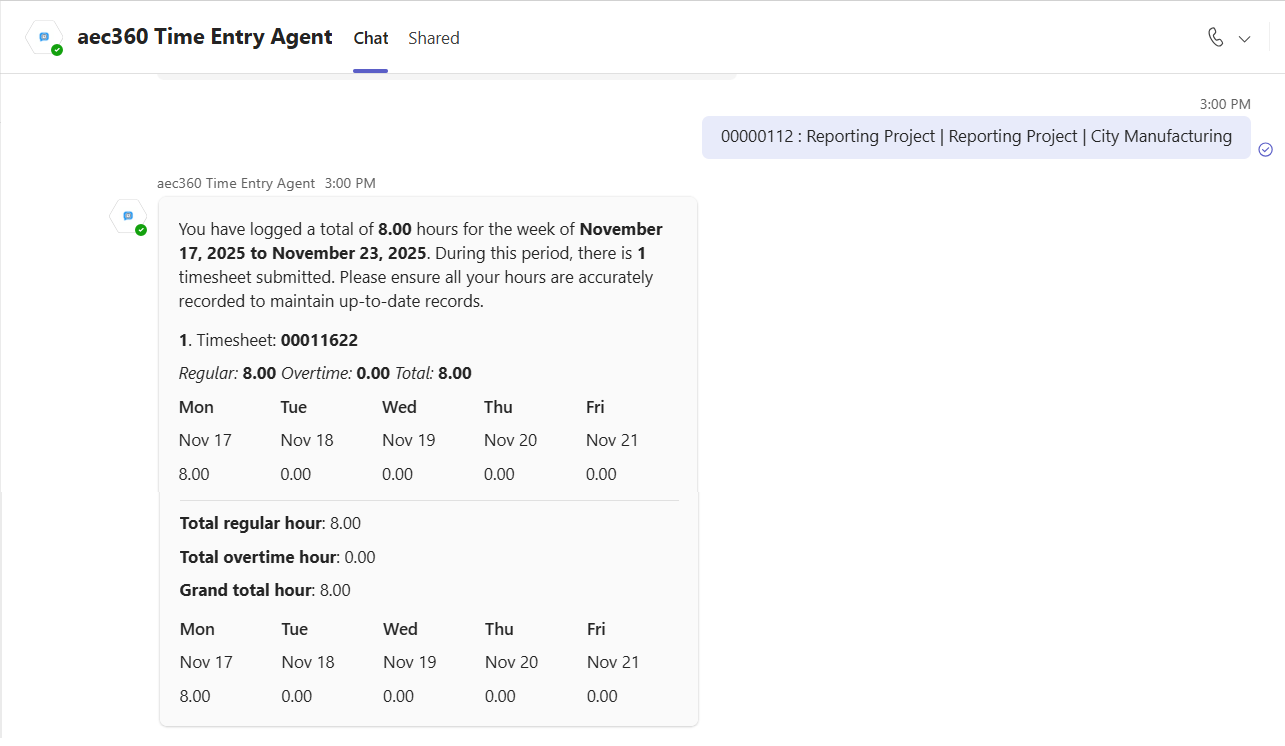
When applying your filter criteria, the agent refreshes the timesheet view to display only entries that match your selected criteria. This targeted filtering enables you to quickly find relevant time entries without the need to scroll through unrelated records.