


New report has been introduced to display timecard details for all the resources. User will be able to filter the report based on Resource , Timesheet period or Timesheet number.
Go to Project management and accounting > projects360 Inquiries and reports > Timecard > Timecard weekly summary report
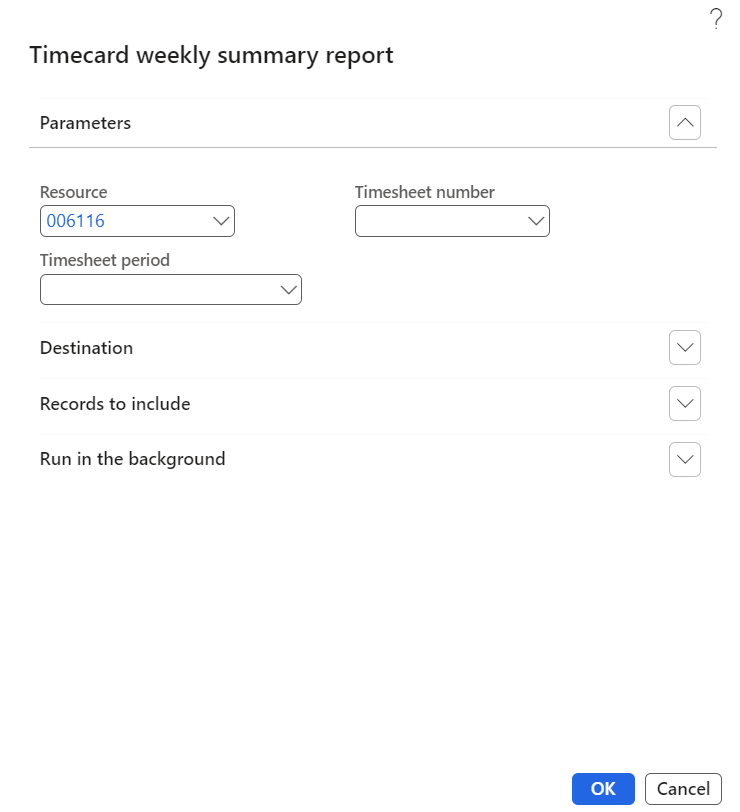
Details of the fields available on the Time card weekly summary report dialog are as follows –
| Fields | Description |
| Resource | This field displays all the resources for which timecard required parameter is enabled. |
| Timesheet number | This field all the timesheet. |
| Timesheet period | This field displays all the timesheet periods. |
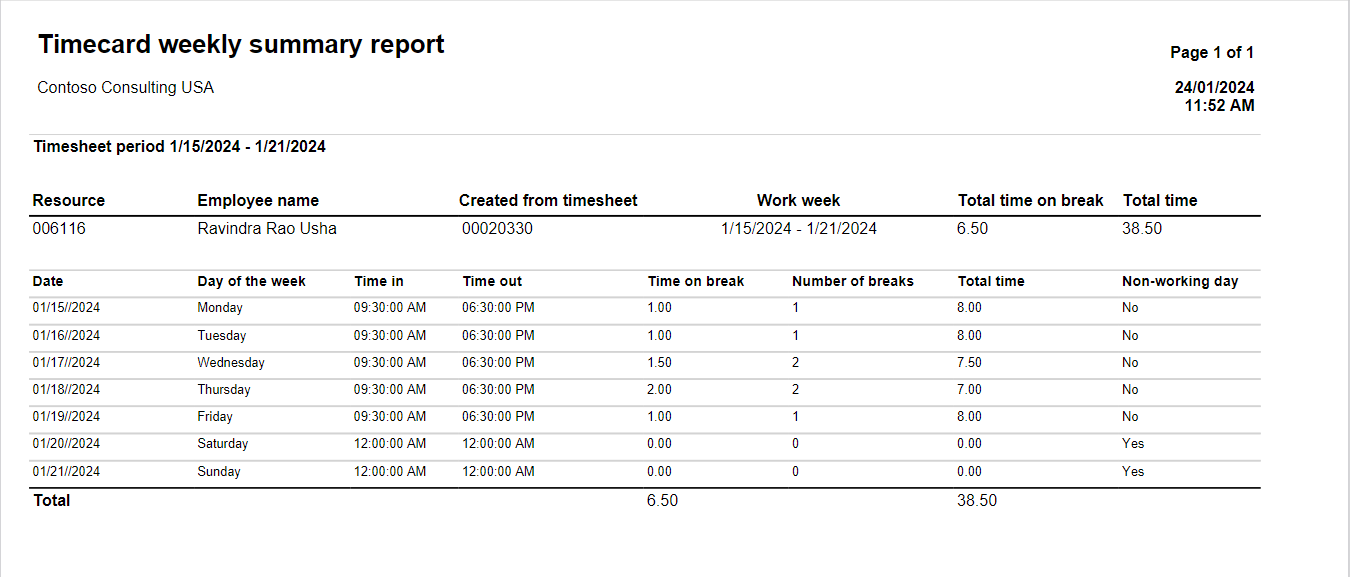
Details of the fields available on the Time card weekly summary report are as follows –
| Fields | Description |
| Timesheet period | Displays timesheet period. |
| Resource | Displays resource. |
| Employee name | Displays employee name. |
| Created from timesheet | Displays timesheet number from which the timecard details are displayed. |
| Work week | Displays the work week in the timesheet period. |
| Total time on break | Displays total time on break for the specific timecard. |
| Total time | Displays total time for the timesheet period. |
| Date | Displays date from the timesheet period. |
| Day of the week | Displays day of the week. |
| Time in | Displays time in. |
| Time out | Displays time out. |
| Time on break | Displays time on break for the day. |
| Number of breaks | Displays number of breaks entered for the day. |
| Total time | Displays total time for the day. |
| Non-working day | Displays whether it is working or non working day. |