New option is been introduced for ‘Category field’ on projects 360 parameters form. We have relabeled the existing options and added new option for this enum.
Go to Project management and accounting > Projects > All projects > Setup tab
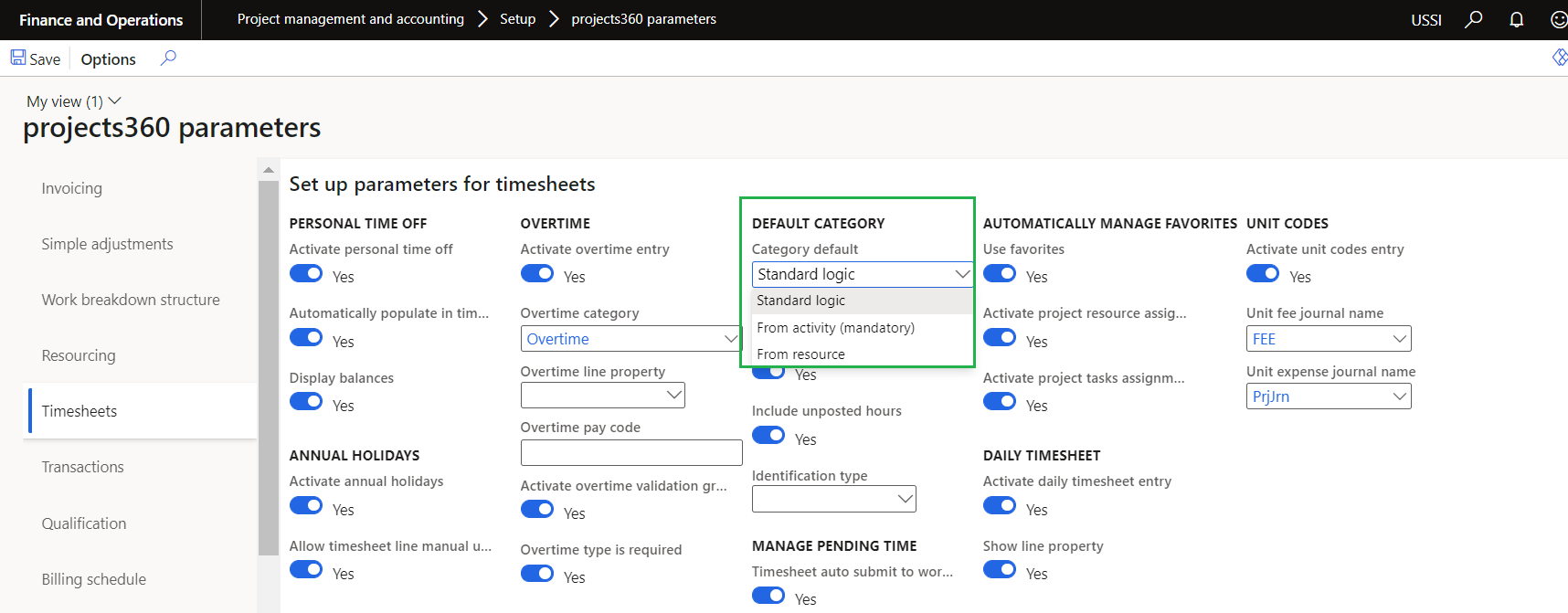
Details of the options are as follows –
| Fields | Description |
| Standard logic | No changes in the current logic. |
| From activity (mandatory) | If category default is set to ‘From activity (mandatory)’ then category will default on timesheet from activity. |
| From resource | If category default is set to ‘From activity (mandatory)’ then category will default on timesheet from resource. |
New options is been introduced on Projects form to skip the timesheet comments validation as an exception for specific project. These fields are available only when the ‘External comment’ and ‘Internal comment’ parameters are set to ‘Yes’.
Go to Project management and accounting > Setups > projects360 parameters > Timesheets
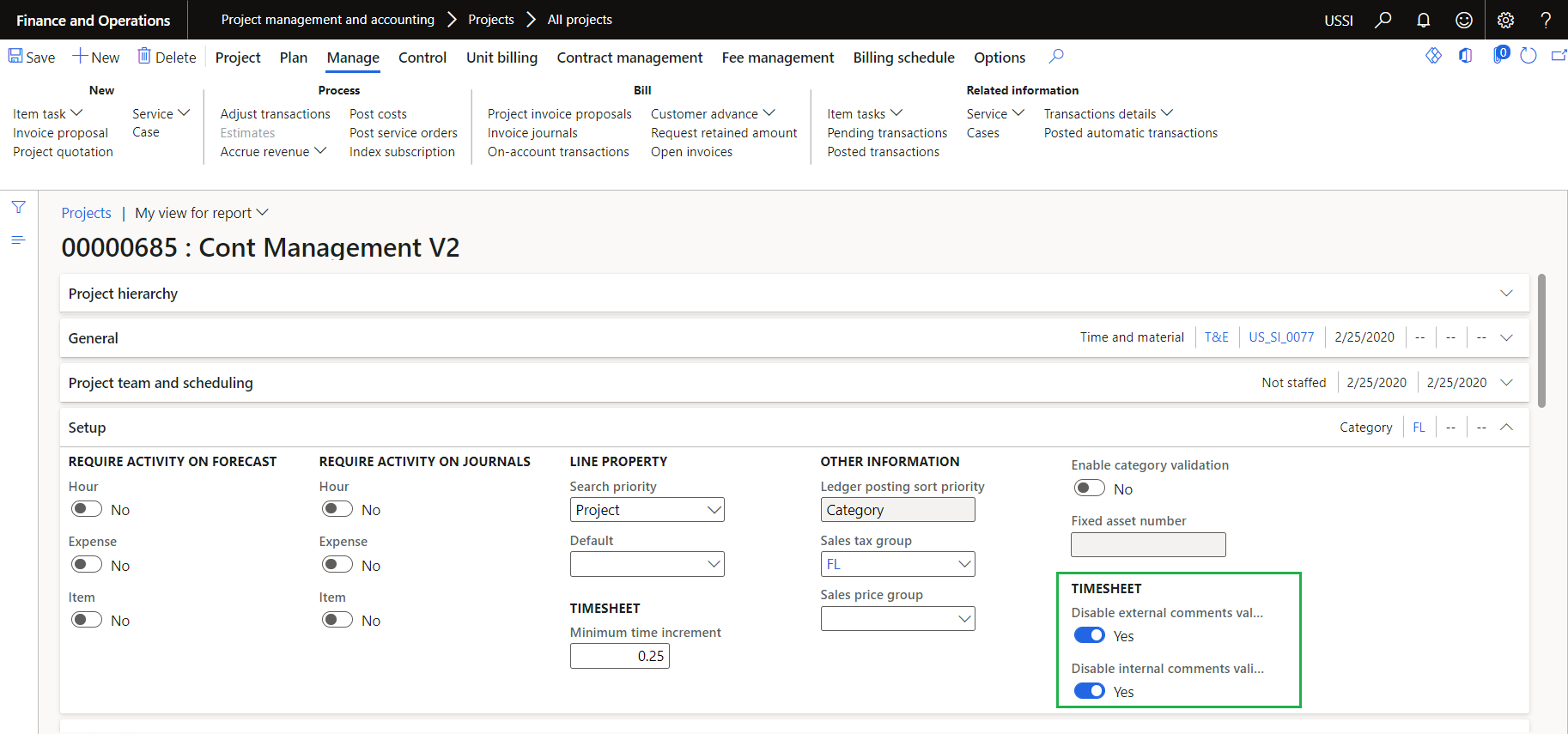
Details of the options are as follows –
| Fields | Description |
| Disable external comment validation | If project has field ‘Disable external comments validation’ set as ‘Yes’, then external comment requirement validations will be skipped for that specific project. |
| Disable internal comment validation | If project has field ‘Disable internal comments validation’ set as ‘Yes’, then internal comment requirement validations will be skipped for that specific project. |
New parameters is been introduced to provide an option to the users if they want to use ‘Timesheet approver’ or ‘Reports to position’ to display information on the few of the tiles on the workspaces. Based on this selected option data will be displayed on the below workspaces.
My resource list
My Employee Missing Timesheet
My resources PTO request
My employee PTO balances
Go to Project management and accounting > Setups > projects360 parameters > Workspace configuration tab

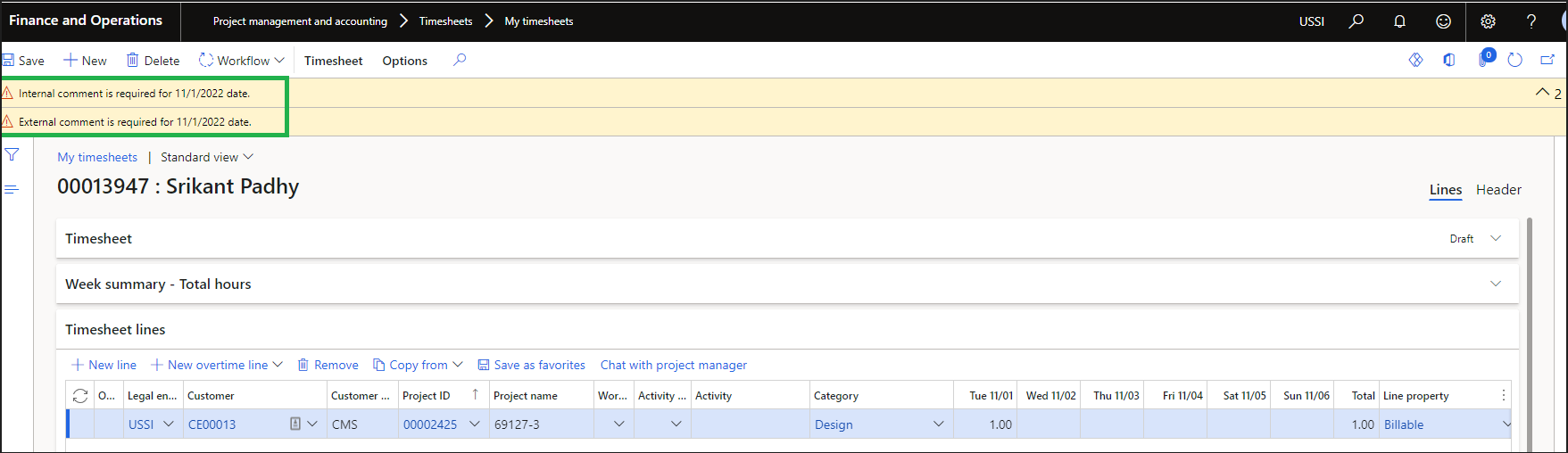
When the timesheet lines are saved, warning message for filling Internal/External comments will be displayed with the date for which the comments have been missed.
Sales price cap
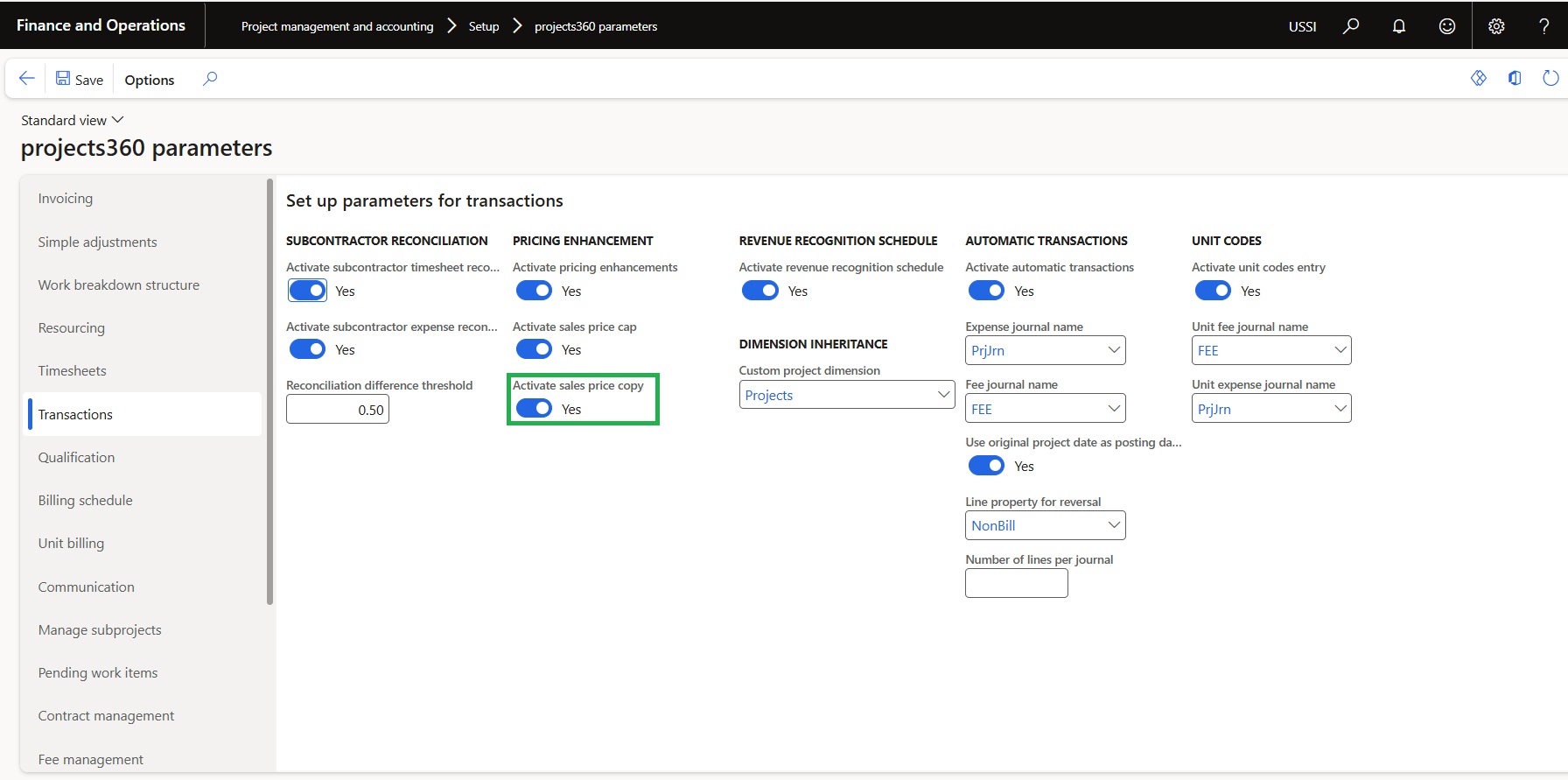
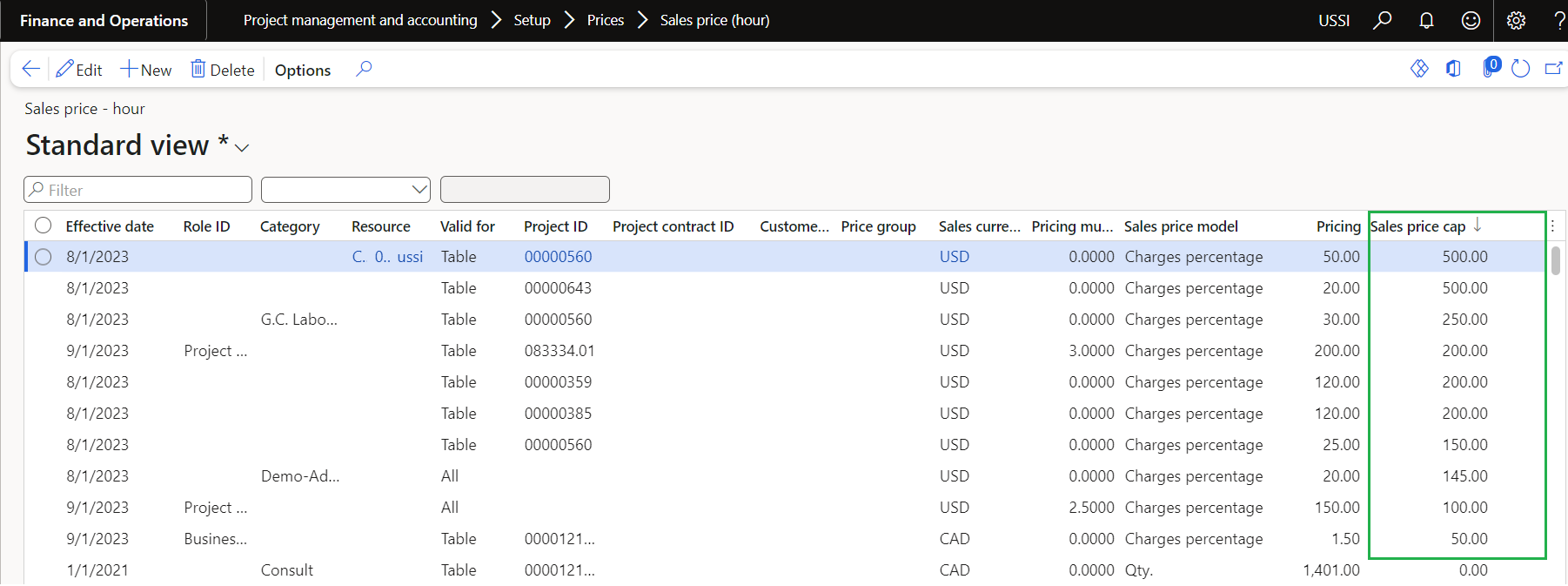
New field is introduced on sales price – hour ‘Sales price cap’ for Charges percentage sales price model. This field is controlled through a new parameter ‘Activate sales price cap’ placed on Transactions tab of the projects360 parameters form. When the Sales price cap is defined and the calculated value is greater than the Sales price cap value then Sales price cap value is considered as Sales price and when the calculated value is lesser than the Sales price cap then calculated value is considered.
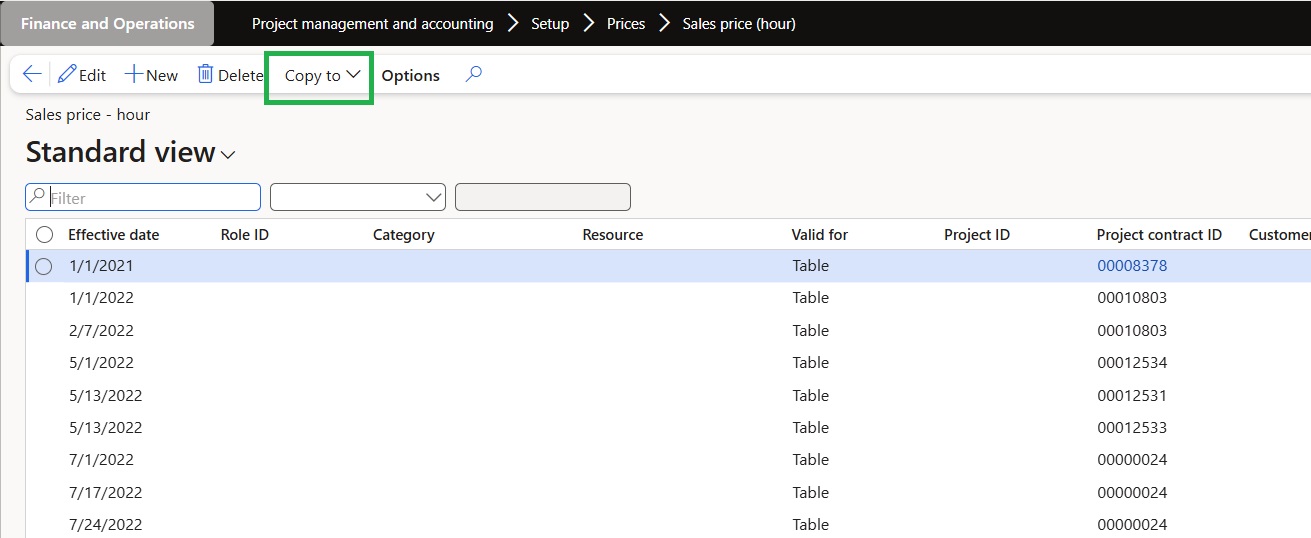
Go to Project management and accounting > Setup > Prices > Sales price (hour)
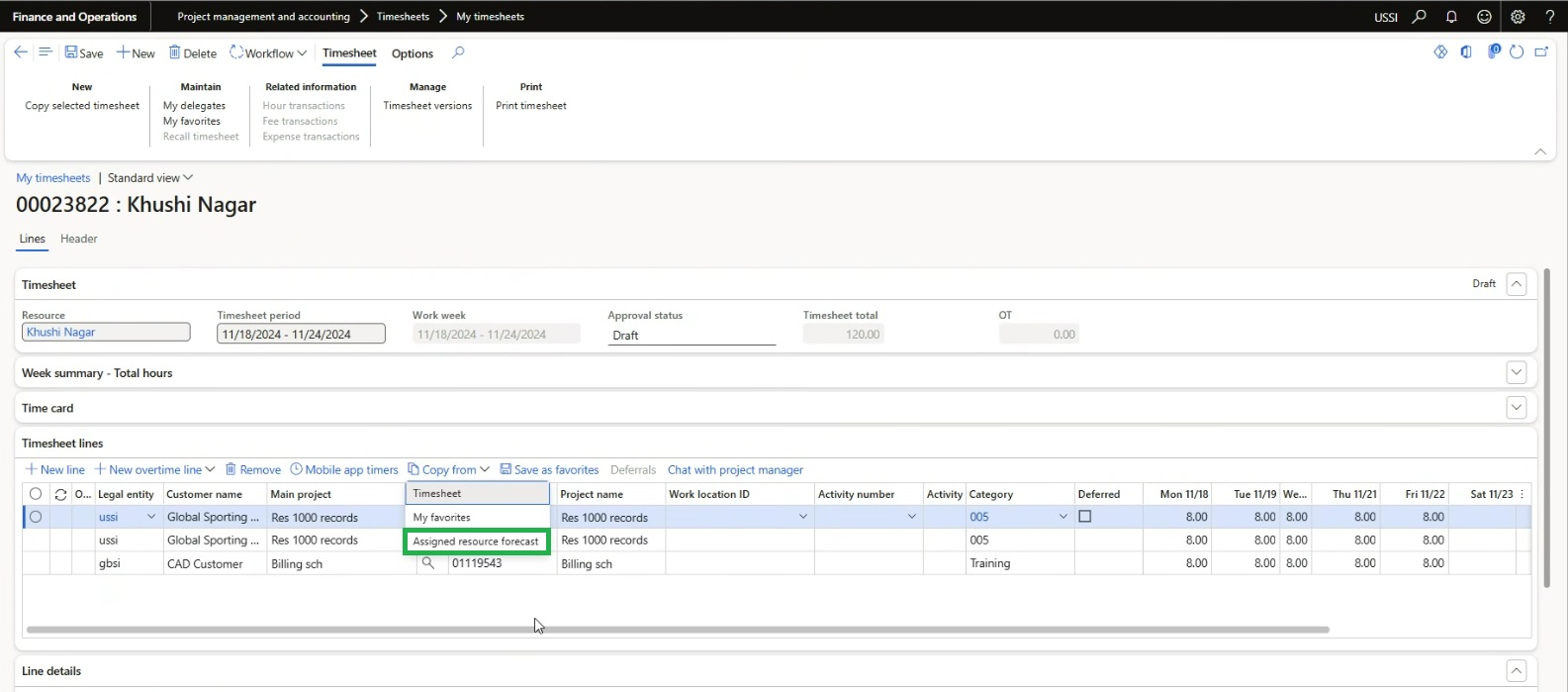
Copy from ‘assigned resource forecast’ in Timesheets
A new button called “Assigned Resource Forecast” has been introduced, replacing the MS standard copy from “Assignments” button. This new button will create new timesheet lines based on the existing data stored in the “Resource Forecast.”
Go to Project management and accounting > Timesheets > All timesheets
Go to Project management and accounting > Timesheets > My timesheets
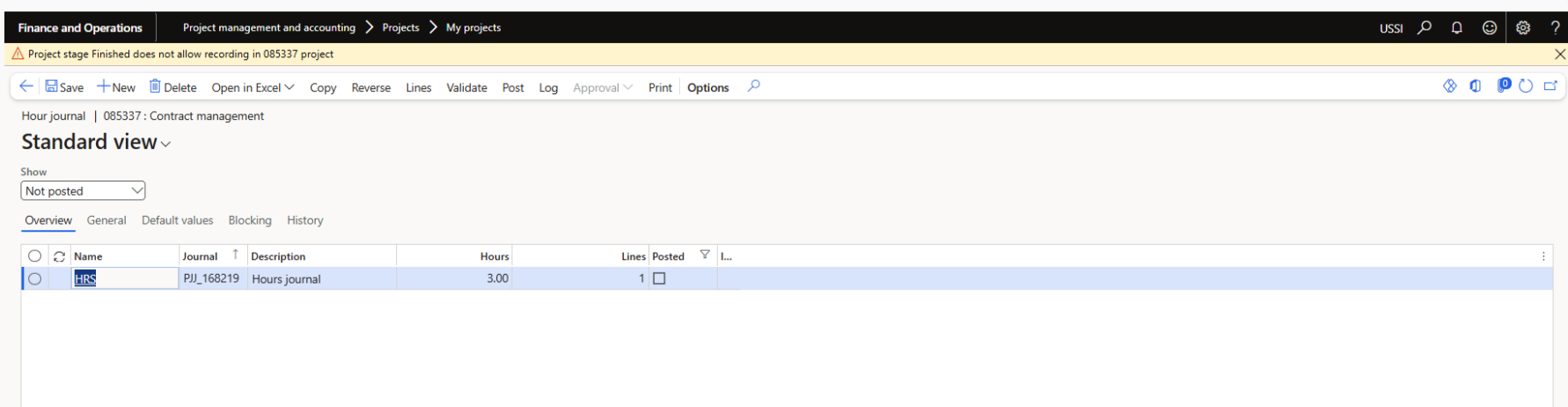
Hour Journal
When a user attempts to post an hour journal for a project that is in the “Finished” stage, a warning message will be displayed indicating the project ID and the corresponding error details.
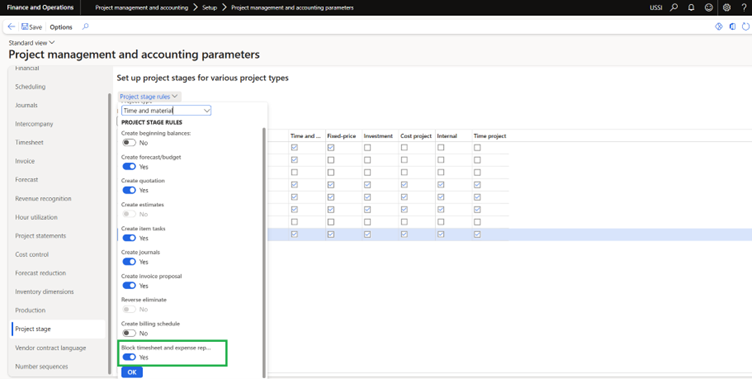
Additional rules on project stages
In the Project management and accounting parameters form, under the Project Stage tab, a new parameter called “Block timesheet and expense report” has been introduced to prevent users from creating or posting timesheet and expense report entries for projects assigned to a specific stage.
When this checkbox is set to “Yes” for a specific project stage, users will be restricted from selecting project IDs associated with that stage when entering timesheets or expense reports. However, other transactions such as adjustments, fee journal postings, vendor invoice entries, and invoice proposals (specifically for progress-based projects requiring fee postings) will still be allowed.
Go to Project management and accounting > Setups > Project management and accounting parameters > Project Stage > Project Stage Rules
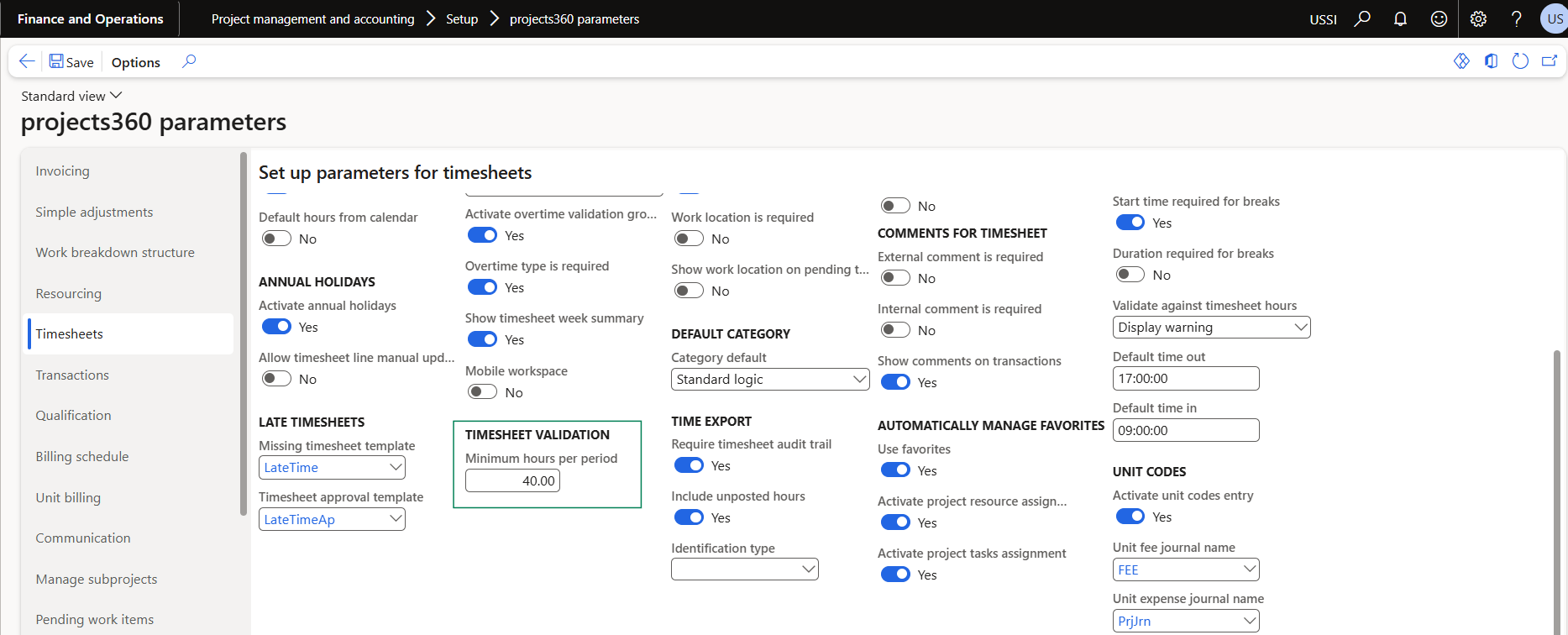
Minimum hours validation on Timesheets
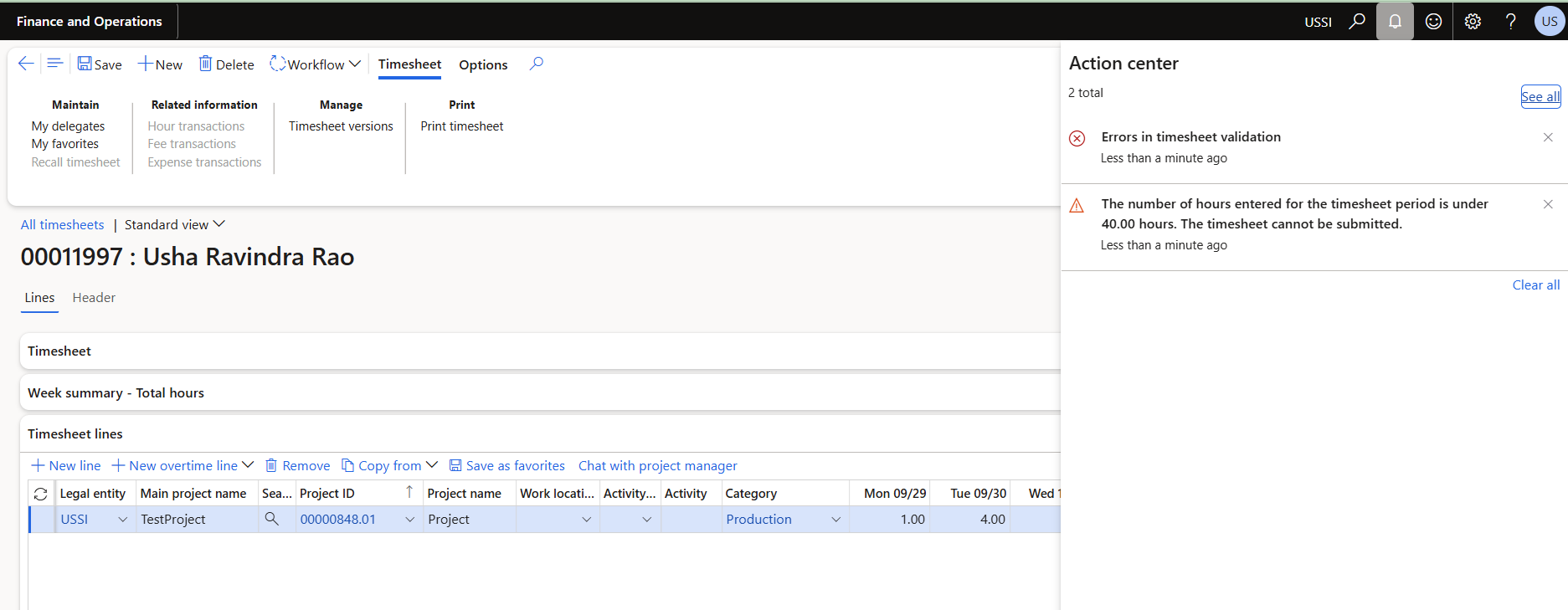
In the projects360 parameters form, under the Timesheets , a new field ‘Minimum hours per period’ has been introduced to control to ensure that users submit a minimum number of working hours across all timesheets within a defined timesheet period.
When this field is populated with the value, system will validate the total number of hours entered by a user for the entire timesheet period, adding entries from all timesheets created during the same timesheet period and when user submits a timesheet, the system checks if the total hours for the period are less than the minimum set in the new parameter, if the user has entered fewer hours, the system will show a validation message.
This validation is applicable when the timesheet is submitted from the F&O regular timesheet form, the Daily timesheet form, PowerApps.
Go to Project management and accounting > Setup > projects360 parameters
Ability to copy sales prices of expenses, hours and fee
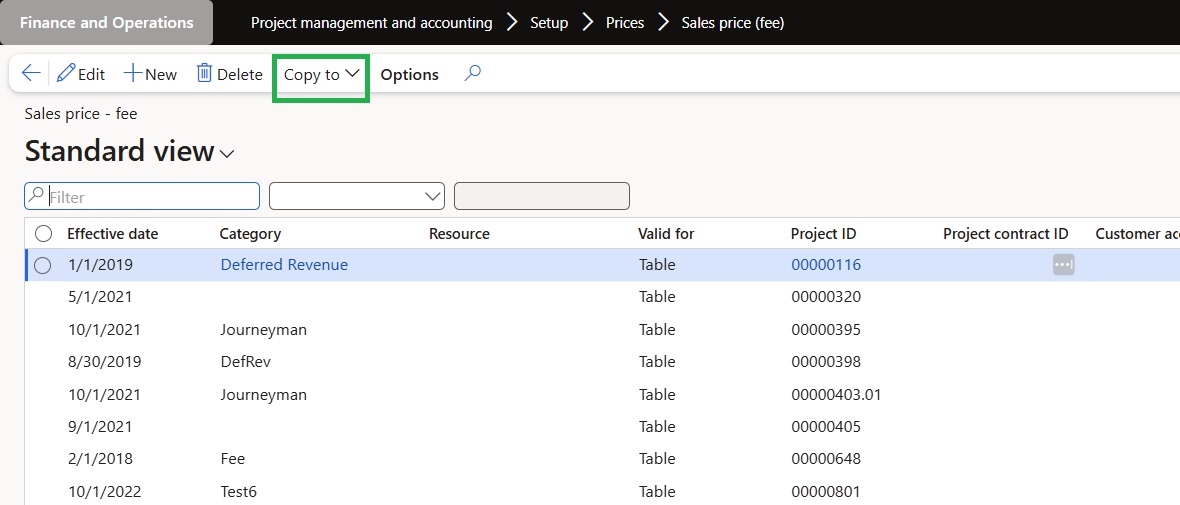
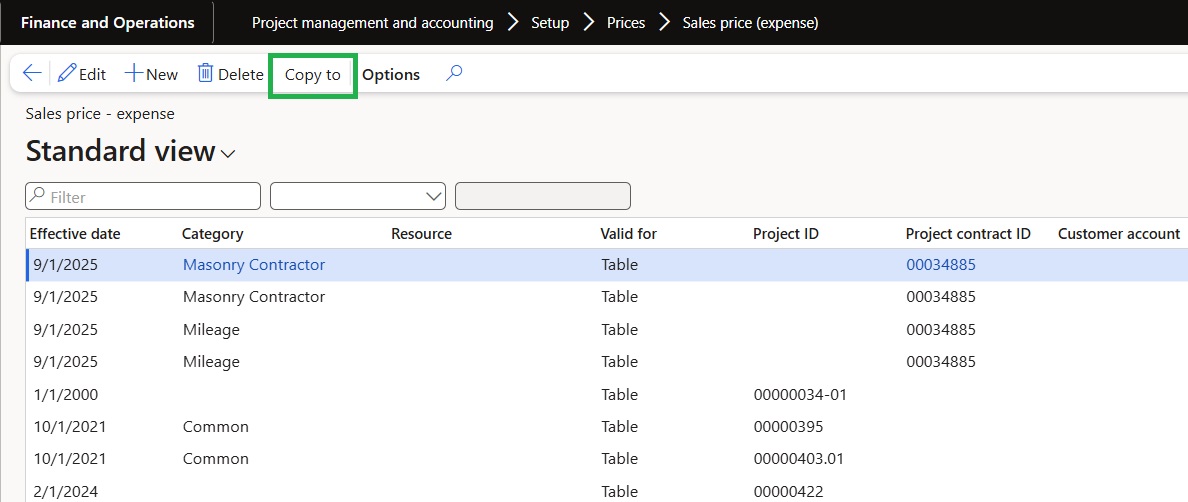
New button called ‘Copy to’ added on sales price form of expenses, hours and fees. This button is controlled with the parameter called as ‘‘Activate sales price copy’‘ in project360 parameters under transactions tab. If this parameter is enabled user will be able to see the ‘‘Copy to’‘ button on sales prices of hours, expenses and fees.