ProERP 10.0.44 for Microsoft Dynamics 365 Finance & Operations introduces a set of new features such as Simple adjustments reimagined, Adjustment requests reimagined, Additional adjustment requests, Project statement report by specific date range and a preview version of Monitoring and telemetry using Application Insights. This release also includes several enhancements related to existing features such as Adjustment requests, Invoice document review, HR automated events, Time card, Personal time off, Timesheet line level approval, Time entry power app color theme and Workspaces.
New Features
Adjustment requests reimagined
This new reimagined version of ‘Adjustment requests’ offers a better experience for users.
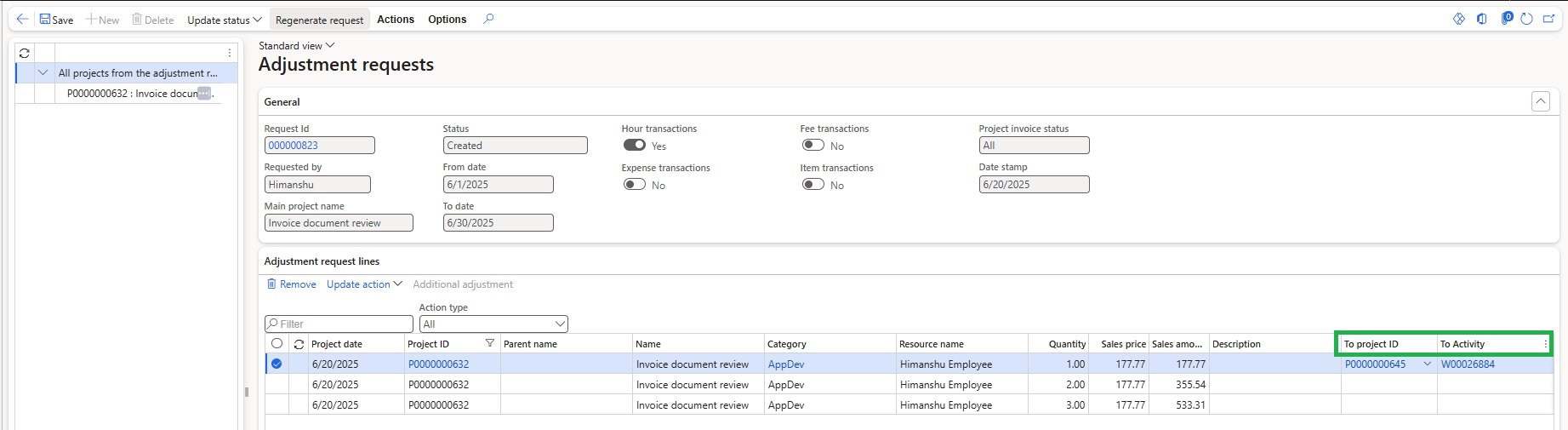
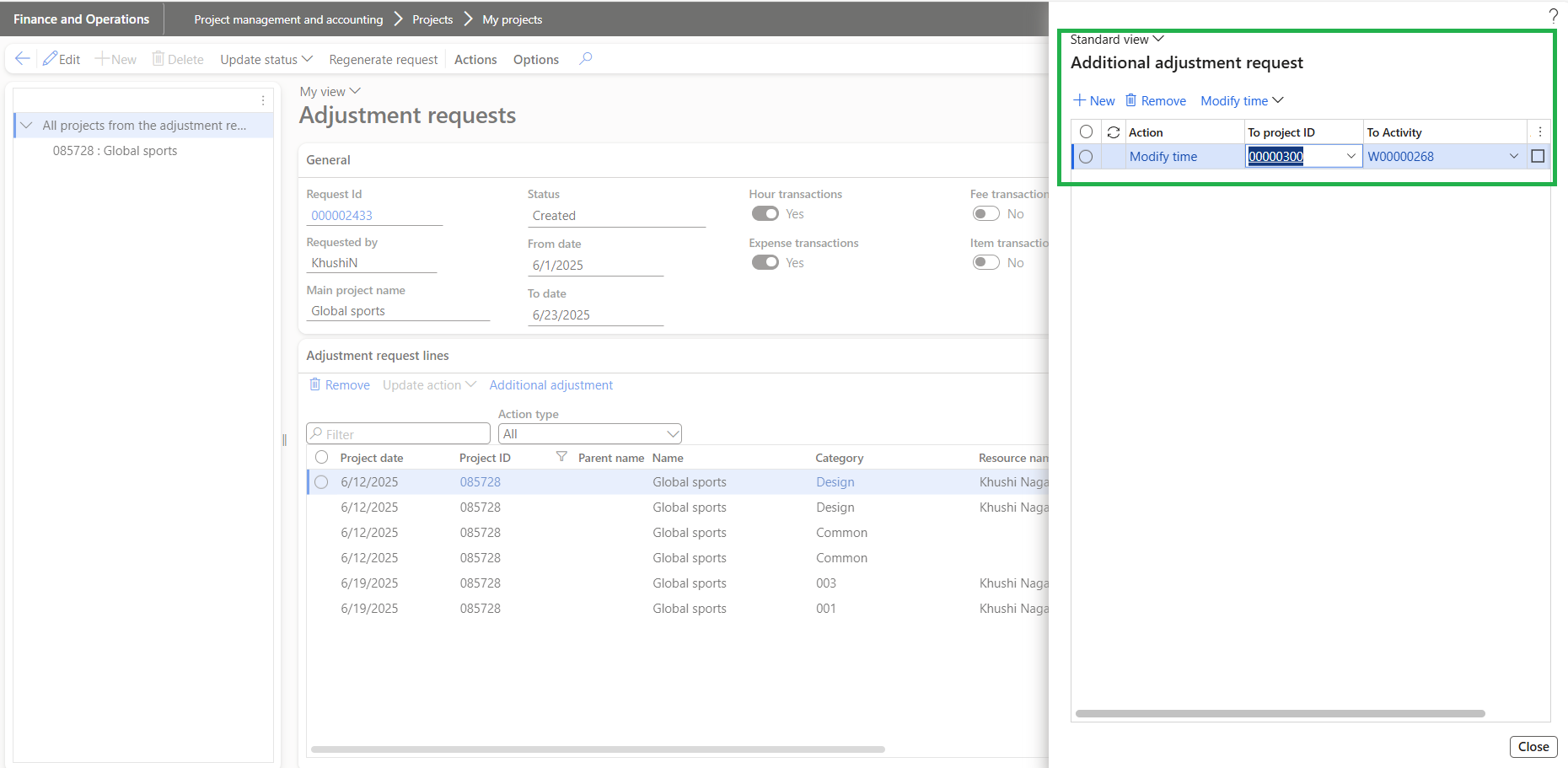
- New fields ‘To project id’, ‘To Activity’ are now available on ‘Adjustment requests’ form which will allow users to define the target project and activity directly within the request, simplifying the execution of straightforward adjustments.
- When performing ‘Modify Time’ or ‘Modify Expense’ actions, the values entered in ‘To Project ID’ and ‘To Activity’ will override any other values entered in the process dialog box. These overridden values will then be used during the adjustment process.
- The reimagined ‘Adjustment request’ form will display the project as a tree structure view similar to the functionality used in the ‘Simple adjustments’ form. Enhancing visibility and navigation during adjustment request processing.
Additional adjustment requests
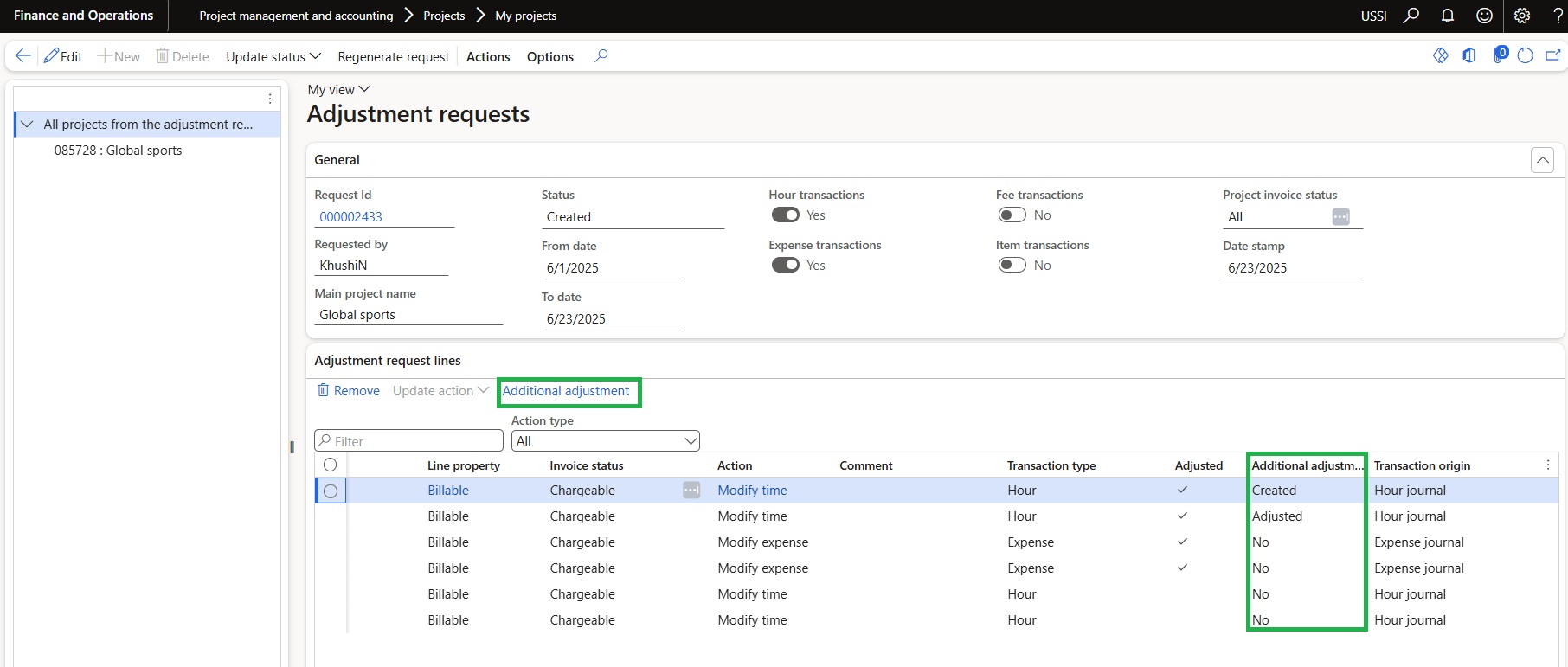
In this feature we have introduced a new button called “Additional Adjustment”.
- The user can now create additional adjustment request for transaction which is previously adjusted through adjustment request process.
- This new button will be available within the ‘Adjustment requests’ form only if ‘Activate for adjustment requests’ parameter is set as ‘Yes’
- This button will allow users to open additional adjustment request form where an additional adjustment request can be created for the same original transactions.
Project statement report by date range
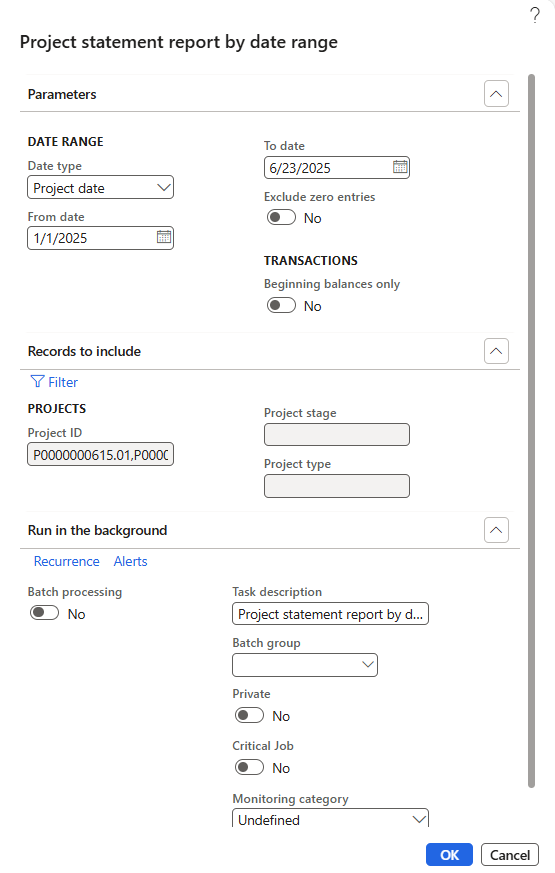
This new feature introduces a ‘Project statement report’ based on the ‘Fee Management’ data that can be generated for a specified date range. A dedicated form has been created, enabling users to produce a project statement view filtered by date.
- It provides users with project-specific financial insights over a defined time period, closely aligned with the existing standard project statement report.
- User has option to generate data which will allow to apply date range filters and retrieve relevant data. Additional filter options are also available to further refine the output.
- This form will show the Accrued revenue, Invoiced revenue, Total revenue, Actual hours, Labor cost, Expense cost, Item cost, Total cost, customer advances for the project based on entered date range.

Simple adjustments reimagined
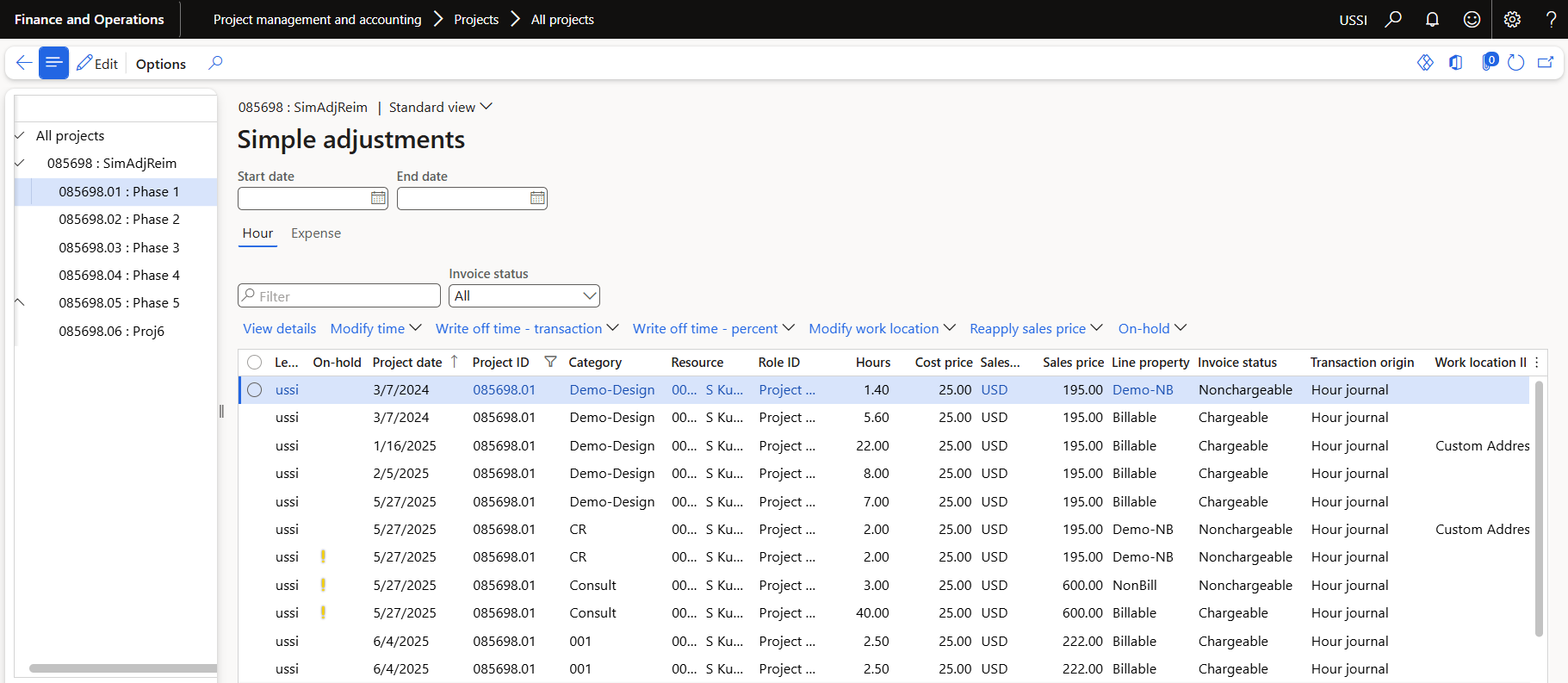
This new feature enables users to make simple adjustments directly from the Project form using a dedicated standalone form.
- Users can perform simple adjustments such as “modify time”, “write off time – transactions”, “write off time – percent”, “modify work location”, “reapply sales price” and “put on hold” for hour transactions.
- Users will also be able to perform expense simple adjustments such as “modify expenses”, “write off expense” for expense transactions.
- This new form displays projects/subprojects as a tree structure allowing users to select a node to get the respective transactions.
- This new feature is activated by parameters configuration.
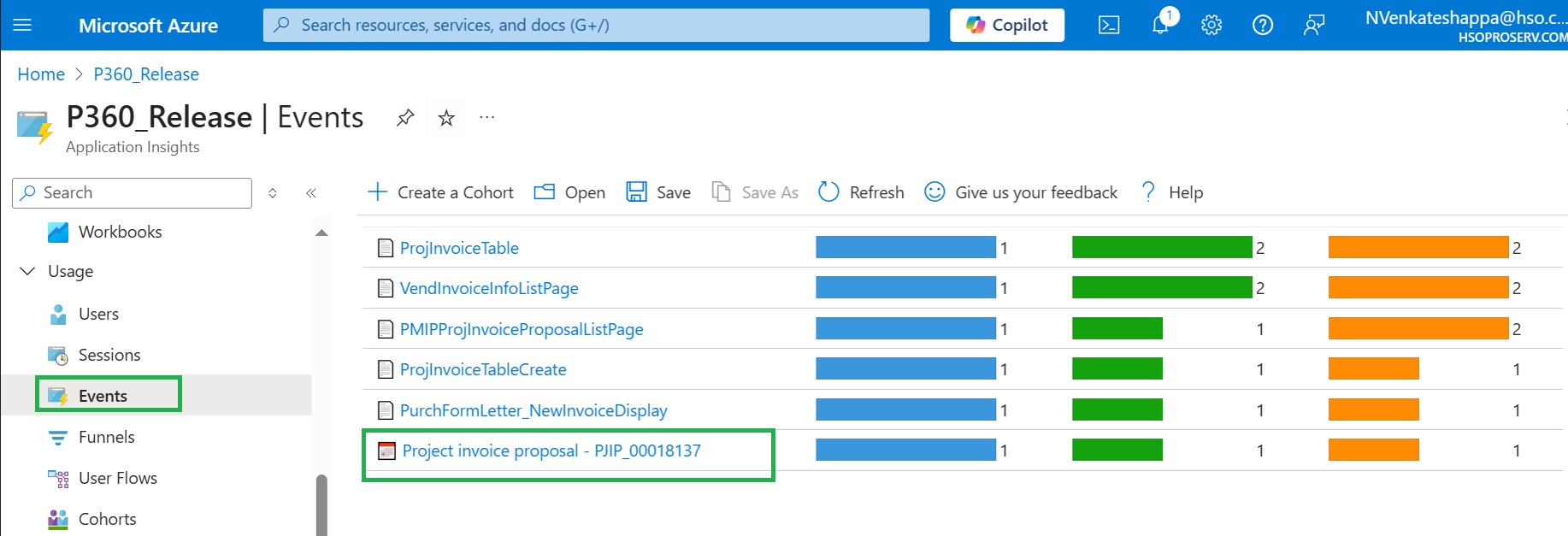
Monitoring and telemetry using Application Insights – Preview
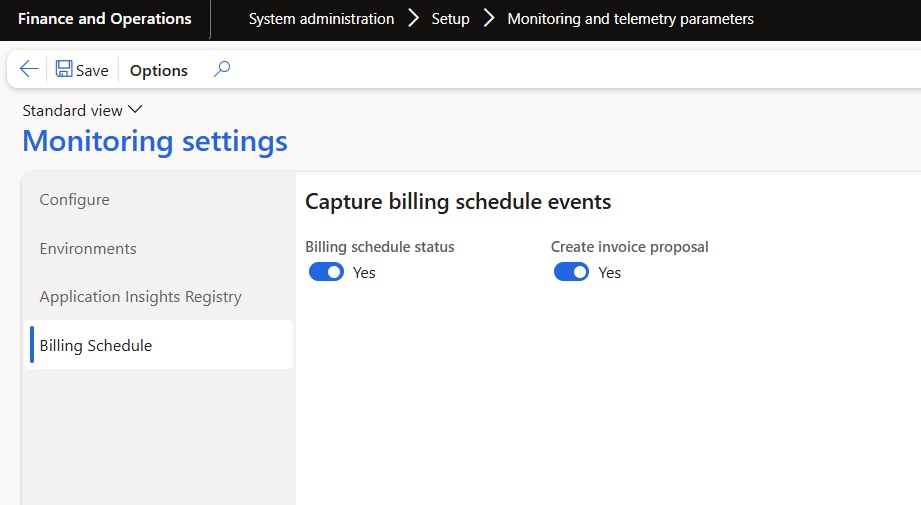
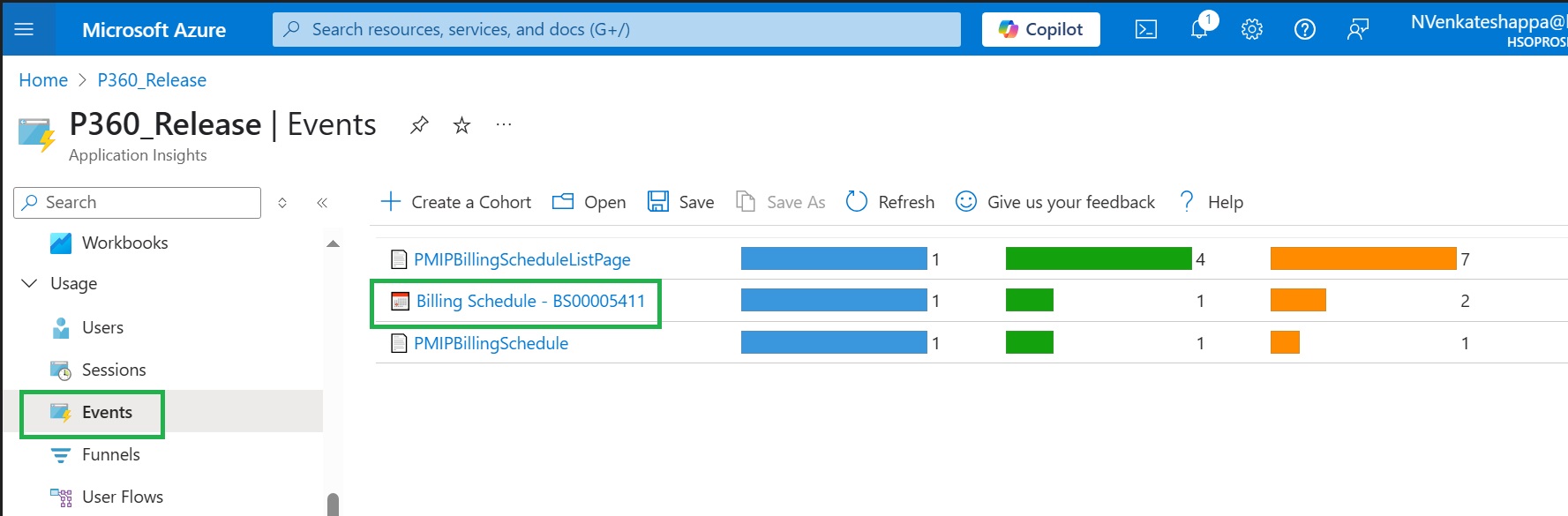
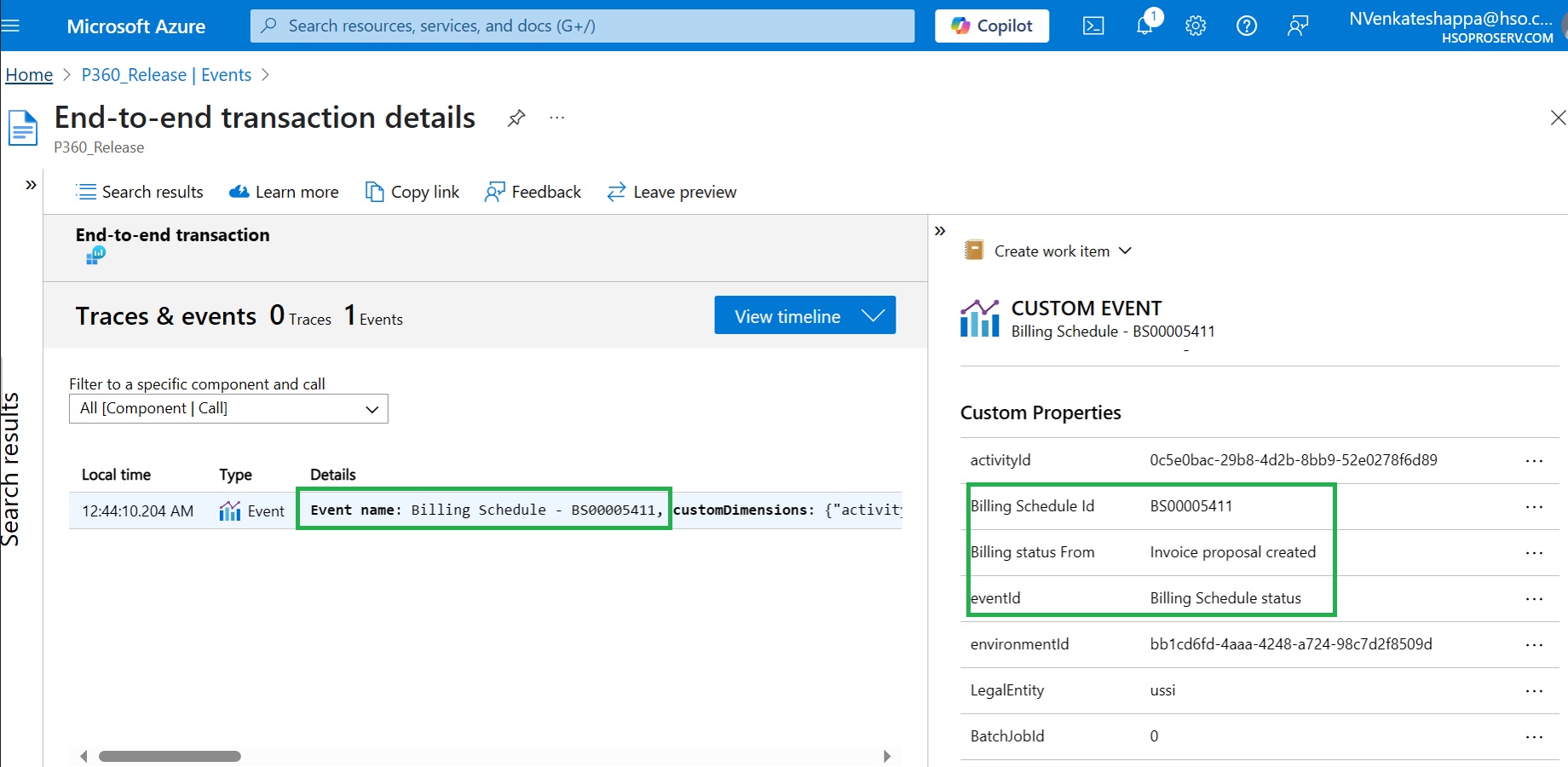
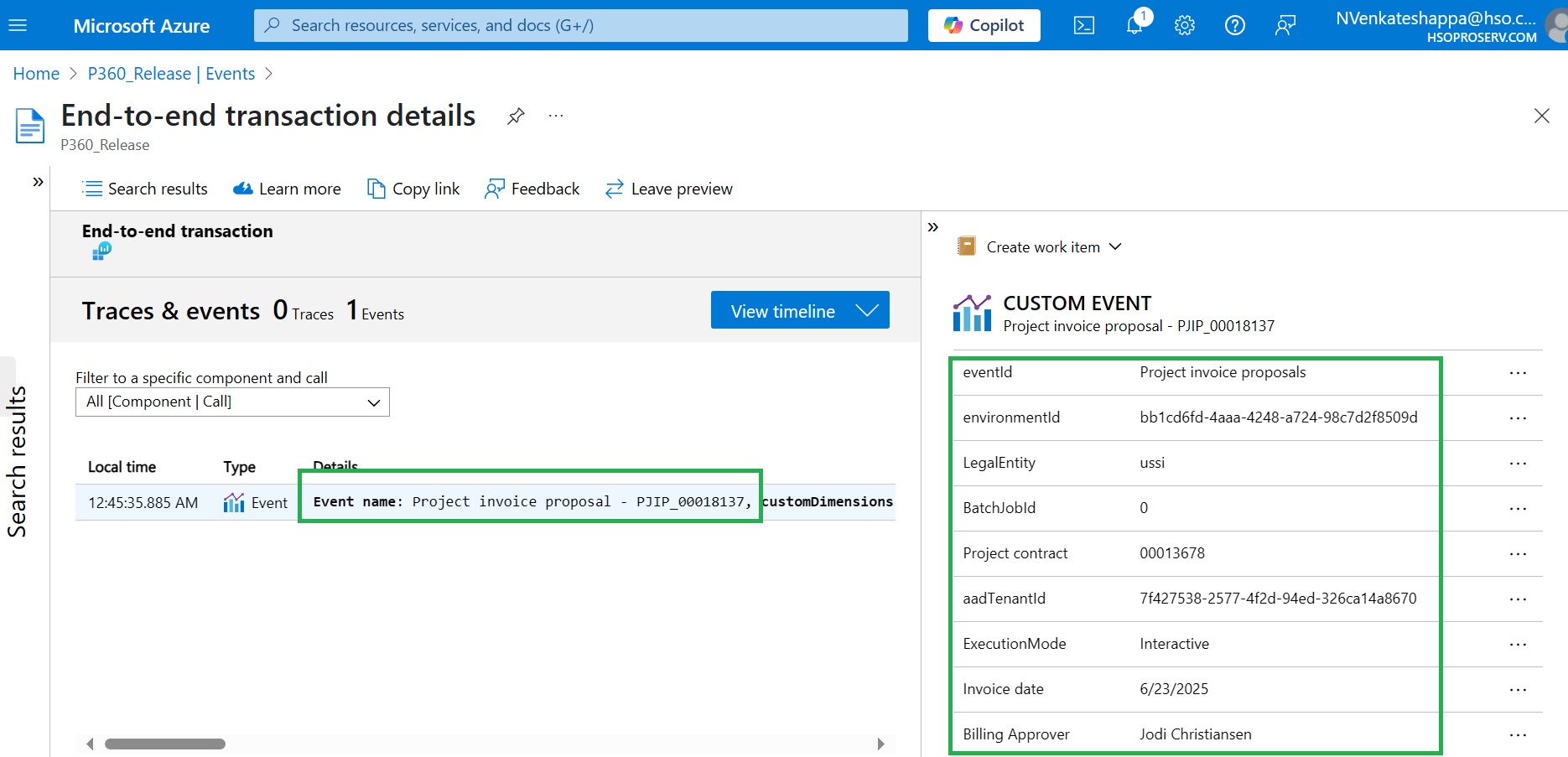
Monitoring and telemetry have been implemented as POC using Application Insights to track the events related to Billing Schedule Status and Invoice Proposal Creation.
- This enhancement enables users to monitor and trace events, particularly in cases where there are changes to billing schedule status and invoice proposal creation.
- This functionality is controlled by a parameter.
Mobile time entry app
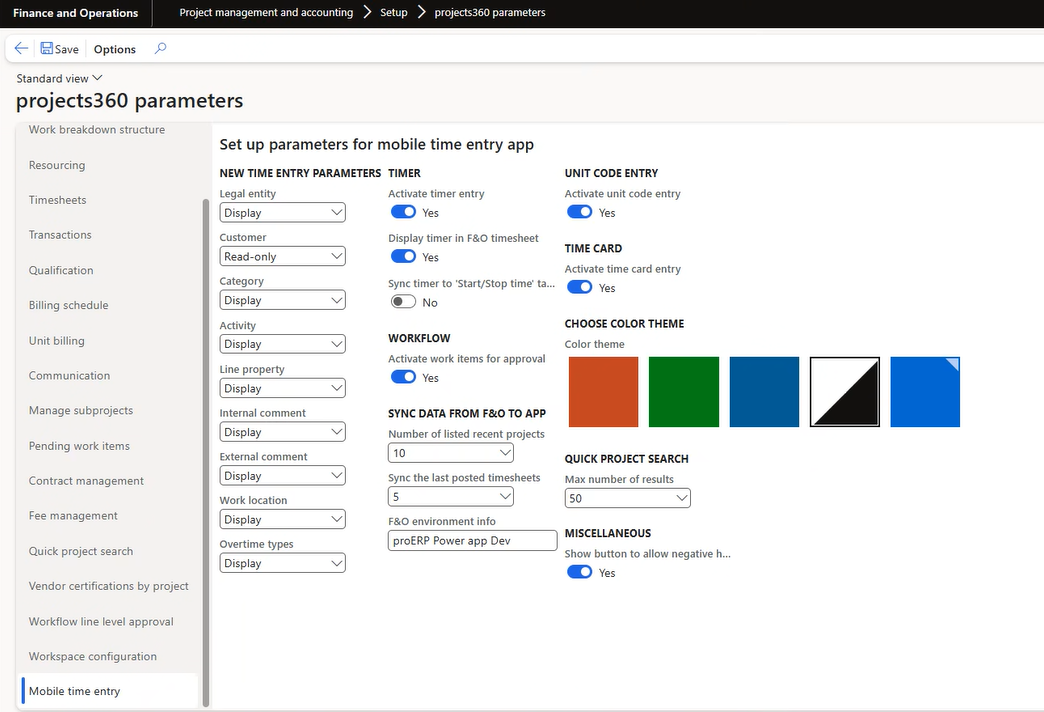
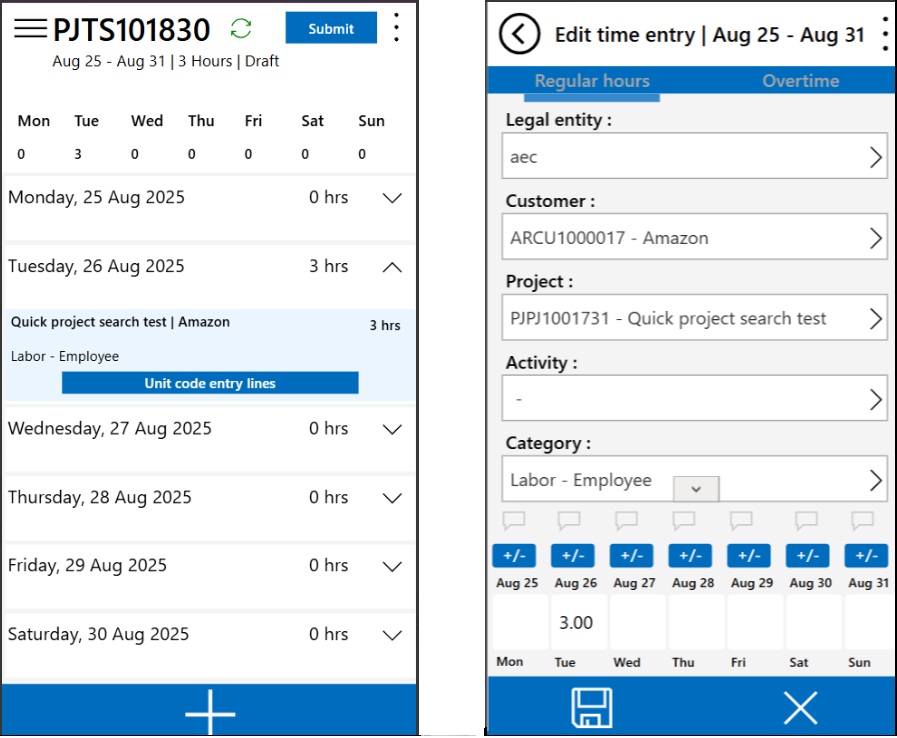
A new color theme has been introduced in the Mobile Time Entry Power App, now supporting blue and white color scheme. This theme configuration has been added under the Projects360 parameters.
Features Enhanced
Track labor and expense spends on Fee management
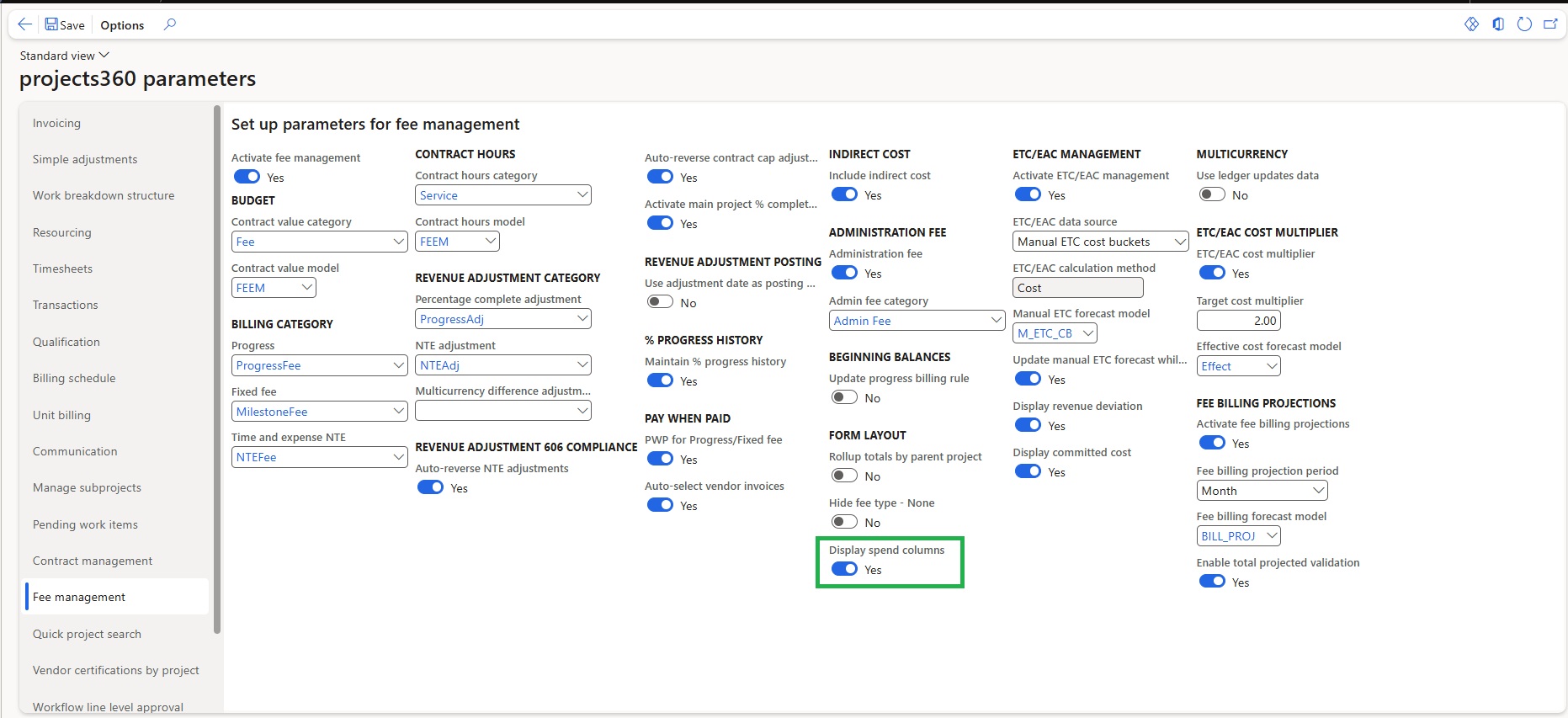
In this enhancement, we have added new fields, “Labour spent”, “Expense spent”,” Total spent”, “% spent” on fee management form. Now user will have ability to see Labor Spend and Expense Spend fields in the Fee Management form for improved financial tracking and transparency.
- This new field will be available within the ‘fee management’ form only if “Display spent columns” parameter is set as ‘Yes’.

Manual creation of Invoice documents for review
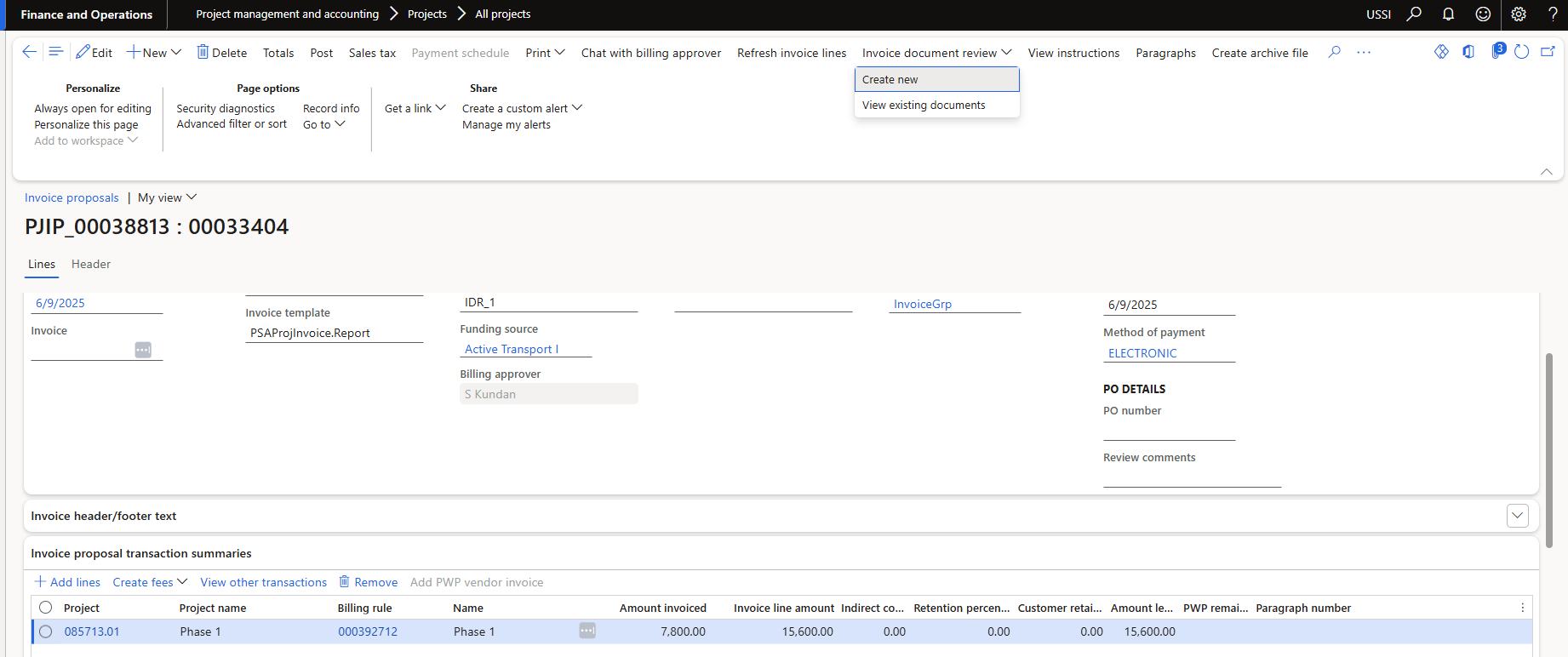
As part of this enhancement, the invoice document review process has been improved. Users now have the ability to manually create an Invoice Document Review without initiating a workflow.
- This allows users to review draft invoice documents before submitting them to the workflow.
- A “Create New” button has been introduced on the Invoice Proposal form, enabling the manual creation of a document review. This functionality is controlled by a parameter called “Activate Manual Creation.”
- Users also have the option to view existing document reviews. This option is available within the same Invoice Document Review menu and is only active when document reviews already exist.
Visibility of review comments on Invoice documents for review
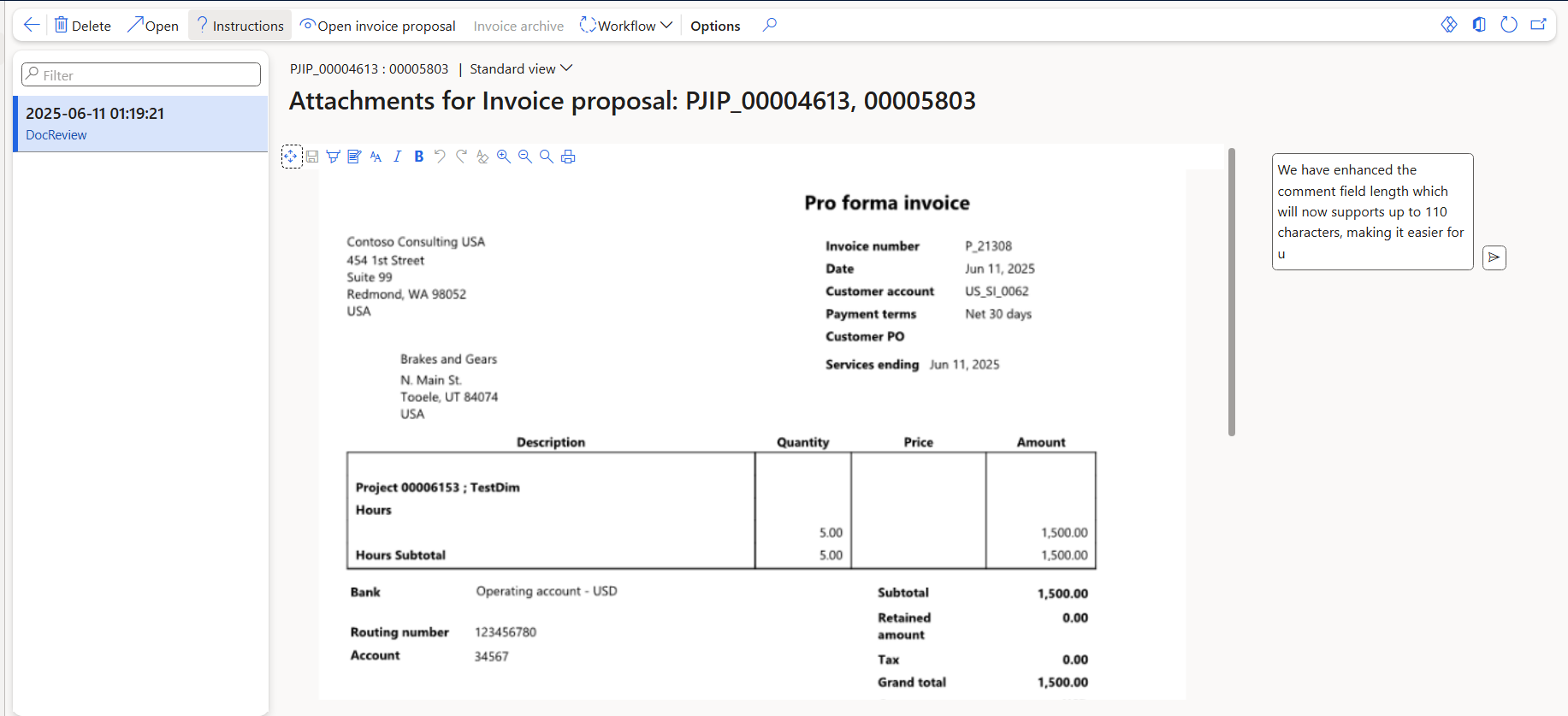
In this enhancement, the logic for displaying comments on the Invoice document review has been updated. Previously, the comments section was only visible when the user hovered over the field.
**We have enhanced the comment field length which will now supports up to 110 characters, making it easier for users to review comments more efficiently.
Unit codes on Timesheet line level approval
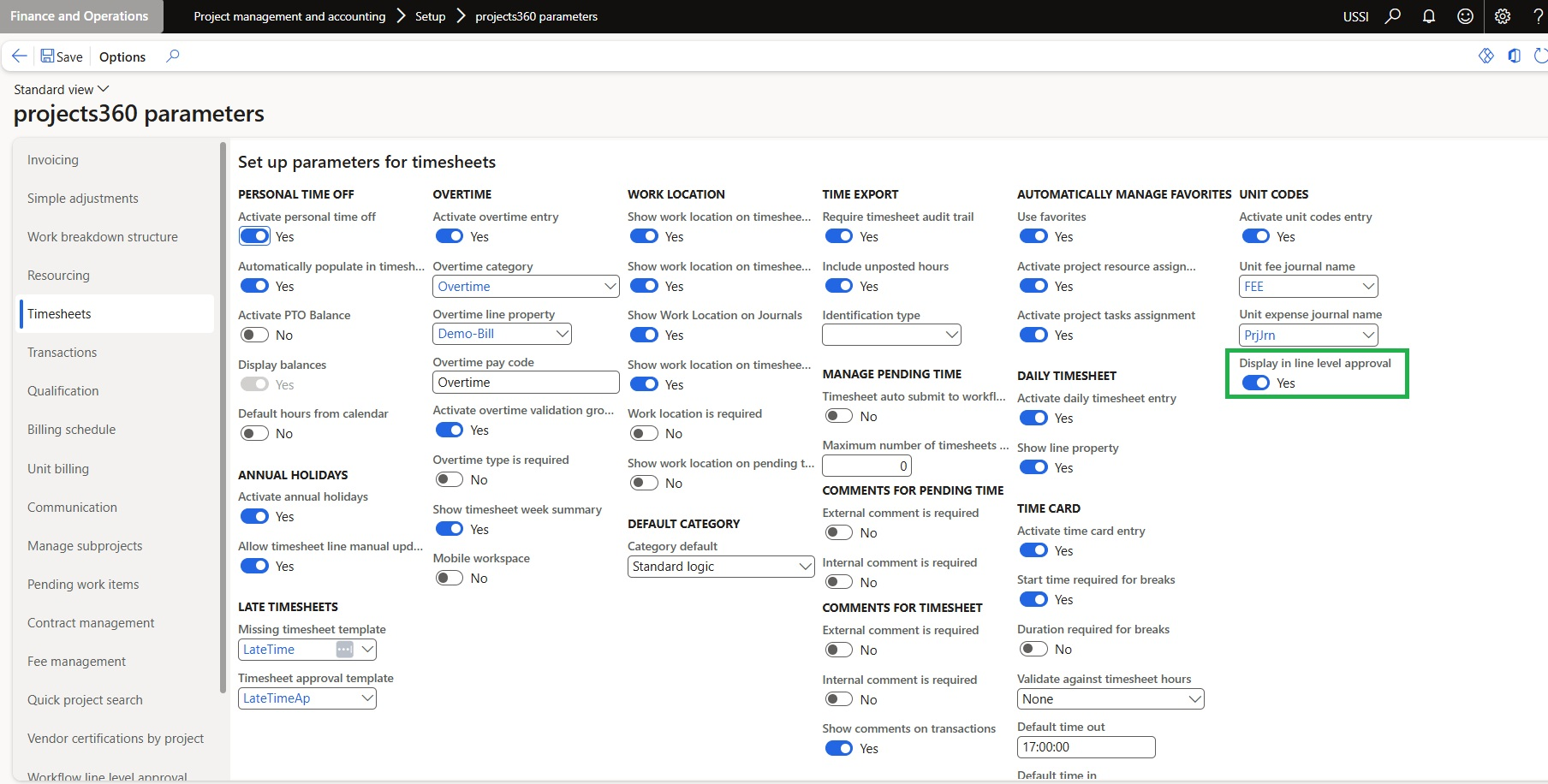
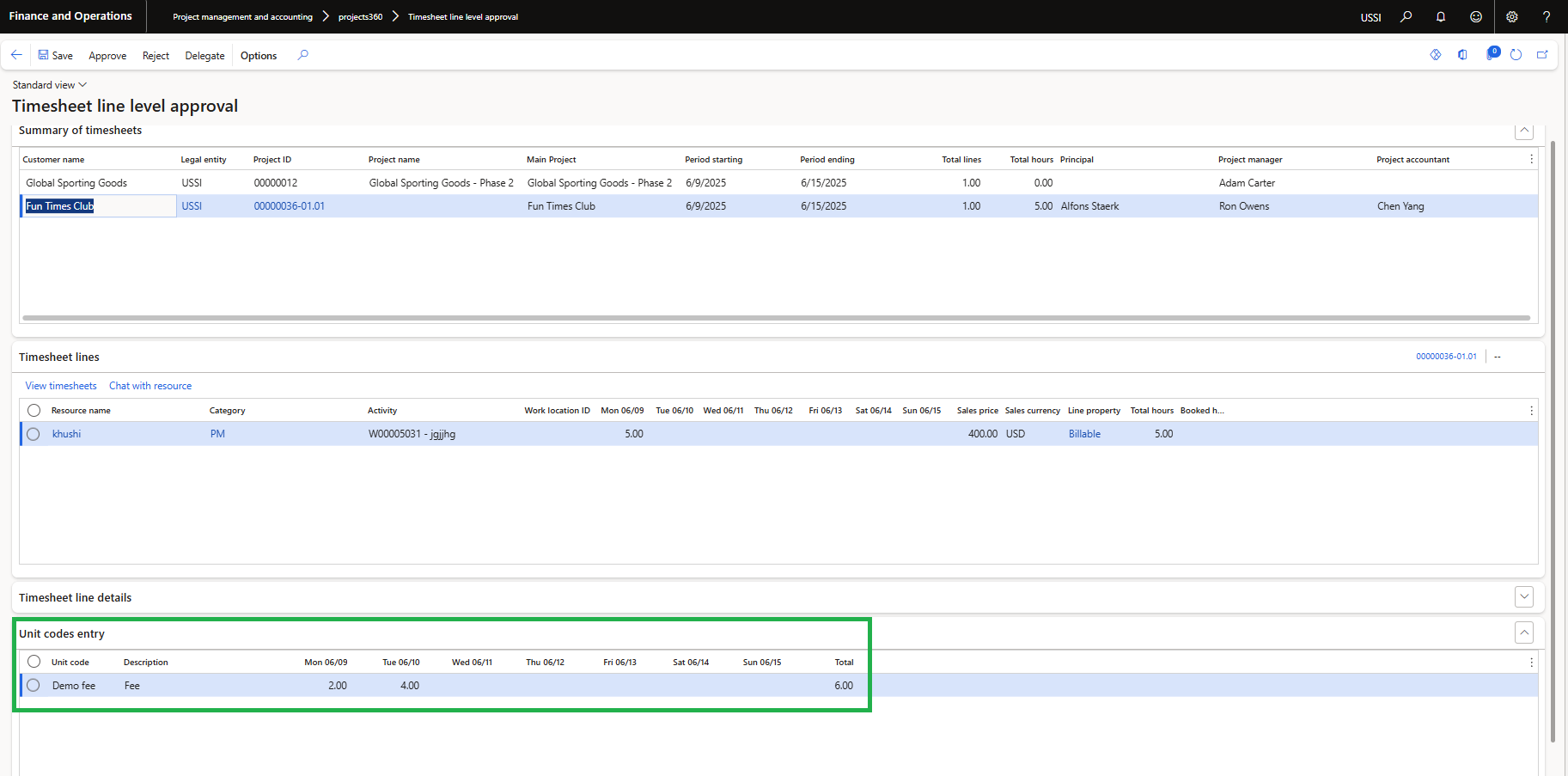
As part of this enhancement, a new fast tab called “Unit Codes Entry” has been introduced on the “Timesheet Line Level Approval” form.
- This fast tab will display only if “Display in line level approval” parameter is set to yes
- It displays the ‘Unit Code Entry Lines’ associated with the timesheet.
- The fast tab will display a grid showing all the existing lines related to the selected timesheet line with information like Unit code, Description, Quantity’ for each day of the timesheet period and Total for each line.
Validate Time card hours against Timesheet hours
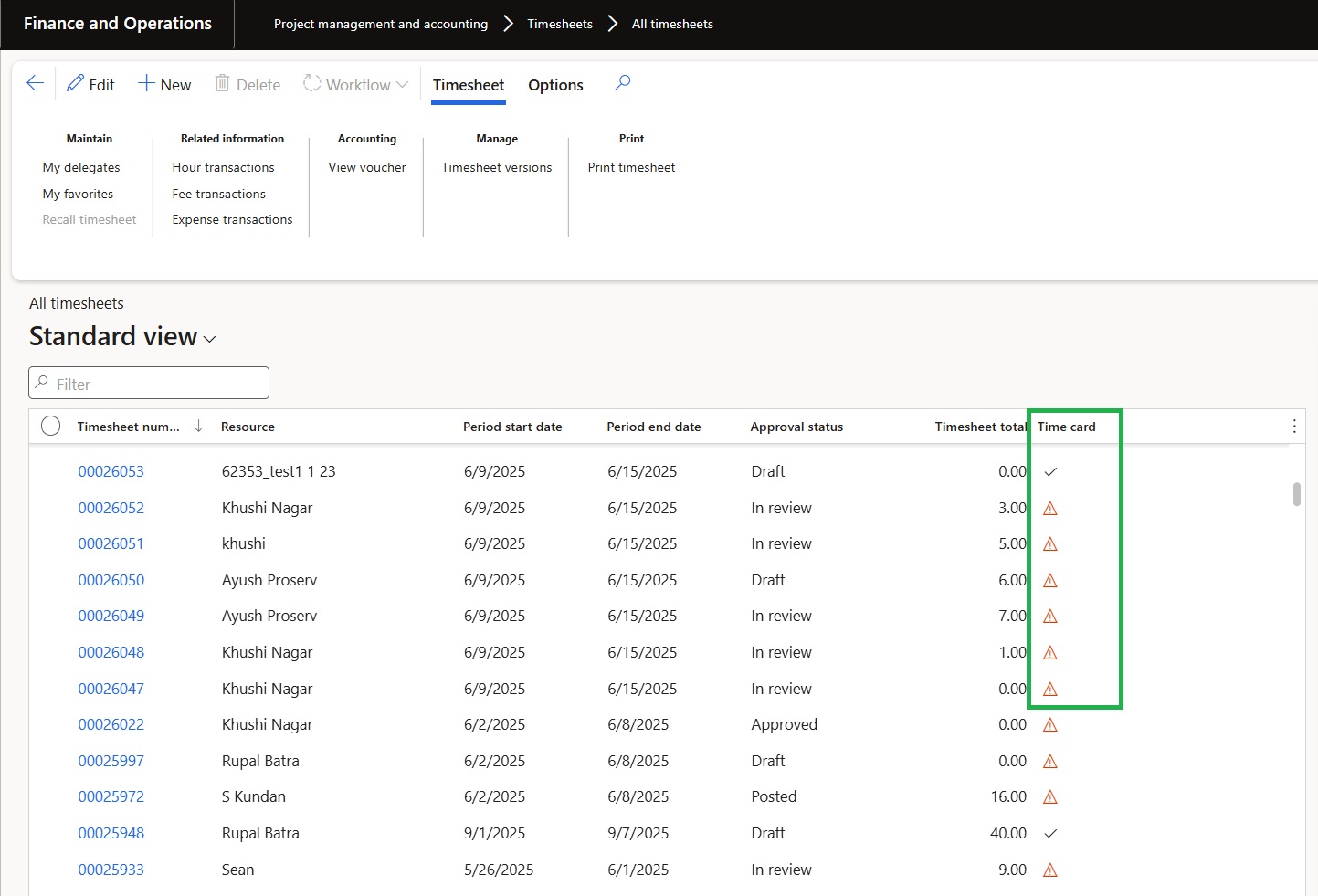
A new field/column named ‘Time card’ has been added to the All/My Timesheet forms to indicate the status of time card hours using visual icons.
- Warning Icon: Displayed when discrepancies exist between time card hours and timesheet hours in any of the time card lines.
- Positive Checkmark: Displayed when there are no discrepancies in any of the time card lines for the respective timesheet.
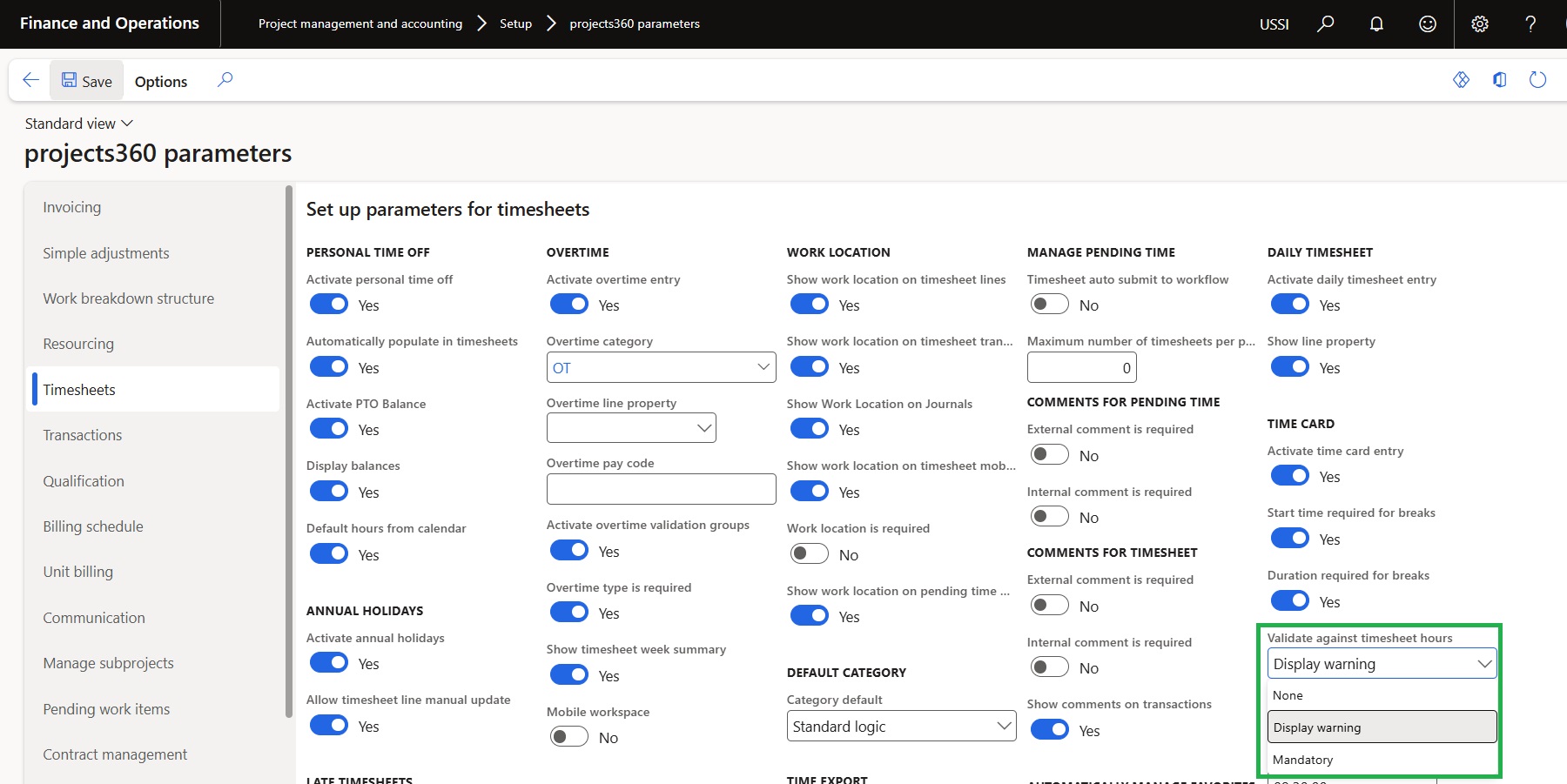
The status displayed in the ‘Time Card’ column is determined by a parameter named ‘Validate Against Timesheet Hours’, which has been introduced under the P360 Timesheet Parameters.
- This parameter controls whether the system compares time card hours against timesheet hours to display the appropriate status icon.
Quick links on workspaces
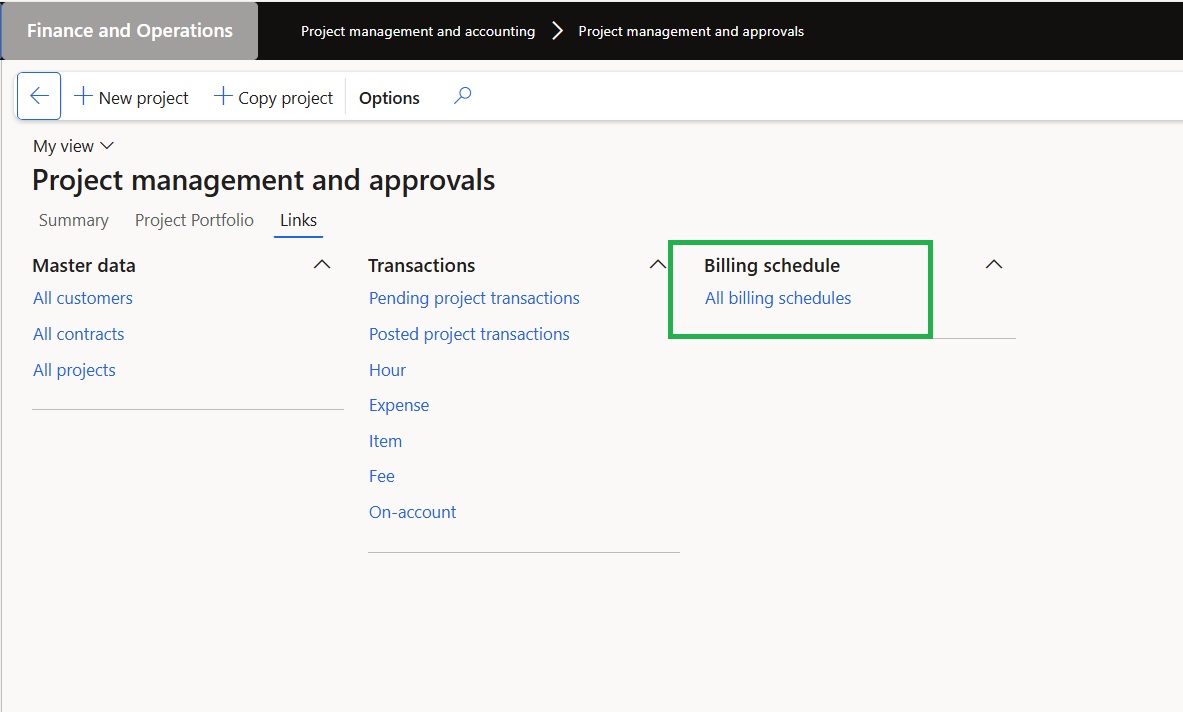
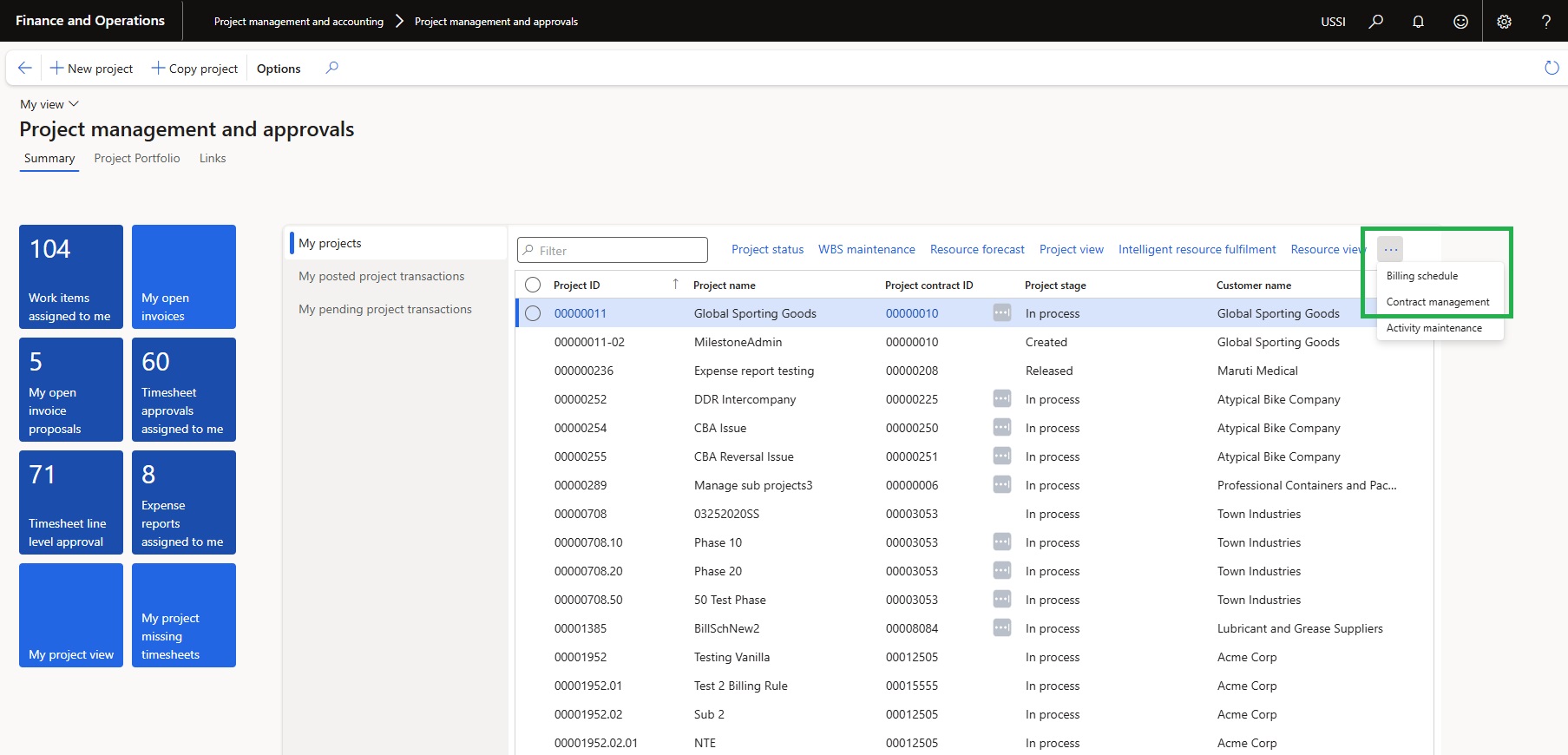
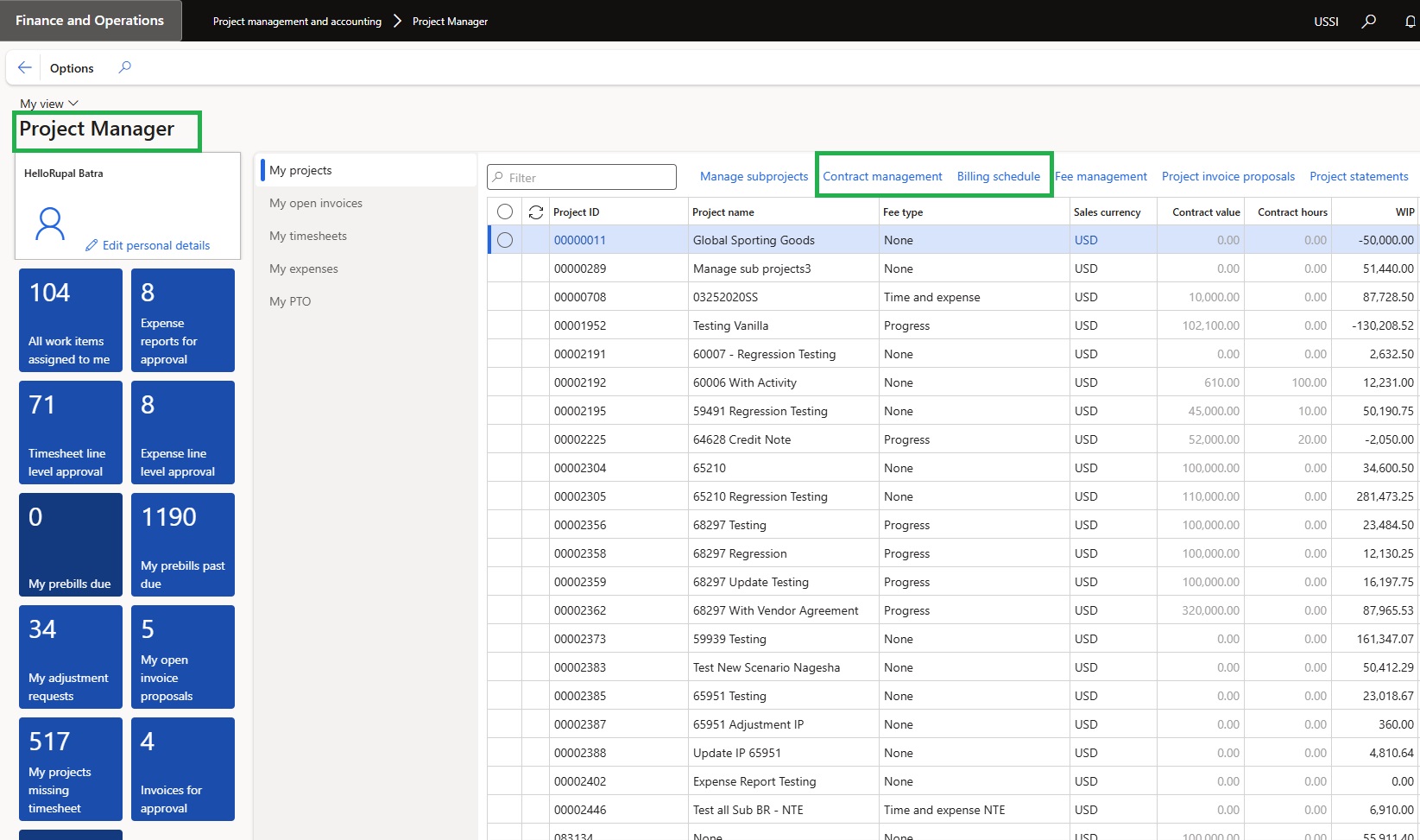
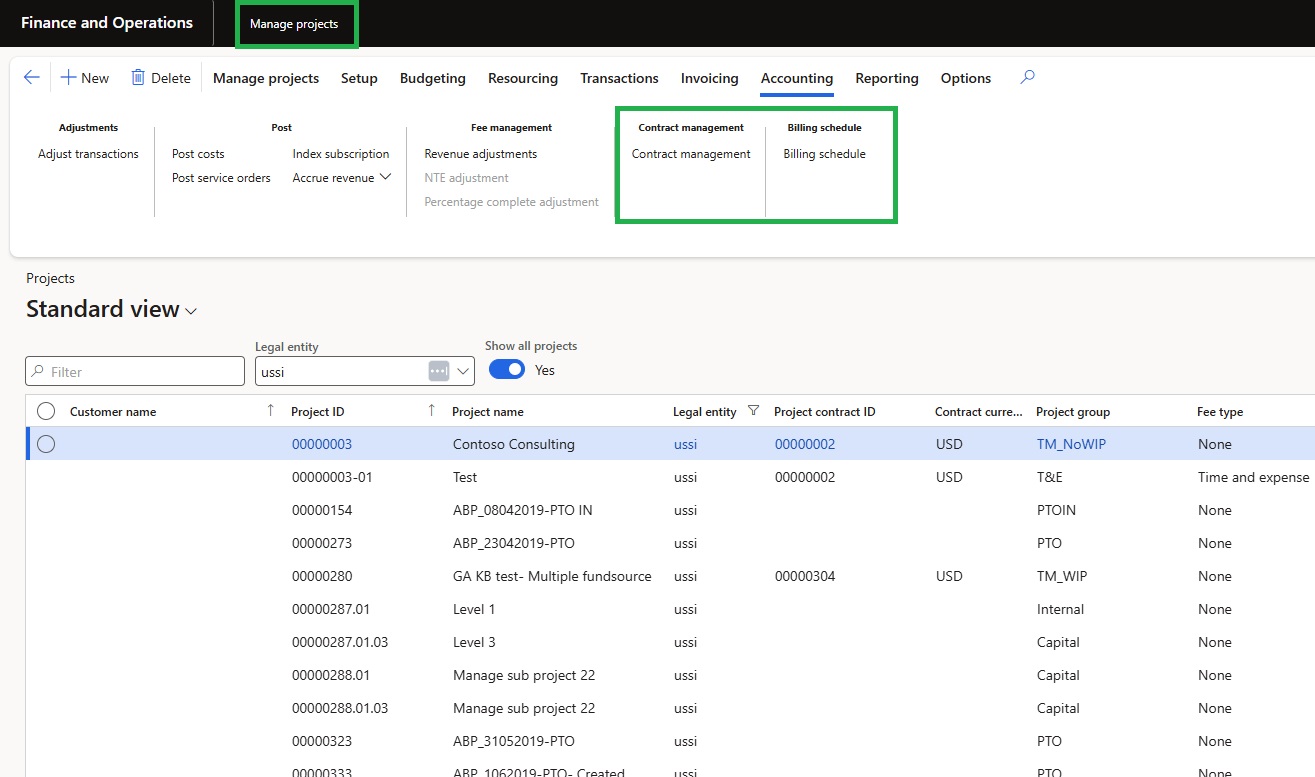
We have added quick links to the Billing Schedule and Contract Management forms within the Project Management and Approvals, Project Manager, and Manage Projects workspaces.
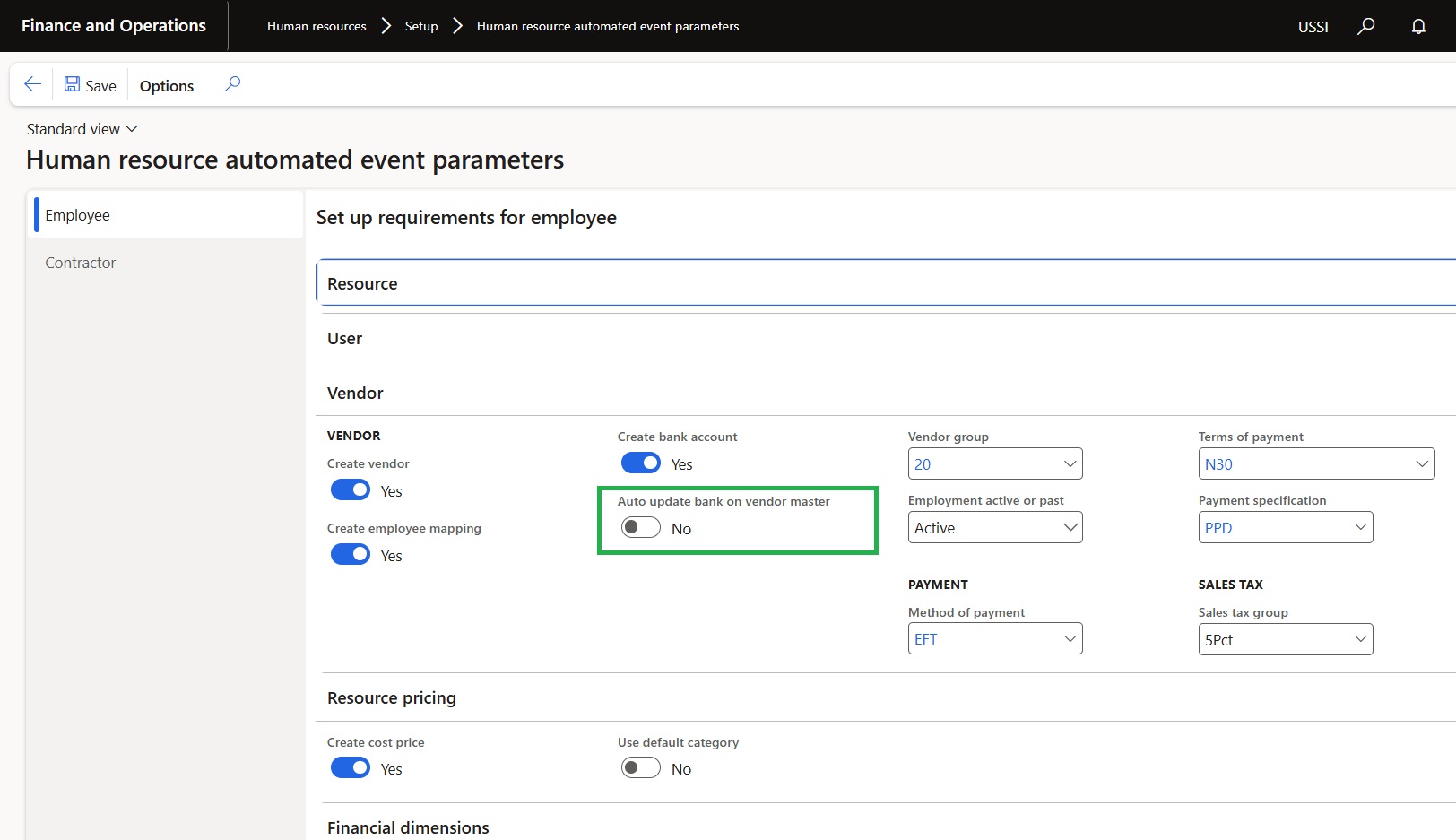
Auto update bank through HR automated events
A new parameter titled ‘Auto Update Bank on Vendor Master’ has been added under HR Automated Events.
- This feature facilitates the automatic updating of bank details for the corresponding employee record created through this functionality.
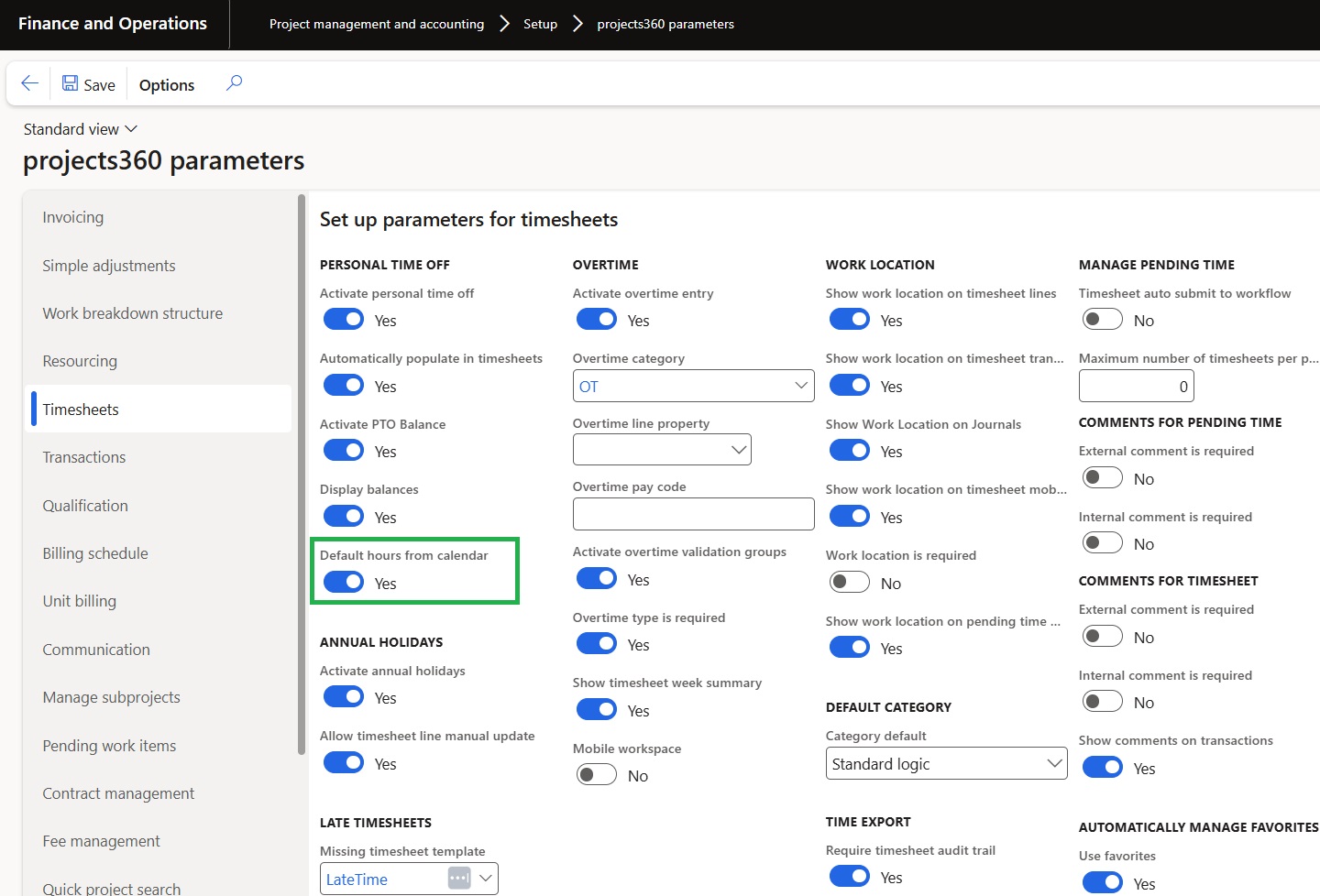
Default PTO hours from resource’s calendar
A new Yes/No parameter named ‘Personal time off > Default hours from calendar’ has been added to the Projects360 Parameters.
- When this parameter is set to ‘Yes’, then the proposed PTO (Personal Time Off) hours per day will be defaulted from the ‘Working Time’ defined in the resource’s calendar instead of using the ‘Standard workday in hours’ parameter.