Submit timesheet
The agent makes submitting timesheets simple and efficient. It ensures your logged hours are captured accurately and helps keep your records organized for timely approvals and payroll processing.
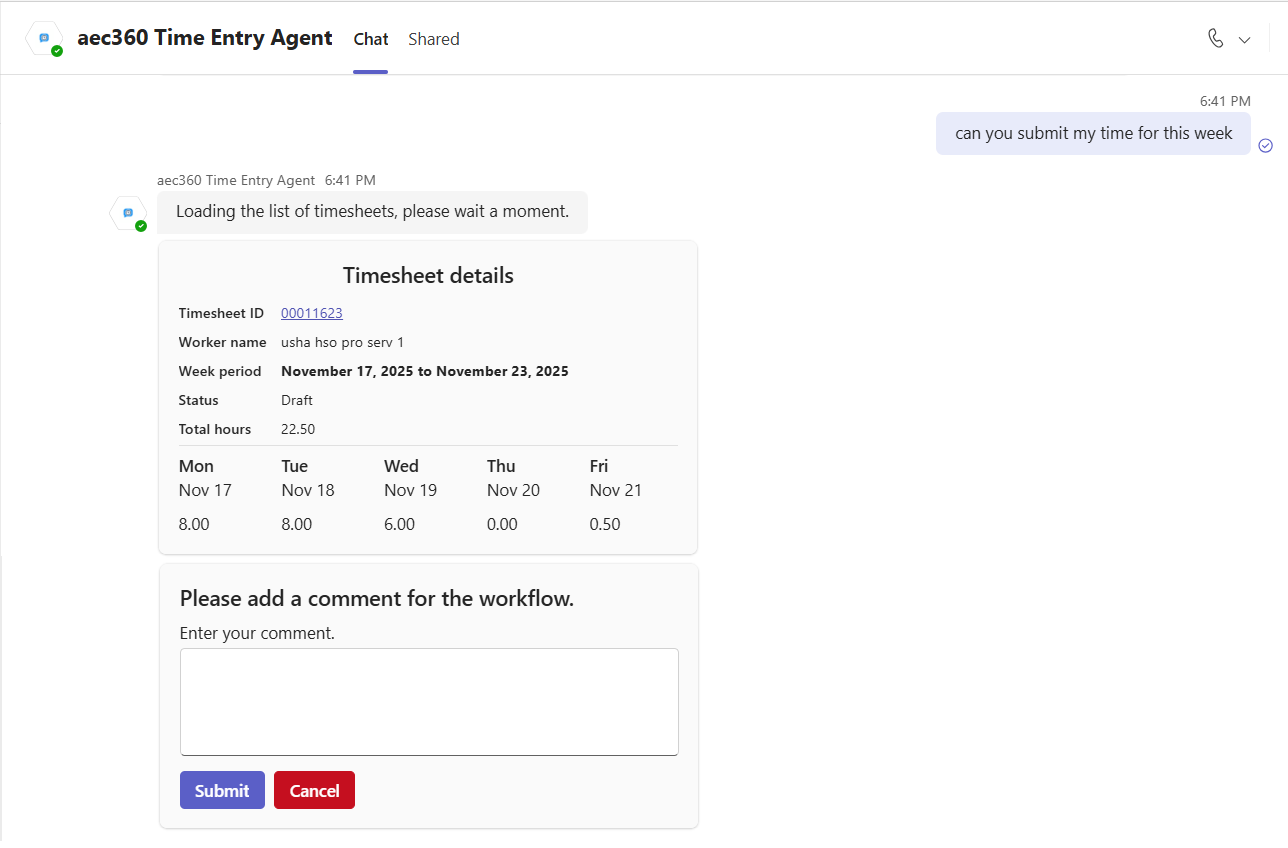
Users can simply ask the agent to submit the timesheet for the current week. The agent automatically locates the timesheet for that week and displays key details such as the timesheet ID, week period, and logged hours. Before submission, users can review these details, add or update submission comments, and then proceed to finalize the timesheet
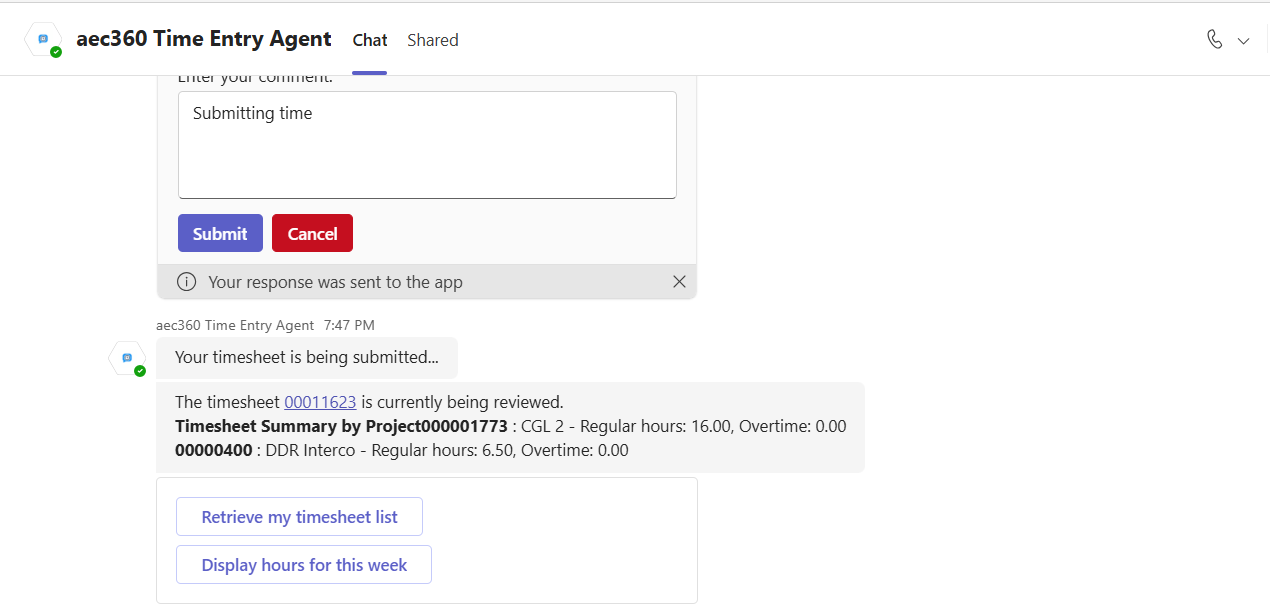
After submission, the agent confirms that your timesheet is under review and provides a summary grouped by project, showing the hours logged for each. This gives you a clear view of how your time was allocated across projects while the approval process is in progress.