ProERP version 10.0.47 for Microsoft Dynamics 365 Finance & Operations introduces a comprehensive set of new features, including Timesheet delegate on mobile time entry app, Forecast creation for Unit codes, Ability to configure Invoice archive at funding source.
In addition, the update delivers significant improvements to existing functionalities, including Billing schedule creation with header projects, skipping validation while creating billing schedule invoice proposal and to display workflow comments while approving timesheet on mobile time entry app.
New Features
Expense entry agent app (Private Preview)
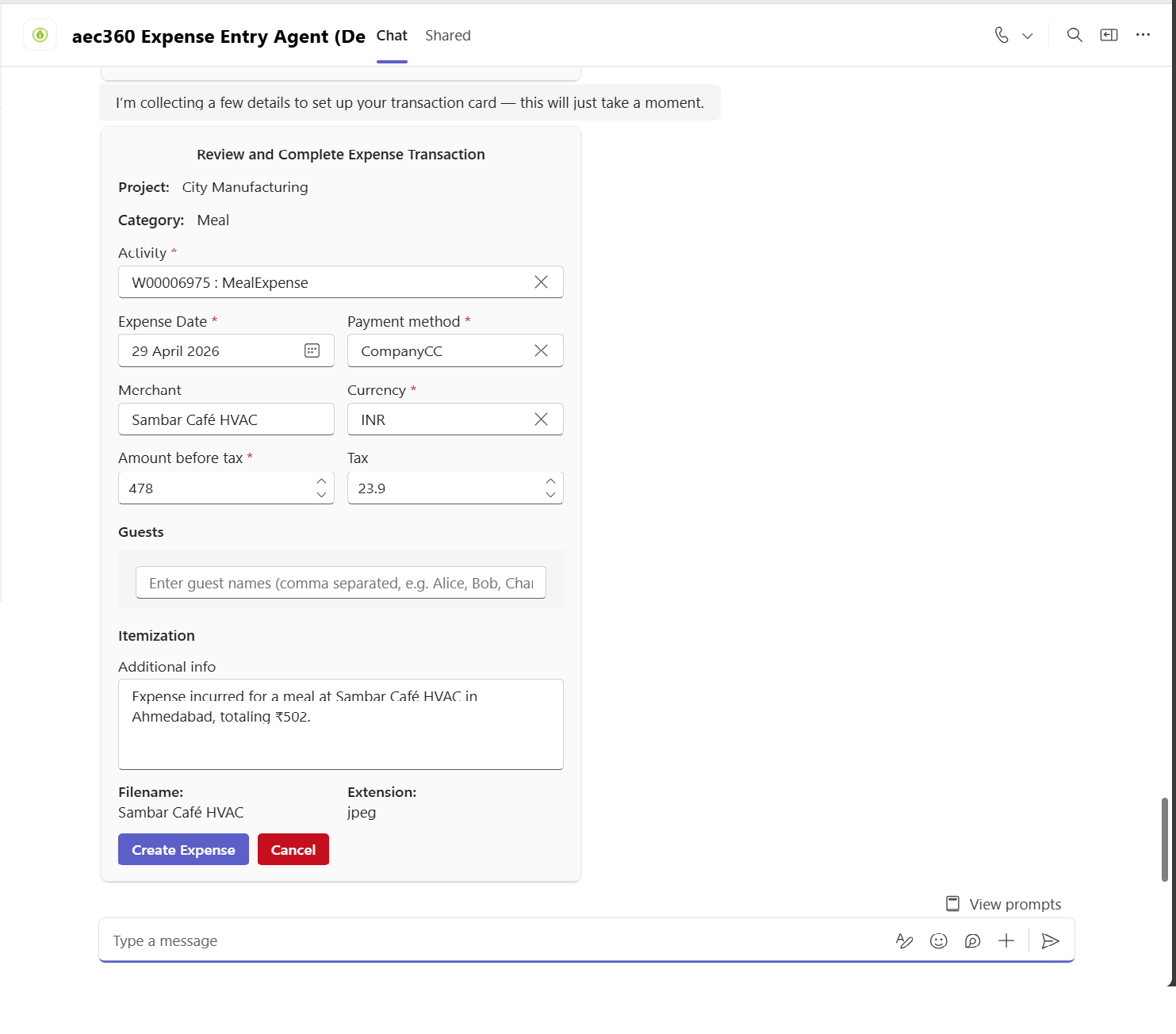
We’re excited to introduce the Expense Entry Agent in this release—a new Copilot-powered experience that enables users to create, review, and submit expenses directly within Microsoft Teams. Designed to simplify everyday expense management, the agent delivers a seamless, conversational experience that removes manual effort and keeps users productive without disrupting their workflow.
The Expense Entry Agent is fully integrated with Dynamics 365 Finance and Operations, ensuring that all expense data is automatically synchronized and ready for downstream processing. Users can select categories, associate projects, review expense details, and complete submissions—all without leaving Teams.
- Effortless expense creation – Create expenses instantly using natural language. Simply type a message like “Add a taxi expense for ₹500” or upload a receipt—the agent captures the details automatically, eliminating the need for manual forms.
- Smart receipt upload & data extraction – Upload or snap a photo of your receipt, and the agent intelligently extracts key information such as amount, date, vendor, category, and tax, saving time and minimizing errors.
- Detailed expense breakdown – Separation of transportation vs. meal charges within hotel receipts and itemization of alcohol within meal receipts.
- Tax review and adjustment capability – This app enables automatic tax calculation with the flexibility for users to review and adjust tax amounts during expense entry, ensuring accuracy, transparency, and audit readiness.
- Get instant help and guidance – Not sure how to proceed? Ask the agent questions anytime. It provides contextual help and step-by-step guidance throughout the expense creation and submission journey.
Timesheet delegate for Mobile time entry app
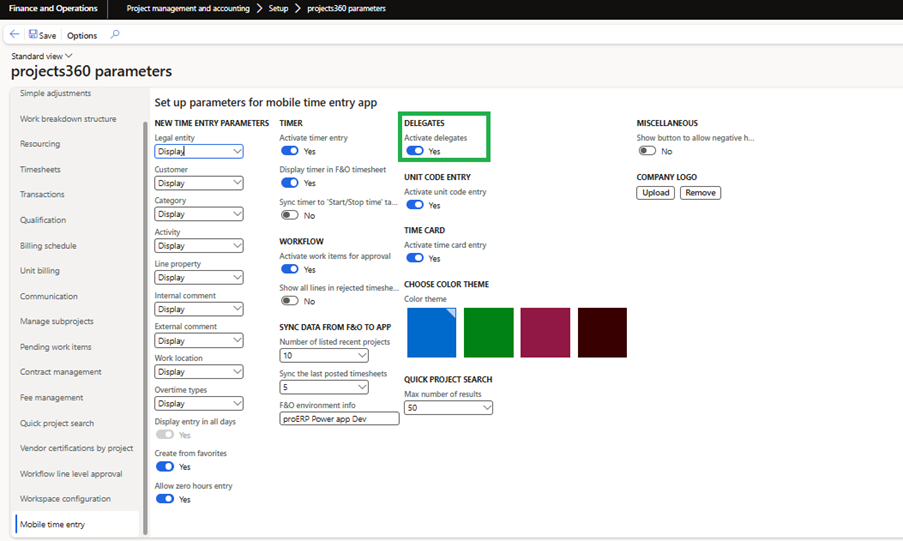
The delegate functionality has been added to the Mobile time entry app, allowing users to enter timesheets on behalf of other resources. A new parameter ‘Activate delegates’ has been introduced in the Mobile time entry tab of projects360 parameters.
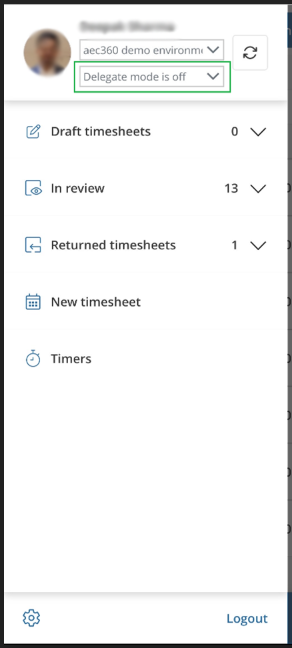
- If the ‘Activate delegates’ parameter is set to Yes, a new option will be available in the app, enabling users to select an employee who has been delegated to them.
- The delegated employee selection dropdown will only be visible if the user has employees assigned to them as delegates. The dropdown will also include an option to keep delegate mode off when no delegated employee is selected.
- When a different employee is selected, all relevant data for that employee will be reloaded in the app, allowing the user to view, create, and edit time entries as that employee.
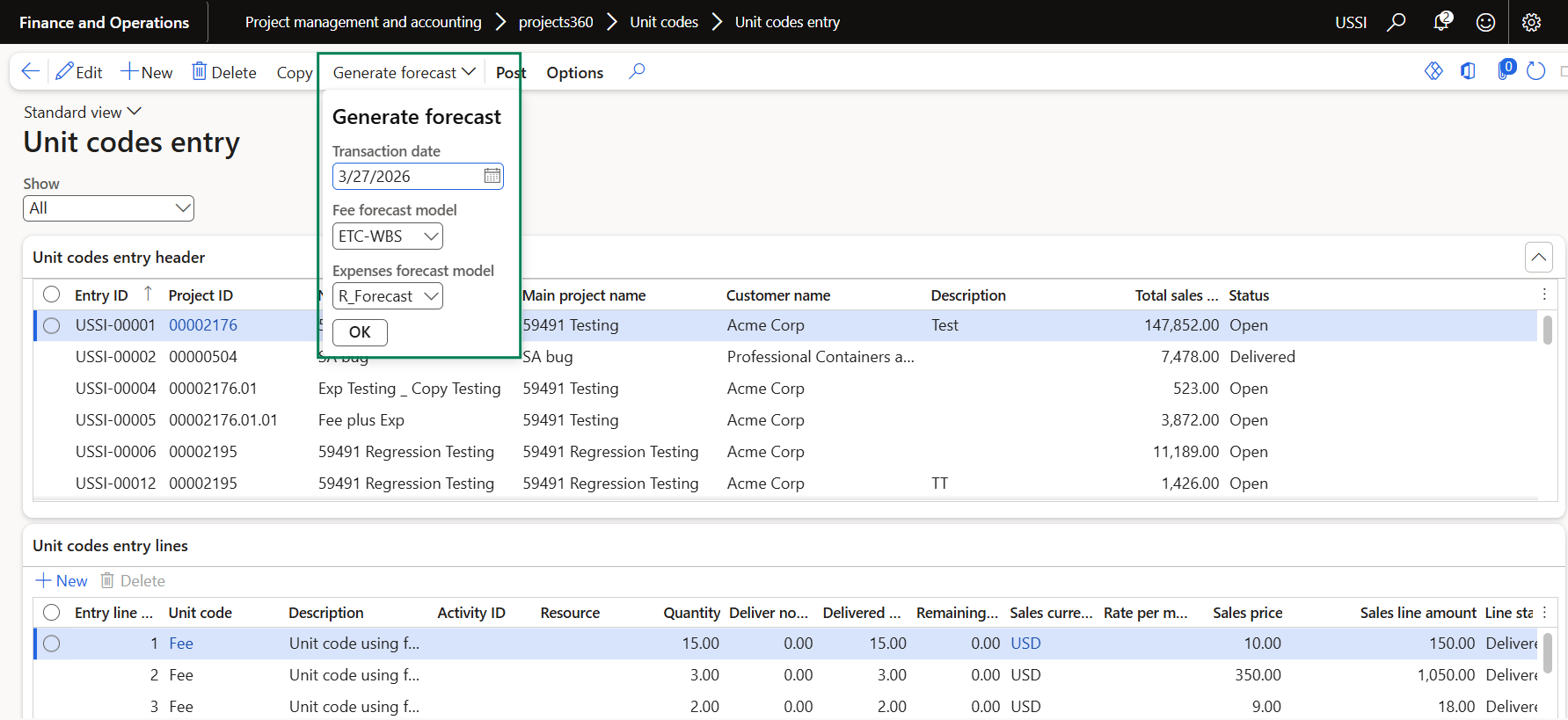
Generate forecast from ‘Unit code entry’ standalone form
We have introduced a new “Generate forecast” process that enables users to create expense or fee forecasts for existing unit code entries in a more streamlined and efficient manner. When triggered, the process automatically evaluates the remaining unfulfilled quantity associated with each unit code entry and generates corresponding forecasts.
This enhancement reduces manual effort, improves accuracy in forecasting, and ensures that all outstanding quantities are systematically captured, providing better visibility and control over future expenses and fees.
Invoice archive settings at funding source level
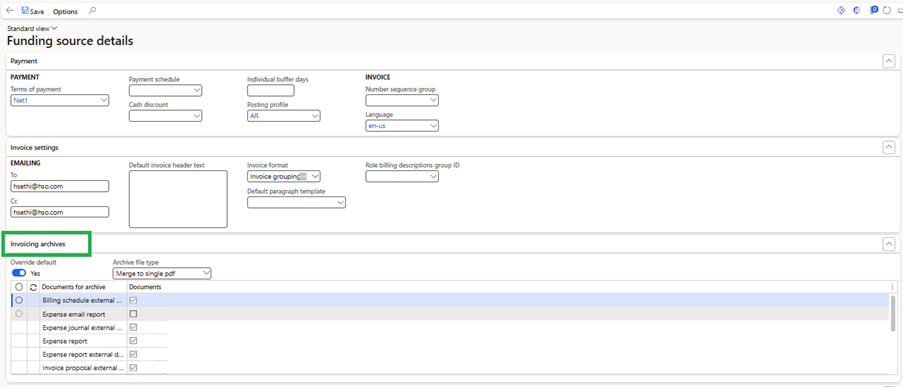
The “Invoice Archive” fast tab has been added to the Funding source detail form opened through project contracts. Additionally, a new parameter titled “Override default” has been introduced within the Funding source detail section under the Invoice archives fast tab.
- If the ‘Override default’ parameter is set to Yes, the system will use the configuration defined in the Funding source to generate the Invoice archive.
- If the ‘Override default’ parameter is set to No, the system will use the existing parameters from projects360 parameters and Project invoicing groups to generate the Invoice archive.
Features Enhanced
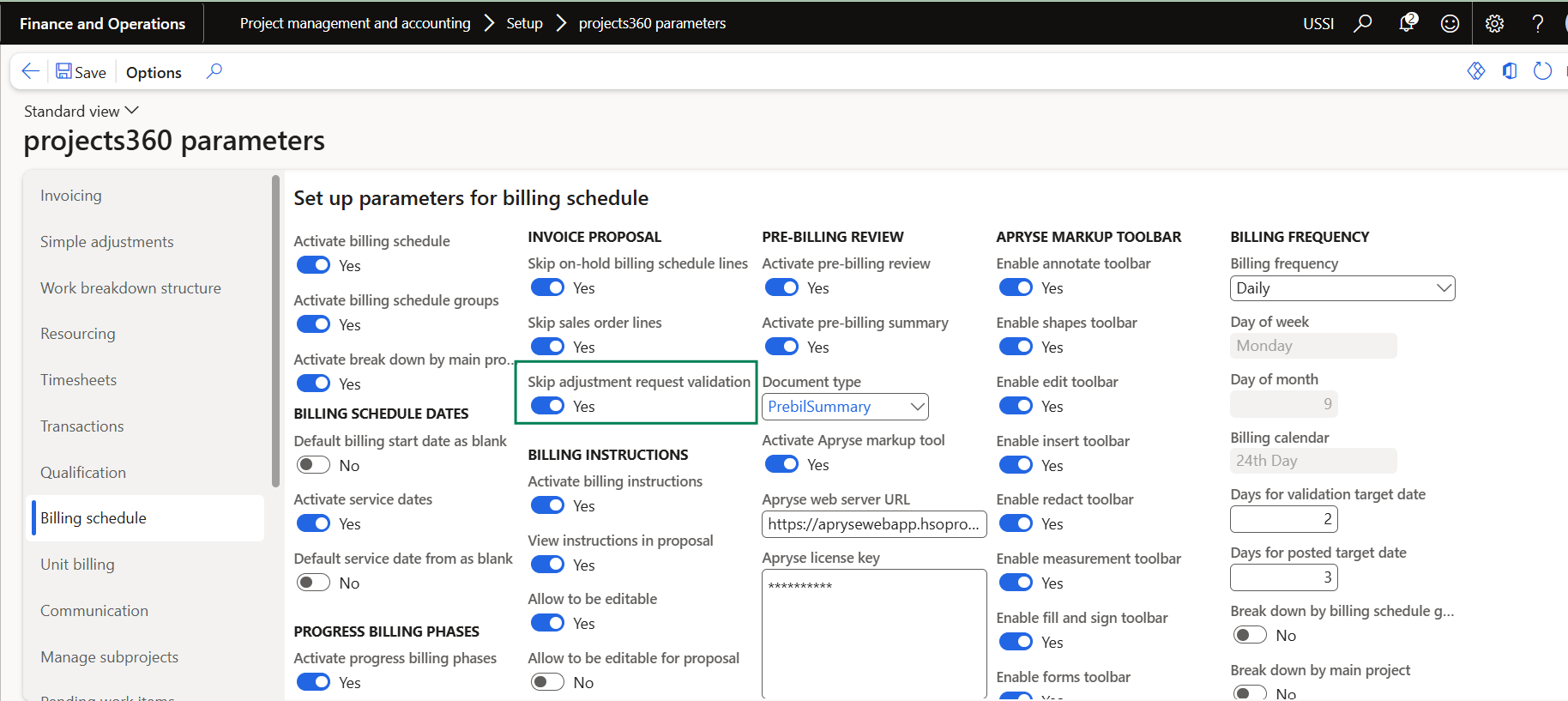
Skip adjustment request validation
We have introduced a new parameter ‘Skip adjustment request validation’ allowing users to create a Project invoice proposal even when there are open Adjustment requests from the billing schedule. This enhancement ensures greater flexibility in billing operations, allowing critical invoicing to continue without unnecessary delays, while still maintaining governance and traceability over exceptions.
Ability to add ‘Header projects’ in Billing schedules
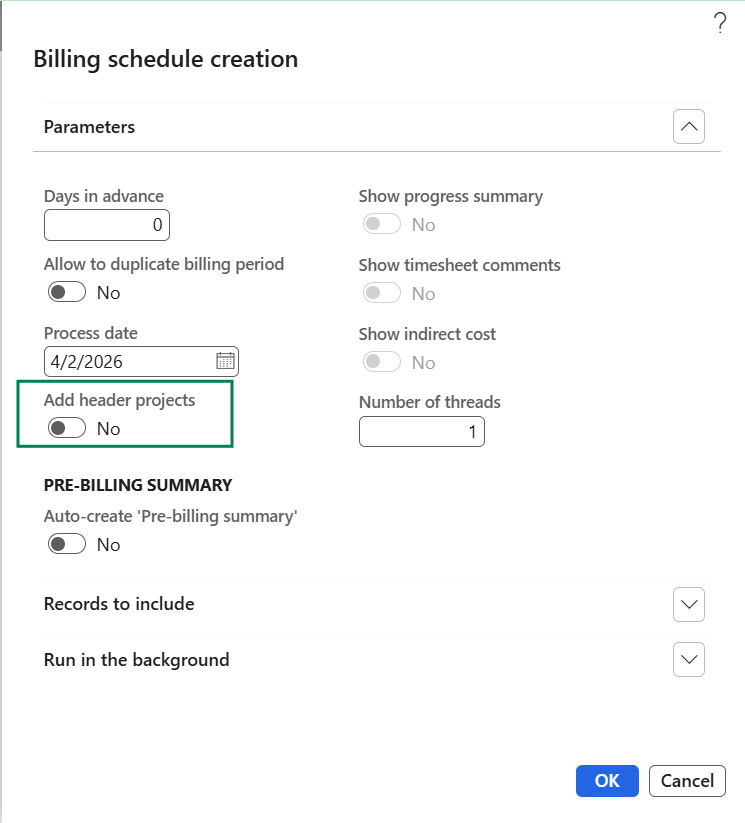
We have introduced a new parameter called “Add header projects” on the Billing schedule creation form. This parameter allows users to control whether header projects are included in the billing schedule, regardless of whether they have an associated contract value.
When enabled, the system will include header projects even if no contract value is defined, providing a better overview of the project structure. When disabled, only projects with valid contract values will be considered, maintaining the existing behavior.
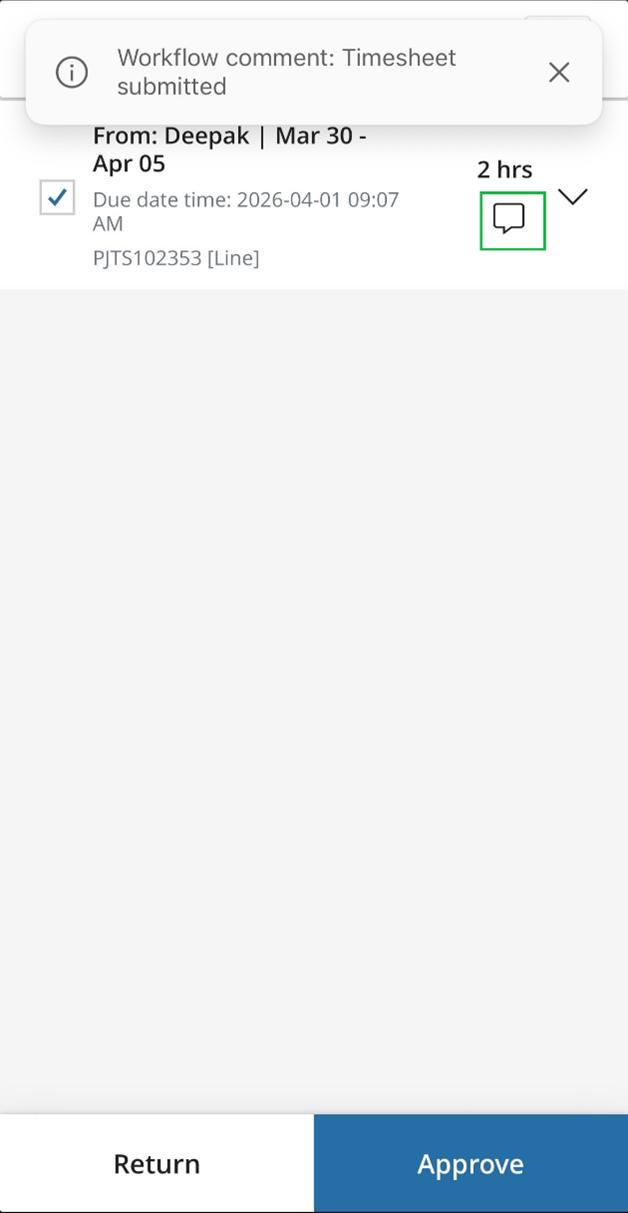
Display workflow comments while approving timesheet on Mobile time entry app
The workflow comments functionality has been enhanced in the Mobile time entry app. With this improvement, both submission and resubmission comments will now be visible to the approver in the Work Item for Approval form.