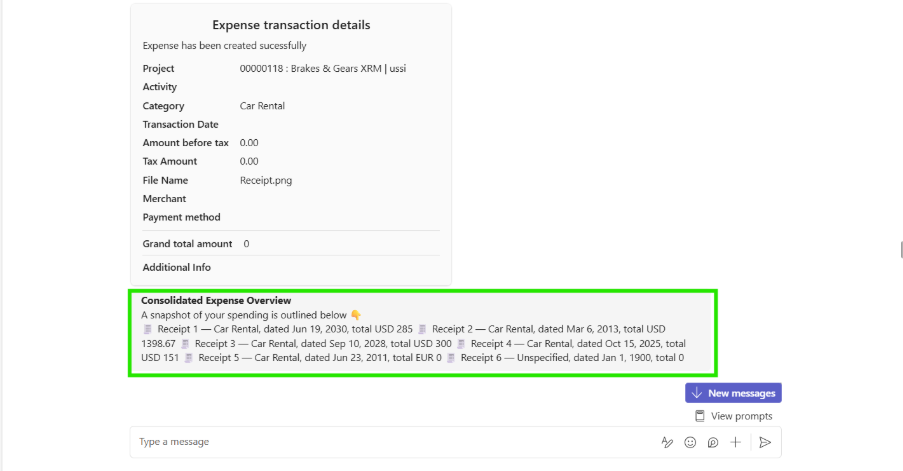
The Multiple receipts capability enables users to upload several receipt files in a single step, eliminating the need to attach each one individually. Once uploaded, the Expense agent processes each receipt sequentially, applying the same validation, data extraction, and categorization logic used for single uploads.
Every receipt is handled independently to ensure precise capture of key details—such as date, merchant, amount, and expense category—while maintaining consistency and accuracy across all entries.
Create expense with multiple receipts.
Simply upload all your receipts, and the agent will process them and present a consolidated summary for easy review. The summary provides a clear, structured view of each receipt, highlighting key details and flagging any items that may require attention or correction.
By bringing everything together in one place, it allows users to quickly validate results, reduce repetitive effort, and streamline the creation process—especially when handling multiple receipts at once.
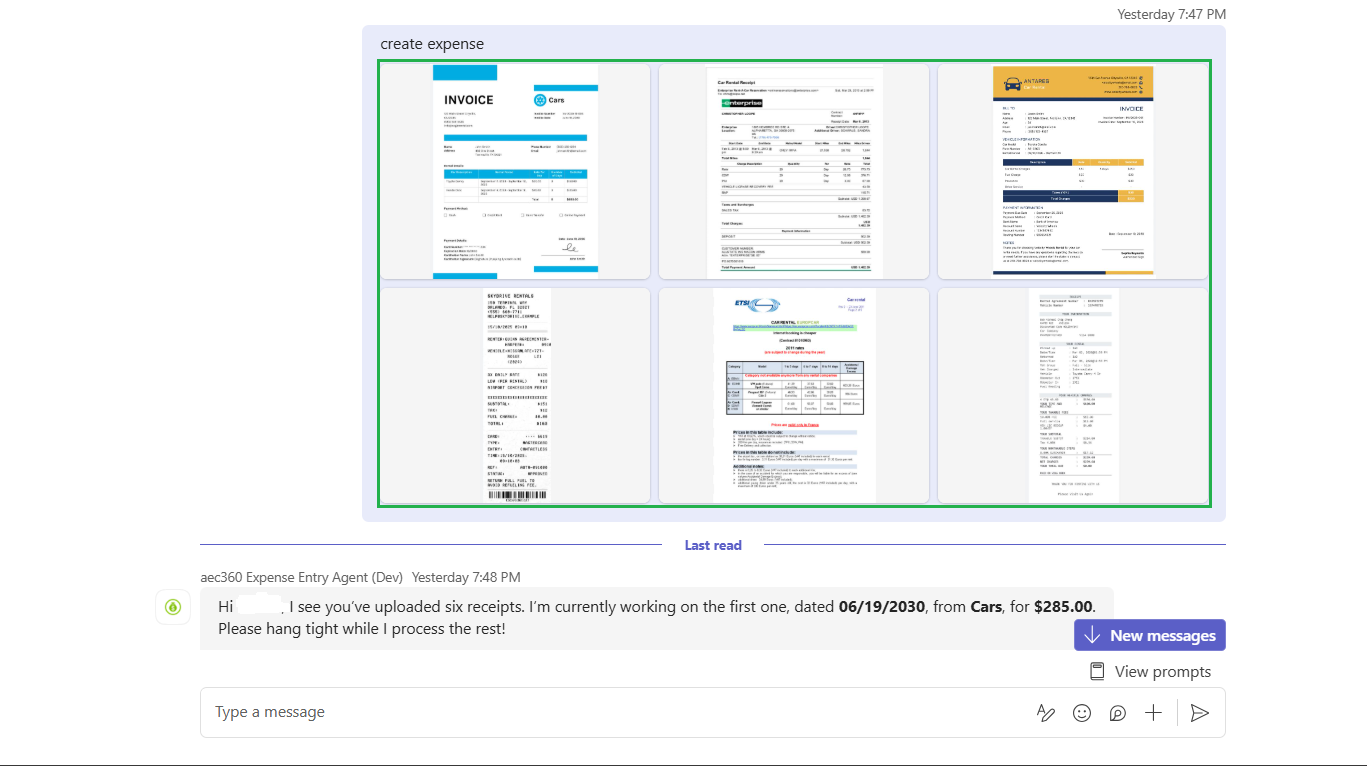
Once receipts are uploaded, the agent automatically reads each one and initiates the processing sequence. It displays a message indicating the receipt currently in progress, along with key extracted details, so users can clearly track which receipt is being processed at any given moment.
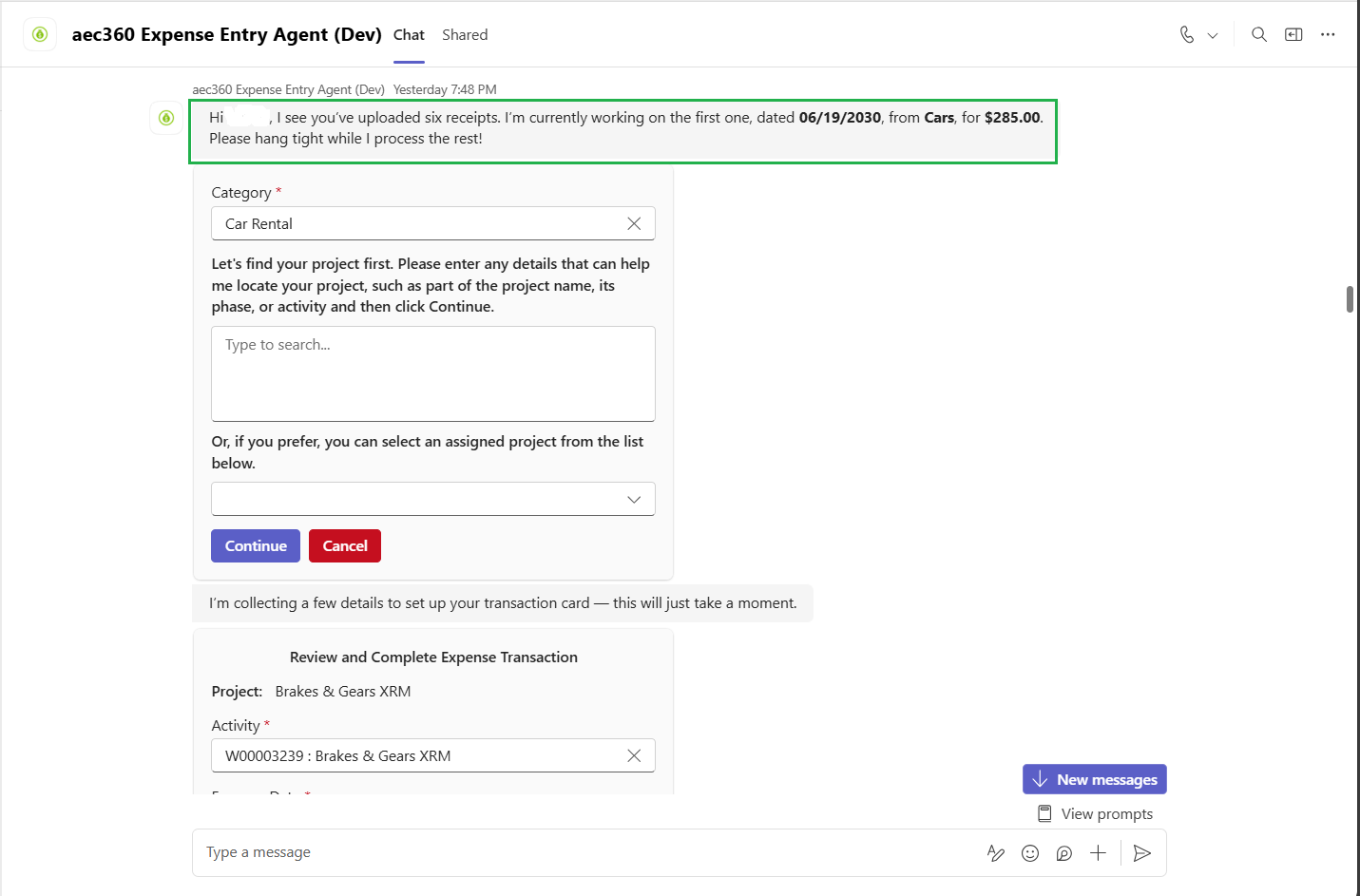
For each receipt, the agent creates a separate expense record before proceeding to the next, ensuring every entry is captured accurately and processed in sequence.
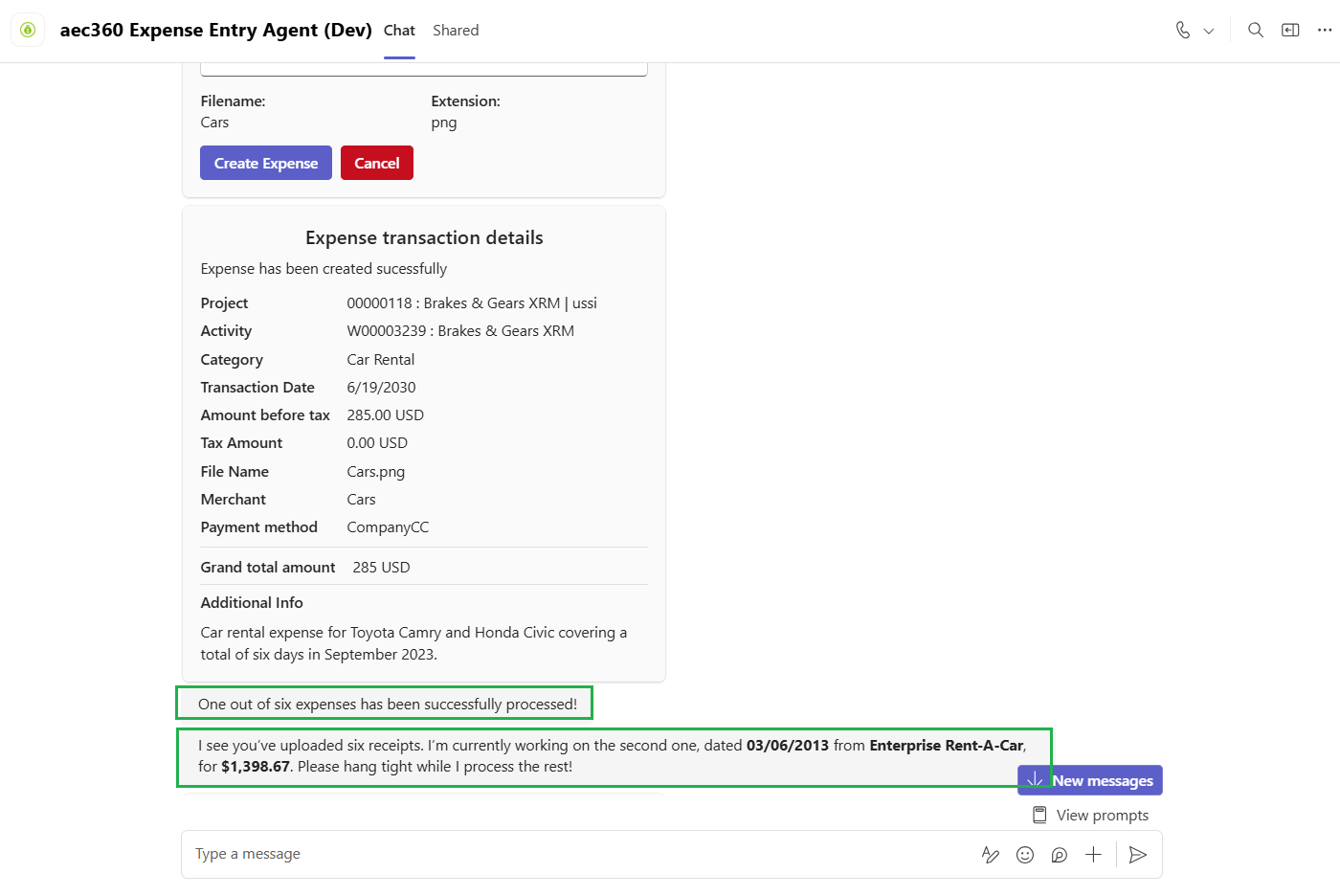
Once all uploaded receipts have been processed, the agent presents a consolidated summary for easy reference. This summary provides a clear overview of all created expense entries, enabling users to quickly review the results of the multi-receipt processing.