Create non itemized meal expense.
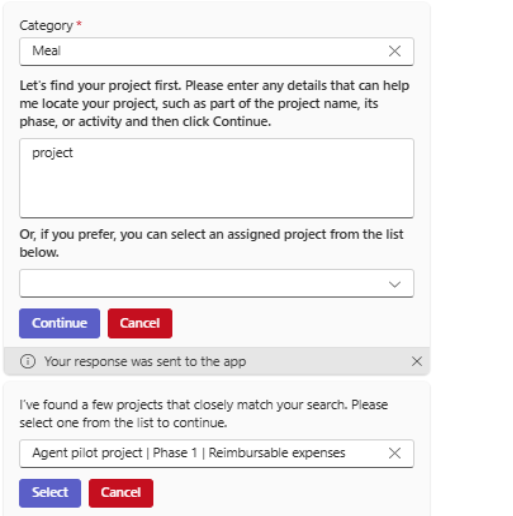
Entering a meal expense begins with uploading the meal receipt, where you provide an image/pdf for the agent to analyze. The Expense agent then automatically detects the category and prompts you to select a project.
During the analysis of receipt, the agent checks for alcohol-related items. If alcohol is detected, it prompts you to decide whether to split the expense. If the selects No, the agent will consolidate the both meal and alcohol under single expenses.

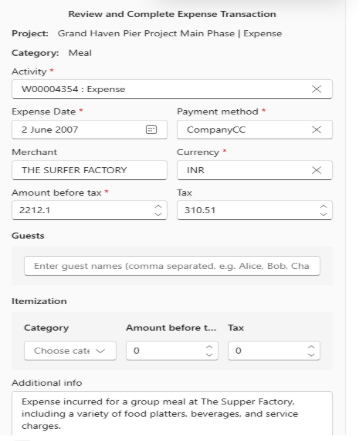
The agent then extracts field details such as total amount, currency, and tax based on the F&O setup. The payment method defaults from the F&O configuration for the selected category. You can review and edit these details before selecting the Create expense option.
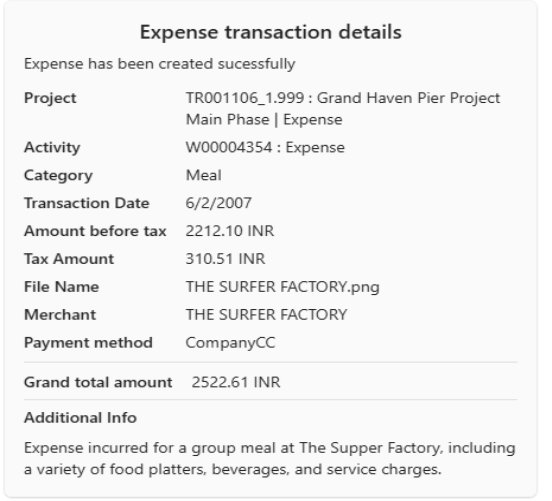
Once expense is created, an expense summary card is displayed expense details.