ProERP version 10.0.48 for Microsoft Dynamics 365 Finance & Operations delivers a comprehensive set of enhancements for the Expense Agent, featuring a modernized UI experience along with new capabilities such as tip capture, expense delegation, and overall performance improvements.
Additionally, this release includes several important enhancements to existing functionality, including improved filtering to exclude completed projects from unit-based billing, the ability to define cost budgets and markup values in subcontract management, strengthened validations in Quick Project Search to ensure only valid projects and categories are selected, and new restrictions that prevent resource bookings against the finished projects.
New Features
Expense entry agent app (Private Preview)
Inclusion of Tips
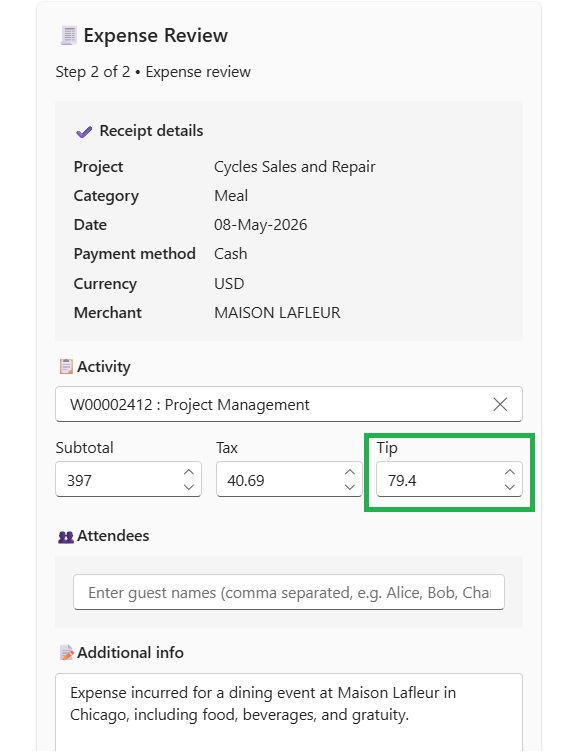
- Tip Capture Capability: Agents can now capture tip amounts directly within the expense entry.
- Automatic Detection: When a tip is present on the receipt, the system automatically identifies and includes it in the expense record.
- Improved Accuracy: Reduces the risk of missing or incorrect tip entries by minimizing manual input.
Expense delegation
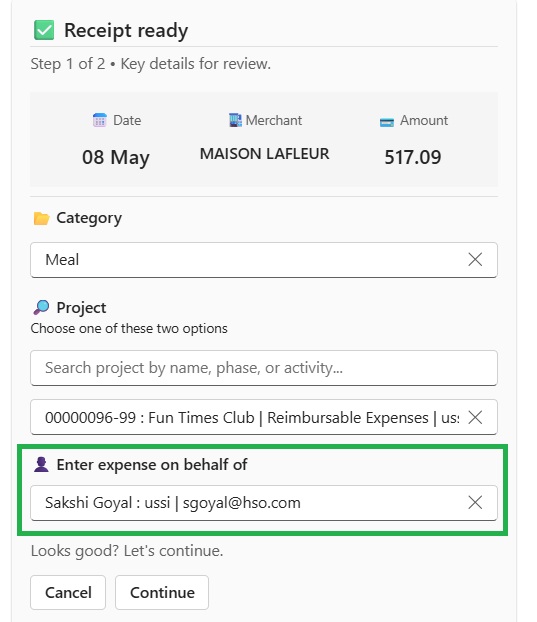
- Delegated Expense Entry: Users can now create expenses on behalf of other employees.
- Employee Selection Option: When delegation is enabled, users can easily select the relevant employee from a list.
- Seamless Processing: Ensures expenses for delegated resources are recorded efficiently without additional complexity.
Optimized performance and better UI experience
We have improved overall agent performance to deliver a faster and more responsive experience.
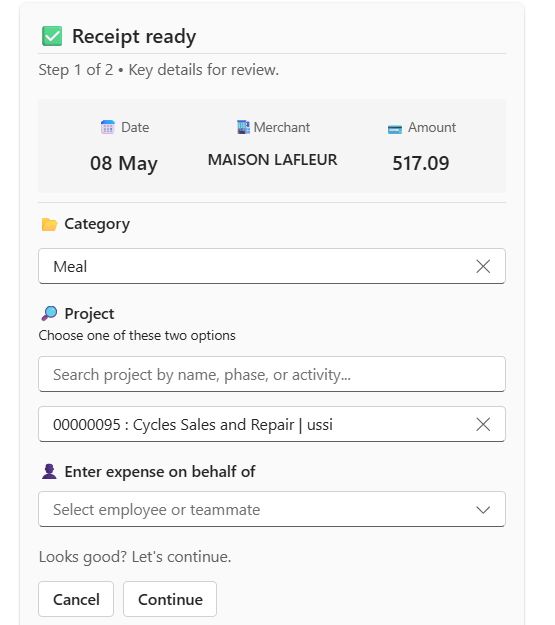
- Structured Interface: The updated cards introduce a clear summary section with key details at the top.
- Organized Input Fields: Separate, well-defined sections for category selection, project assignment, and delegation enhance usability.
- Improved Clarity: The structured design makes it easier for users to review and understand expense details at a glance.
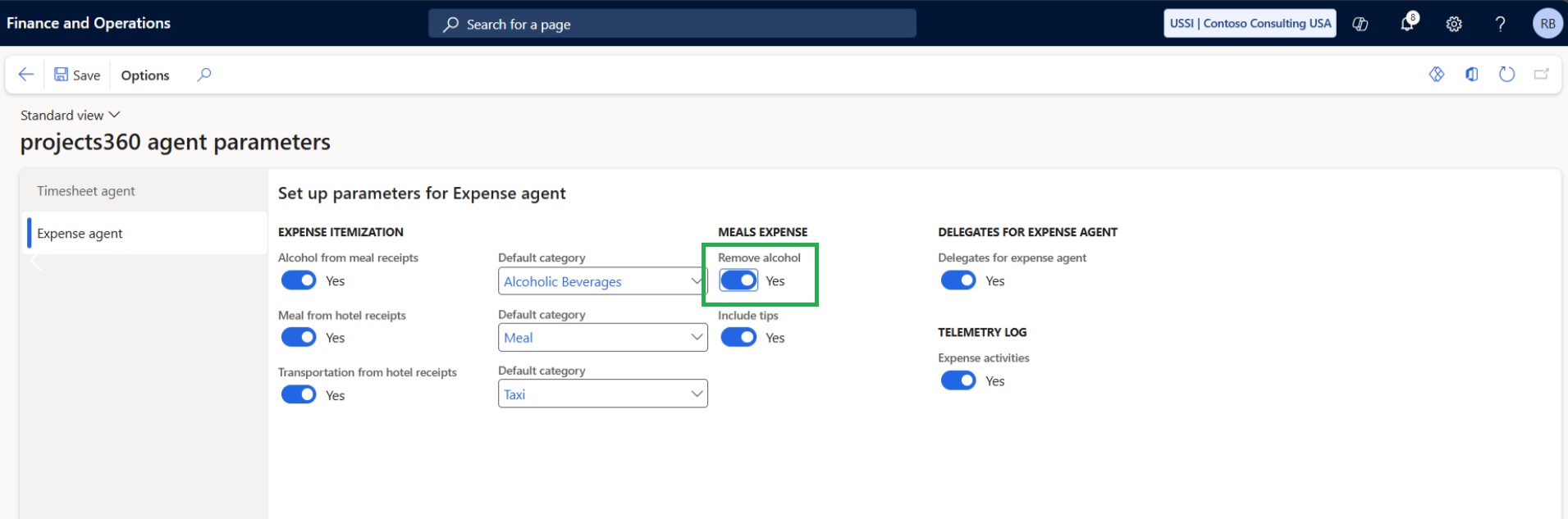
Exclusion of alcohol
A new parameter allows agents to exclude alcohol-related items from expense entries.
- Dynamic Field Visibility: When enabled, all alcohol-related fields are automatically hidden from the user interface.
- Accurate Expense Calculation: Any alcohol-related amounts are excluded from the total expense value.
Features Enhanced
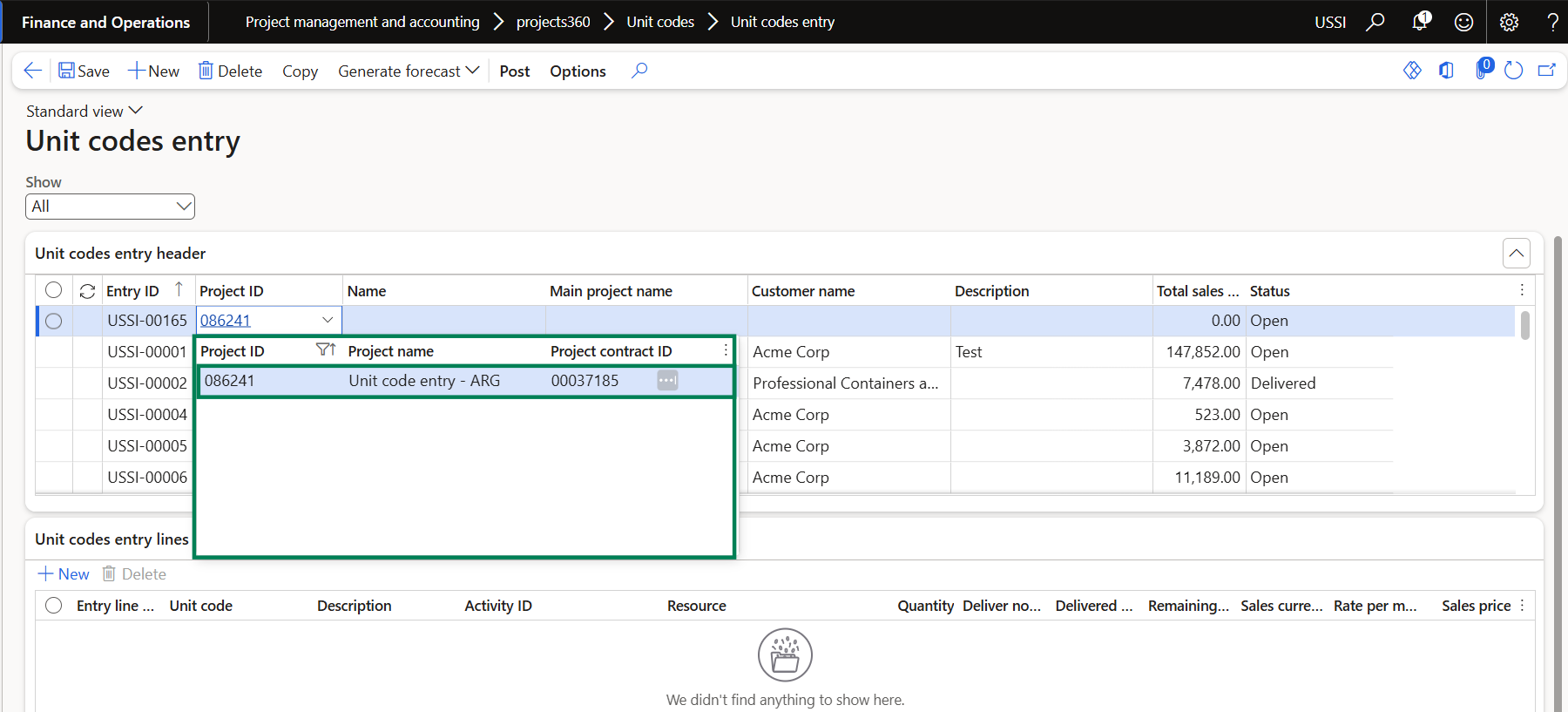
Filter out finished projects on Unit billing
The Unit code entry standalone form has been enhanced to improve project selection validation and prevent invalid transaction postings.
- Projects with status set to finished are now filtered out and will no longer be available for selection in the Unit code entry standalone form.
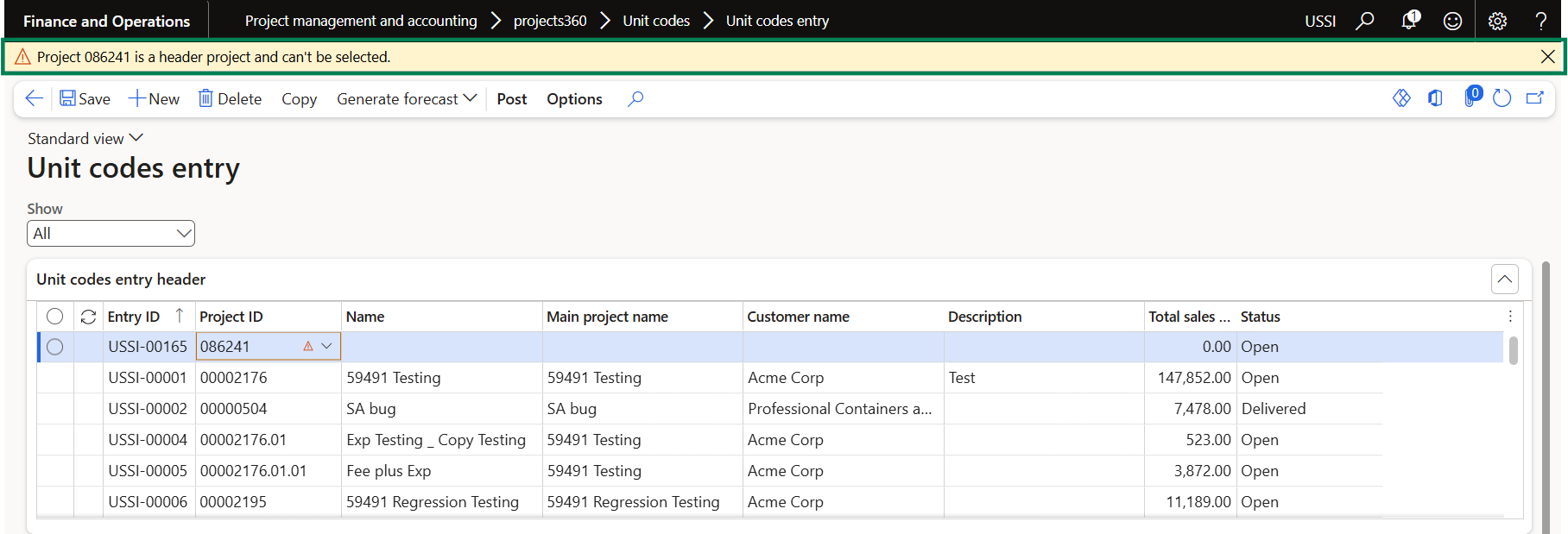
- Validation has been added to prevent users from selecting header projects that are not enabled for transaction posting.
- If a user attempts to select a header project that does not allow postings, the system will display an appropriate error message.
Enter cost amount or mark up on sub contractor management
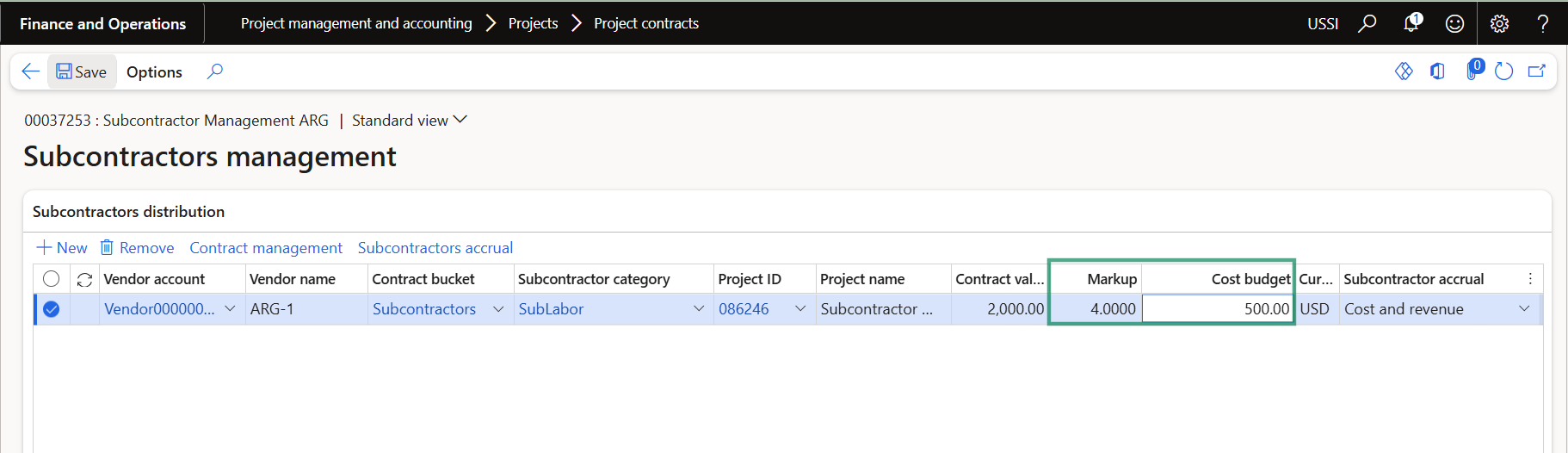
The Subcontractor management form has been enhanced to support reverse calculation of the contract value based on the entered cost budget and markup value/percentage details.
- Users can now enter the Cost Budget and the Markup Percentage or Value.
- Based on the entered values, the system will automatically calculate and derive the Contract Value.
Block resource booking on finished projects
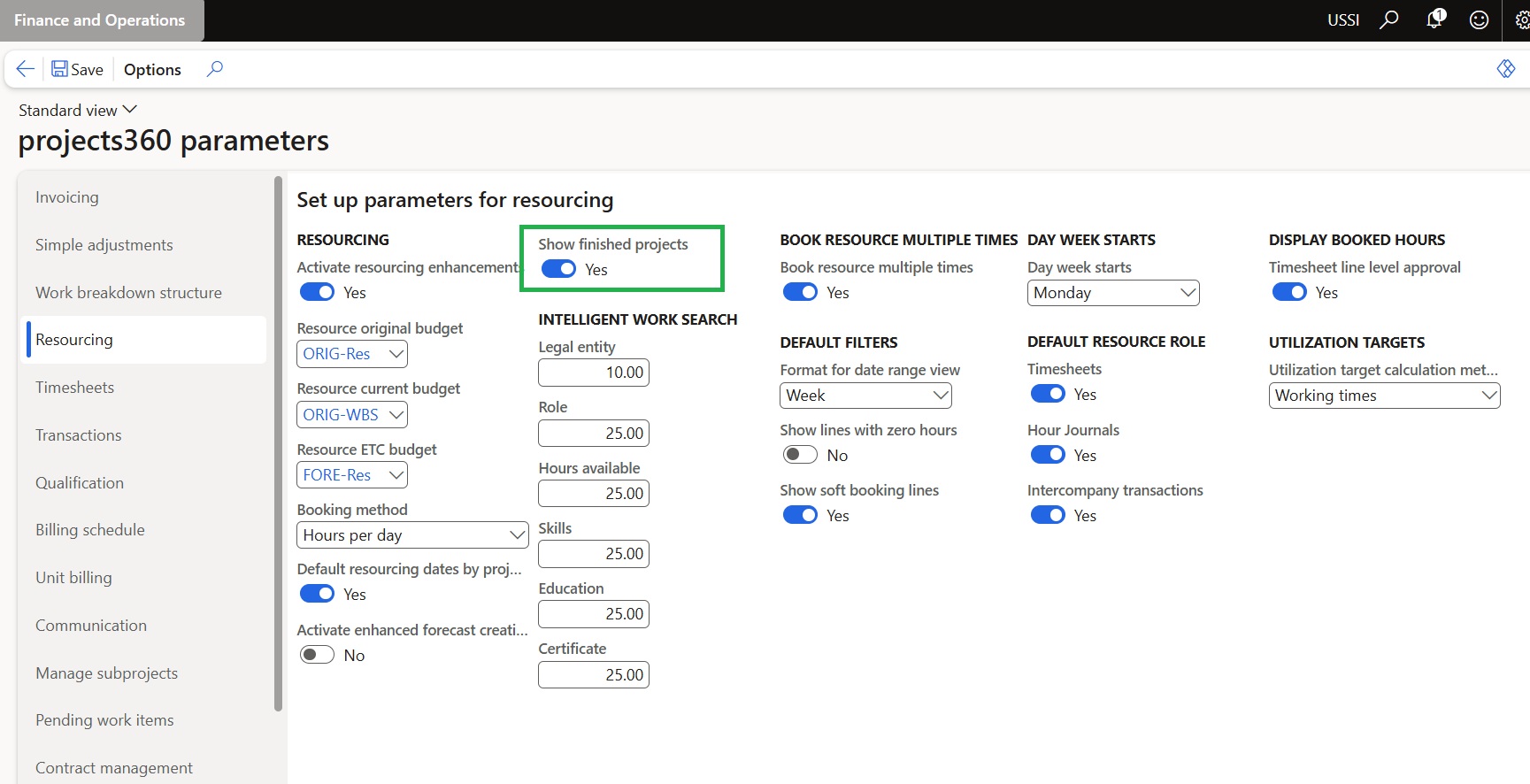
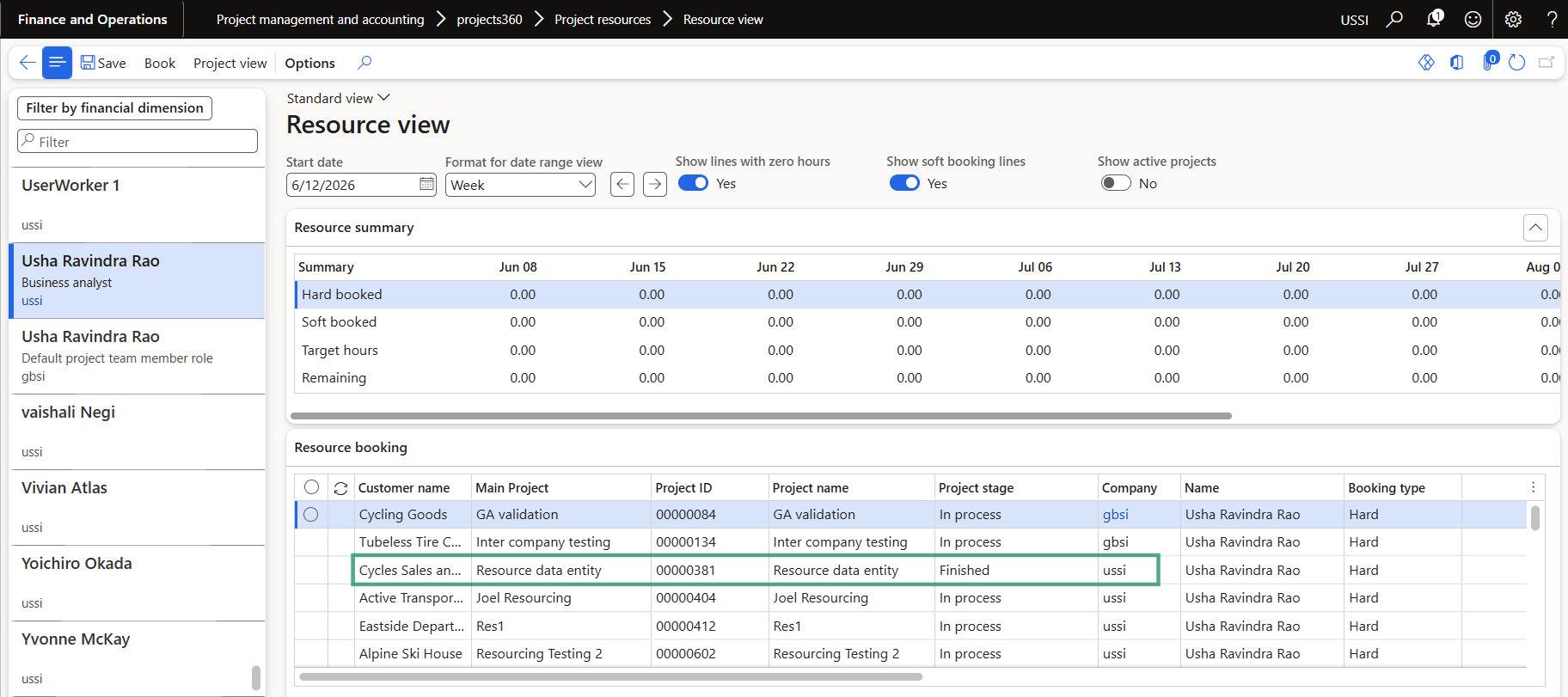
A new parameter ‘Show finished projects’ has been introduced to control the visibility and editability of projects in the finished stage within the Resource view and Project view forms.
- When the parameter is set to Yes, projects in the finished stage will remain visible in both the Resource view and Project view forms but will be displayed in a read-only state. Users will not be able to book or modify hours against these projects.
- When the parameter is set to No, projects in the finished stage will be completely hidden from the Resource view and Project view forms and will not be available for resource booking.
Improve Quick Search to Enforce Project/Category Validations
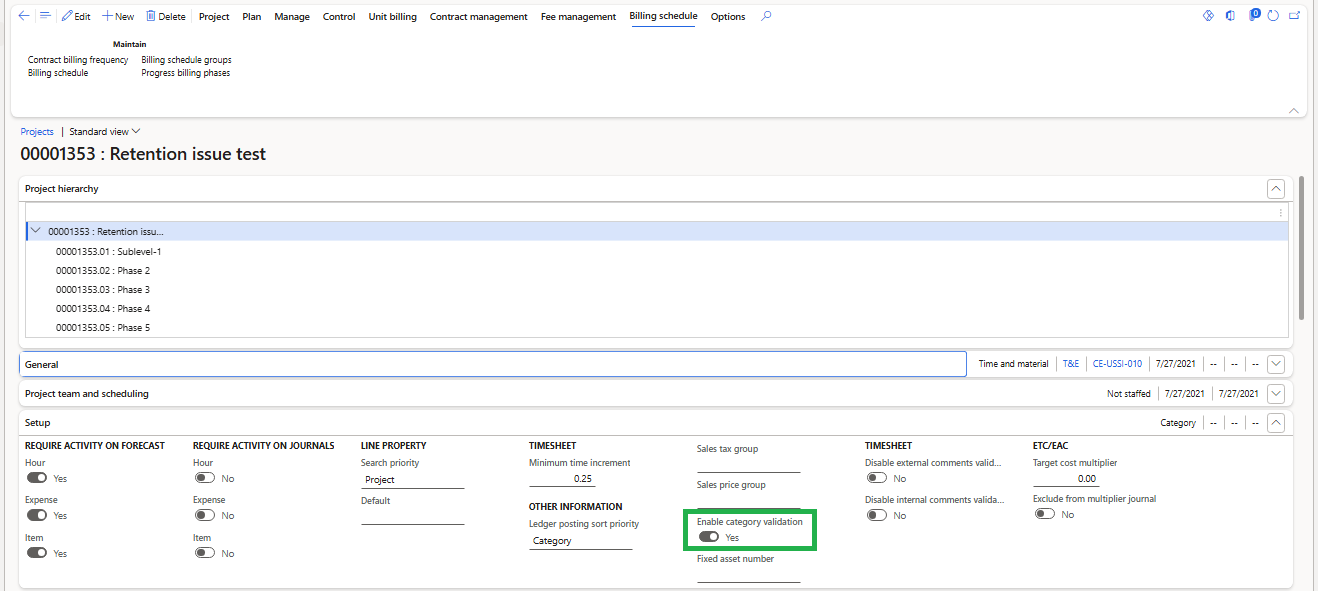
We have enhanced the Quick Project Search form to enforce configured Project/Category validation rules. Now, the Quick Project Search form automatically filters out projects that do not meet the configured validation criteria.
Users can only view and select projects that are valid and eligible based on the defined Project/Category rules.