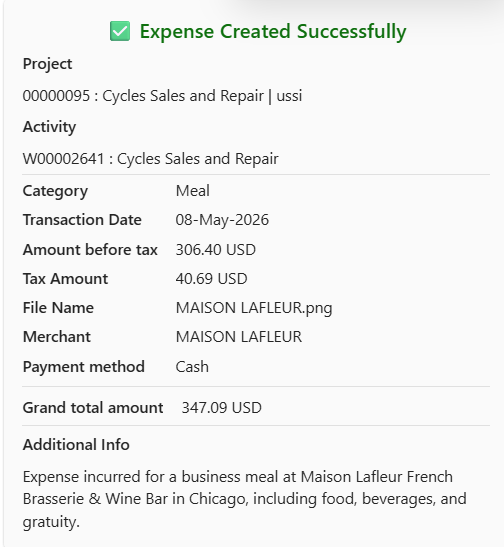
The delegate functionality enables users to create expense entries on behalf of other employees. This feature is particularly useful in scenarios where managers, assistants, or designated team members are responsible for handling expense submissions for others.
When this setting is enabled, an additional field “Enter expense on behalf of” becomes available during expense creation. This allows the user to select a delegated employee from the available list. Once a user is selected, the expense entry is created under the chosen employee, while still being initiated from the current user’s session.
As shown in the example below, the expense is being created using one user’s login, while the “Enter expense on behalf of” field is set to another employee. This ensures that the expense is recorded for the selected employee, while the creation process is handled by the current user.
Parameter Setup
On the projects360 copilot agent parameter form, under the Expense agent tab, a configuration is available to control whether expenses can be created on behalf of another user.
Go to Project management and accounting > Setups > projects360 copilot parameters > expense agent
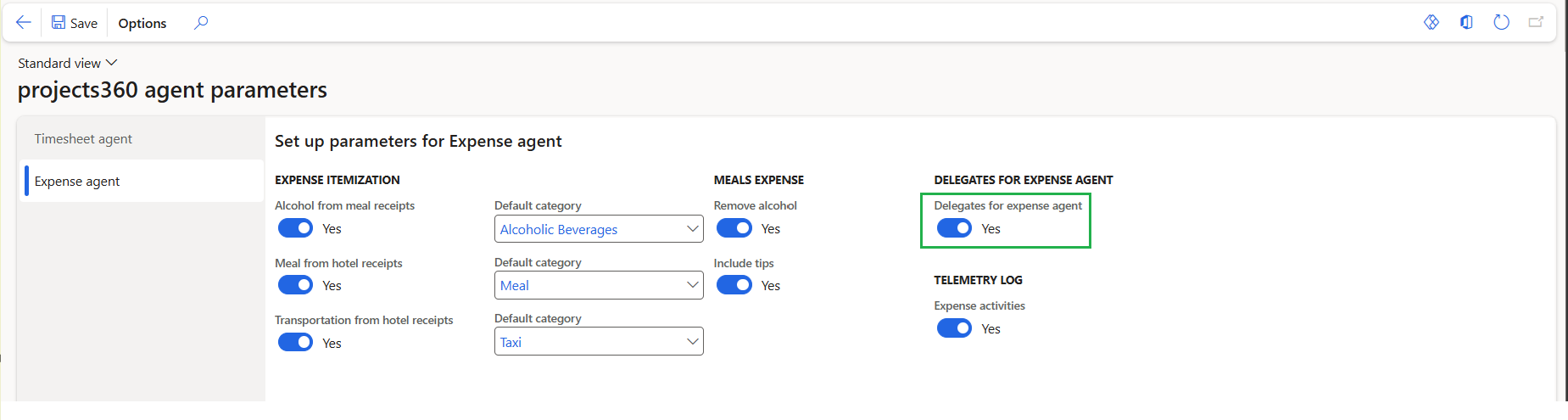
Create an expense on behalf of another user
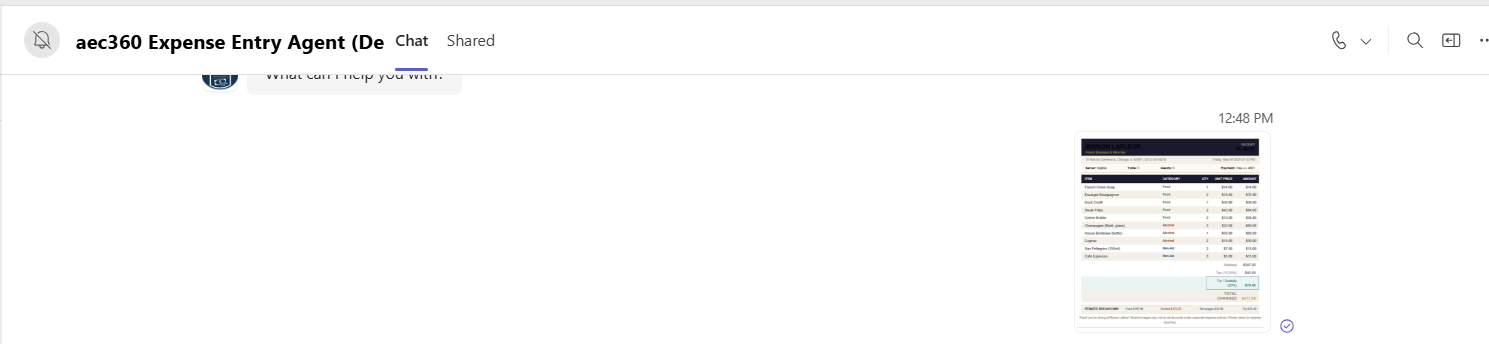
Start the process by uploading the expense receipt in the chat. The agent will analyze the receipt and extract key details such as date, merchant, and amount.
Choose the appropriate project and use the “Enter expense on behalf of” field to select the user for whom the expense needs to be created.
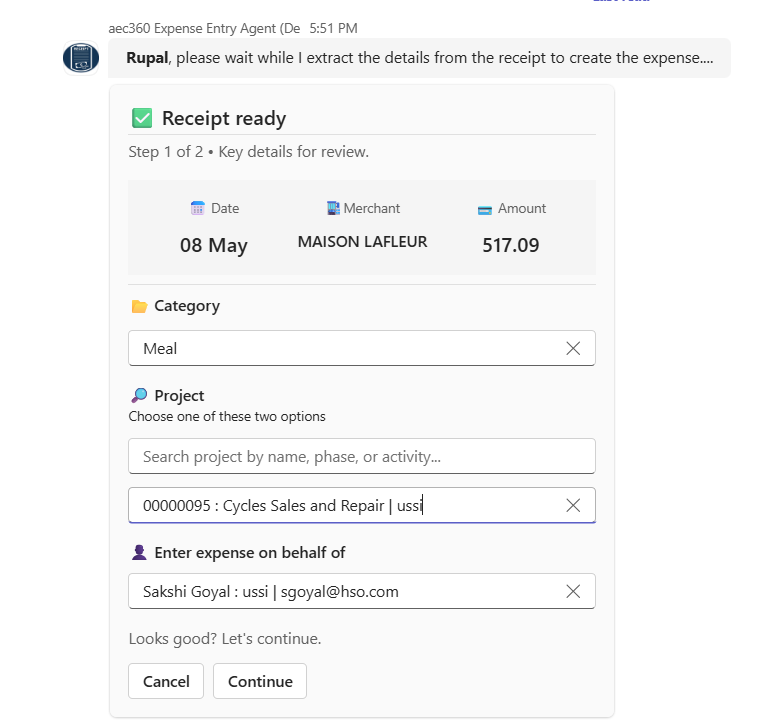
Proceed to the next step, where the agent presents a summary of the expense. Carefully review all details, including the category, project, and the selected user.
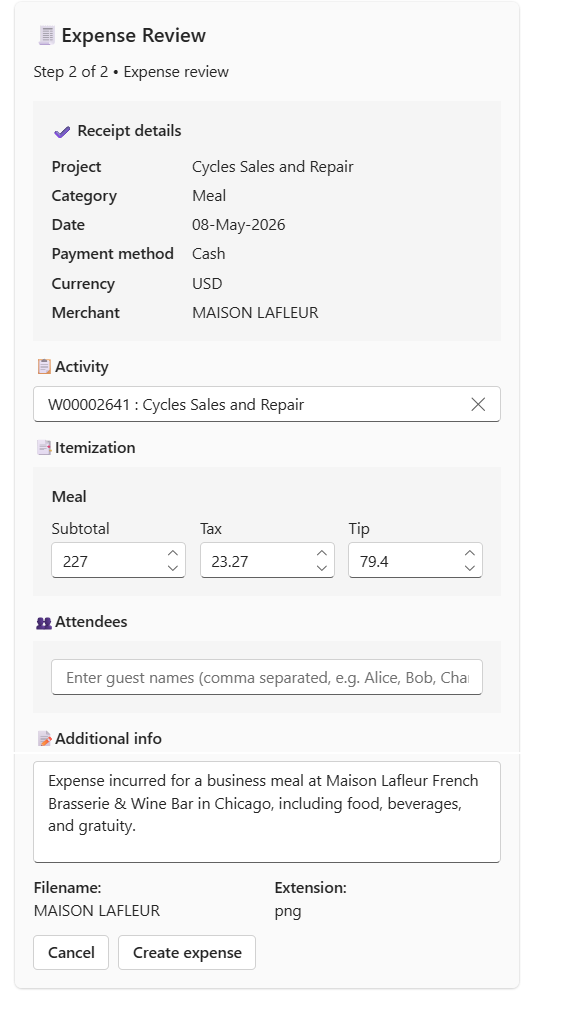
After verifying all details, select Create expense. The expense will be recorded for the selected user and posted to Finance and Operations.