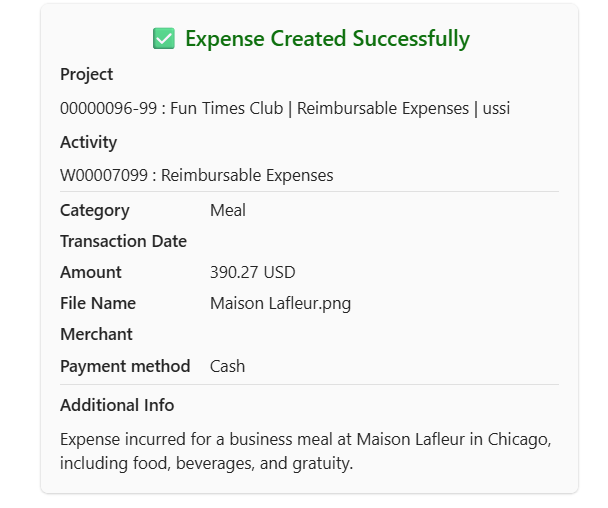


Create non itemized meal expense.
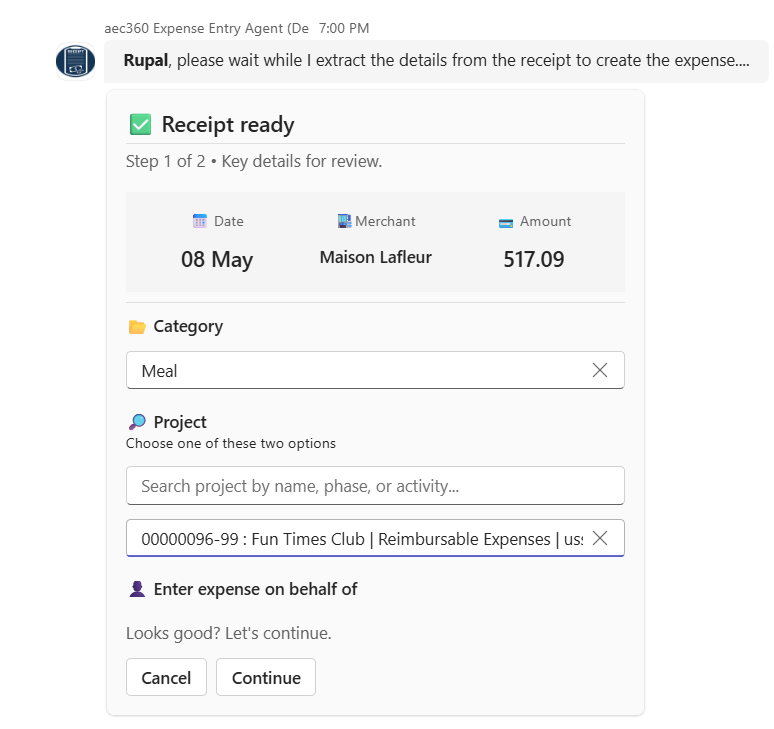
Entering a meal expense begins with uploading the meal receipt, where you provide an image/pdf for the agent to analyze. The Expense agent then automatically detects the category and prompts you to select a project.
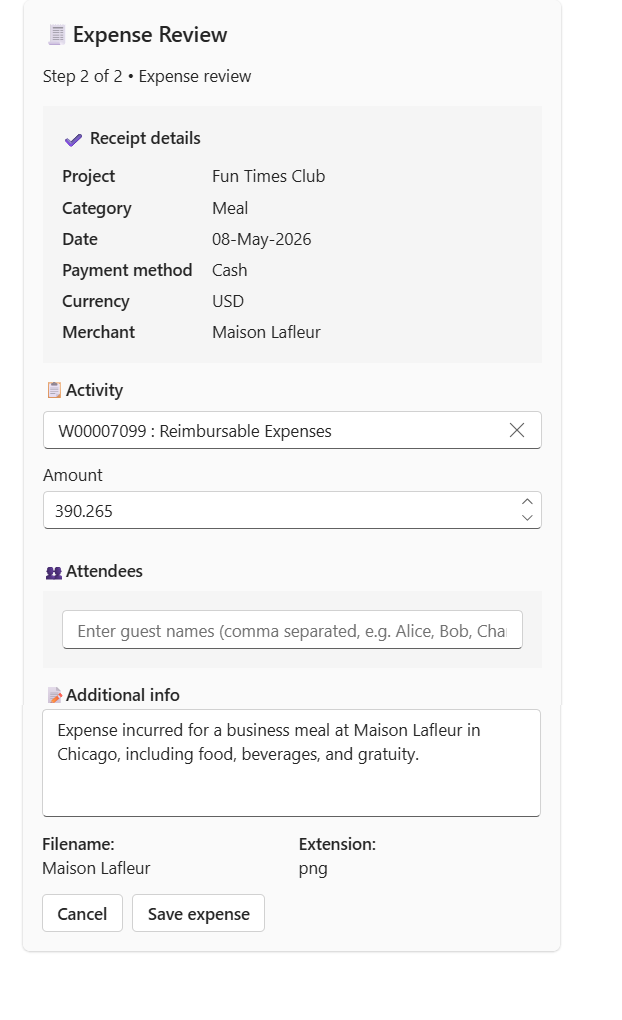
The agent then extracts field details such as total amount, currency, and tax based on the F&O setup. The payment method defaults from the F&O configuration for the selected category. You can review and edit these details before selecting the Create expense option.
Once expense is created, an expense summary card is displayed expense details.