ProERP version 10.0.46 for Microsoft Dynamics 365 Finance & Operations introduces a comprehensive set of new features, including time card default values, copy annual holidays and disable timesheet comments.
This release also adds extended monitoring and telemetry using application insights, Business Process Usage and License Reports powered by application and new mobile time entry app experiences.
In addition, the update delivers significant improvements to existing functionalities, including editable billing instructions on billing schedules and project invoice proposals, invoice proposal performance optimization, overtime validation groups, vendor agreement for PWP, On hold from total billing amount in ‘Prebilling summary’ report and further enhancements to the mobile time entry app.
New Features
New mobile time entry app
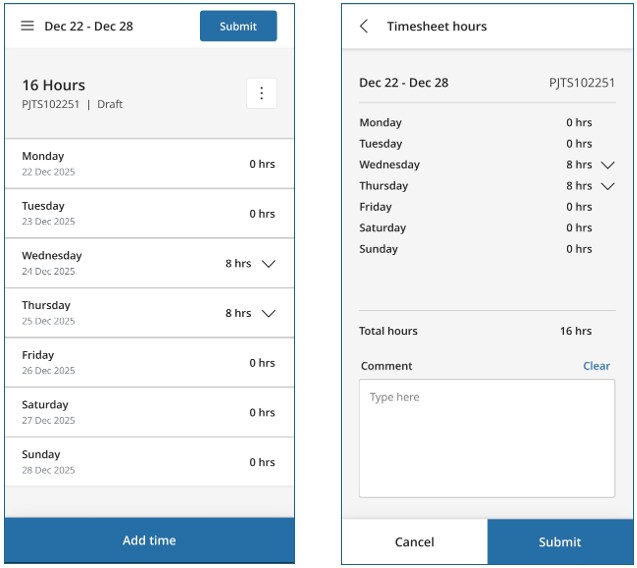
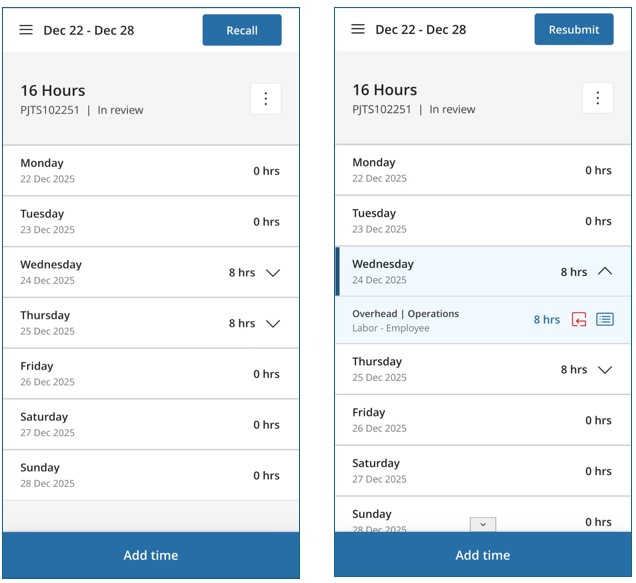
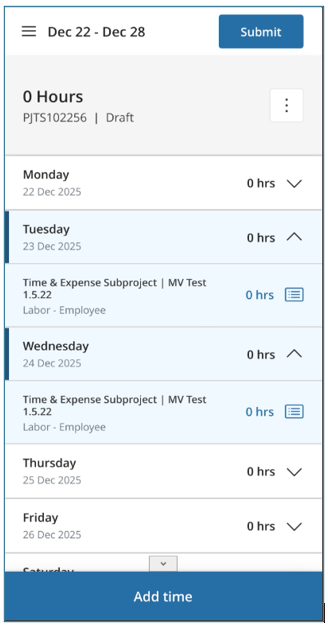
Refresh user interface
We’re excited to announce a refreshed, contemporary user interface across the Timesheet application. This update delivers a cleaner, more intuitive experience designed to make your workflow easier and faster.
- Streamlined Layout: A modern design with improved information hierarchy, making key details quicker to scan.
- Enhanced Clarity: Reduced visual clutter for better readability and a more consistent user experience.
- Mobile Optimization: Improved usability on mobile devices, ensuring a seamless experience across platforms.
This update is all about improving usability and efficiency. By reducing visual complexity and enhancing navigation, we’ve made it easier for you to manage timesheets anytime, anywhere.
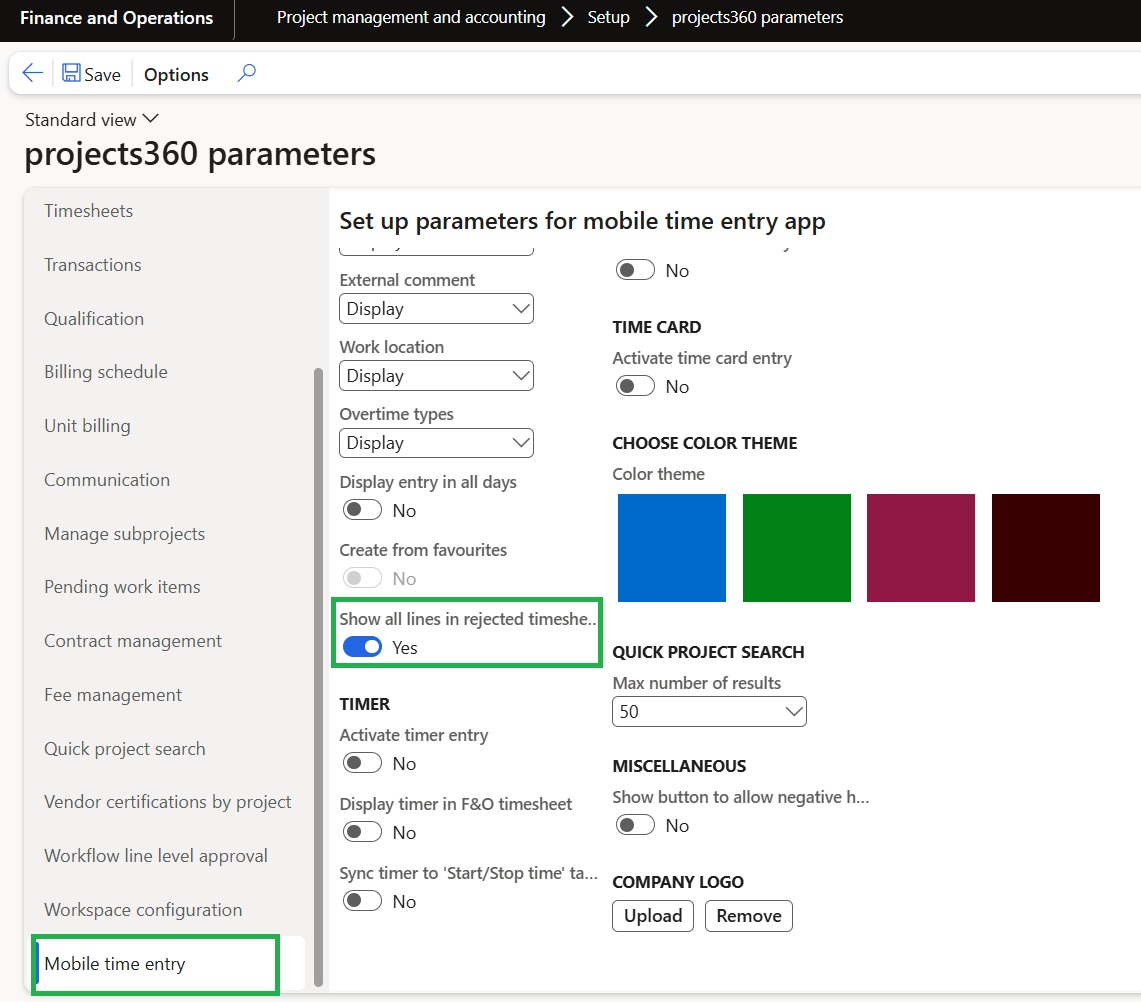
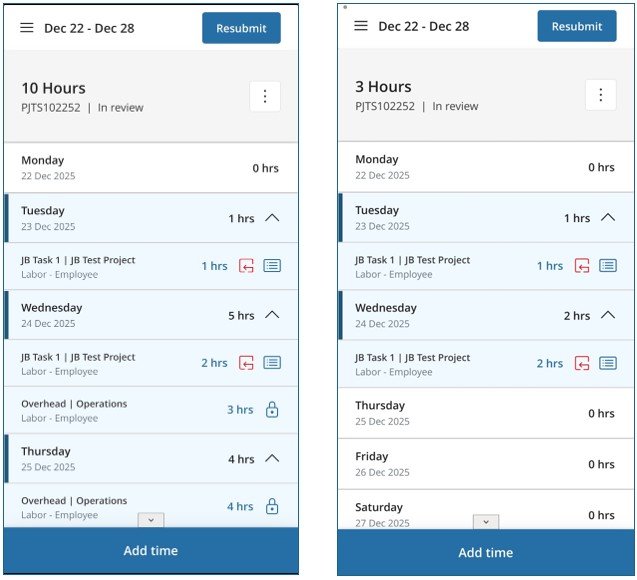
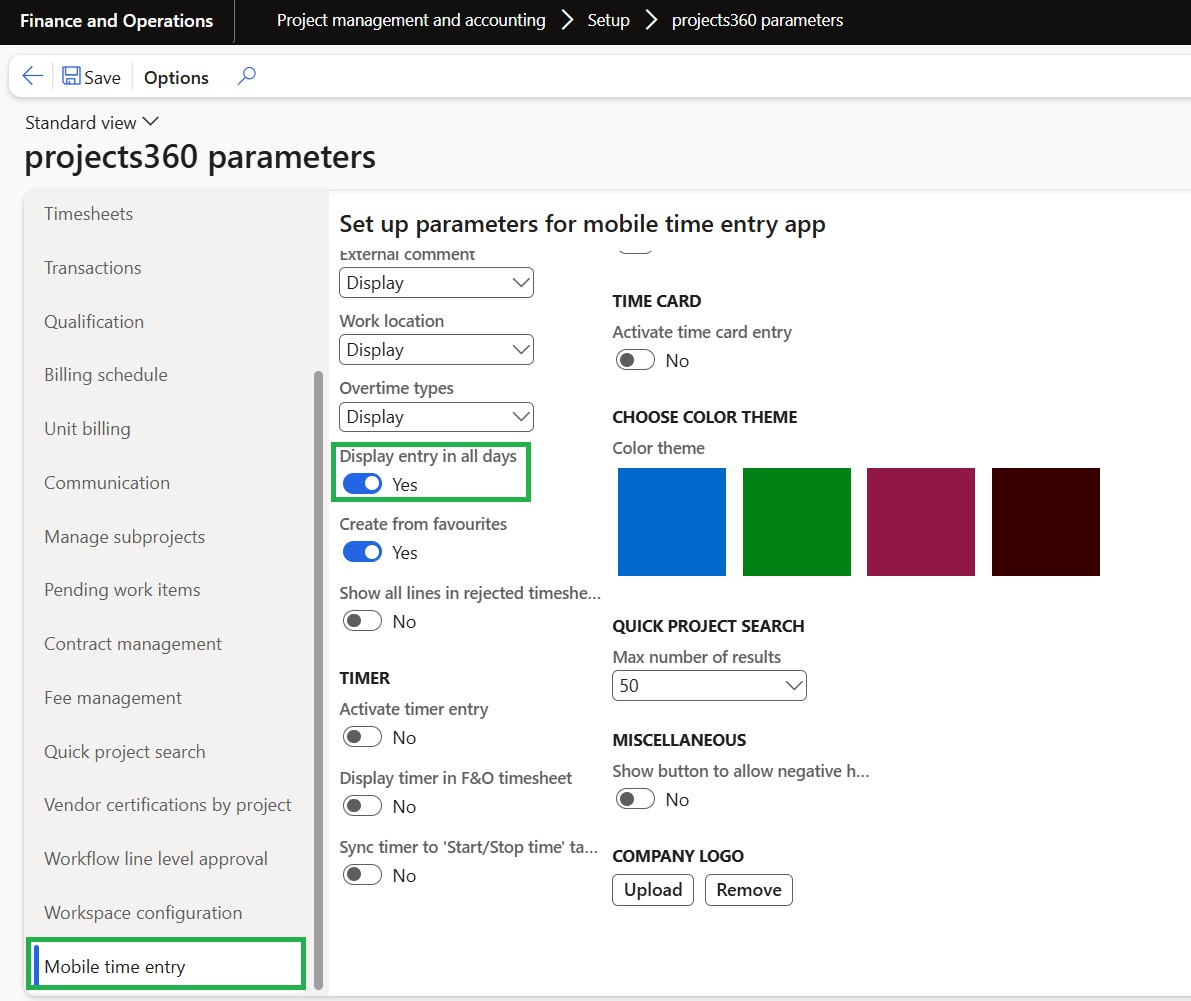
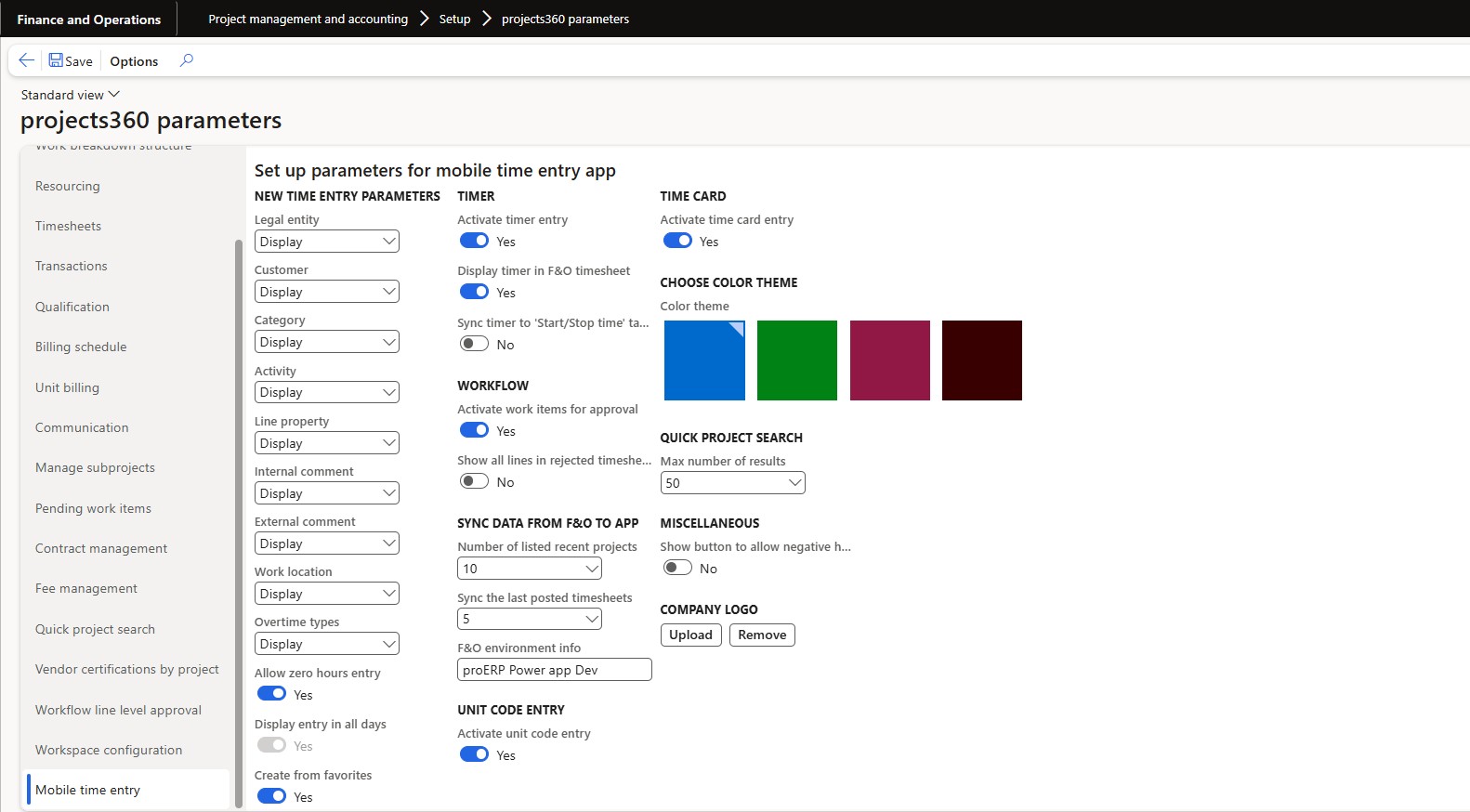
Show all lines in rejected timesheet
We’ve introduced a new parameter, “Show all lines in rejected timesheet,” in the Projects360 Parameters form. When enabled, this parameter allows users to view all lines in rejected timesheets without applying any filters.
Create timesheet from favorites
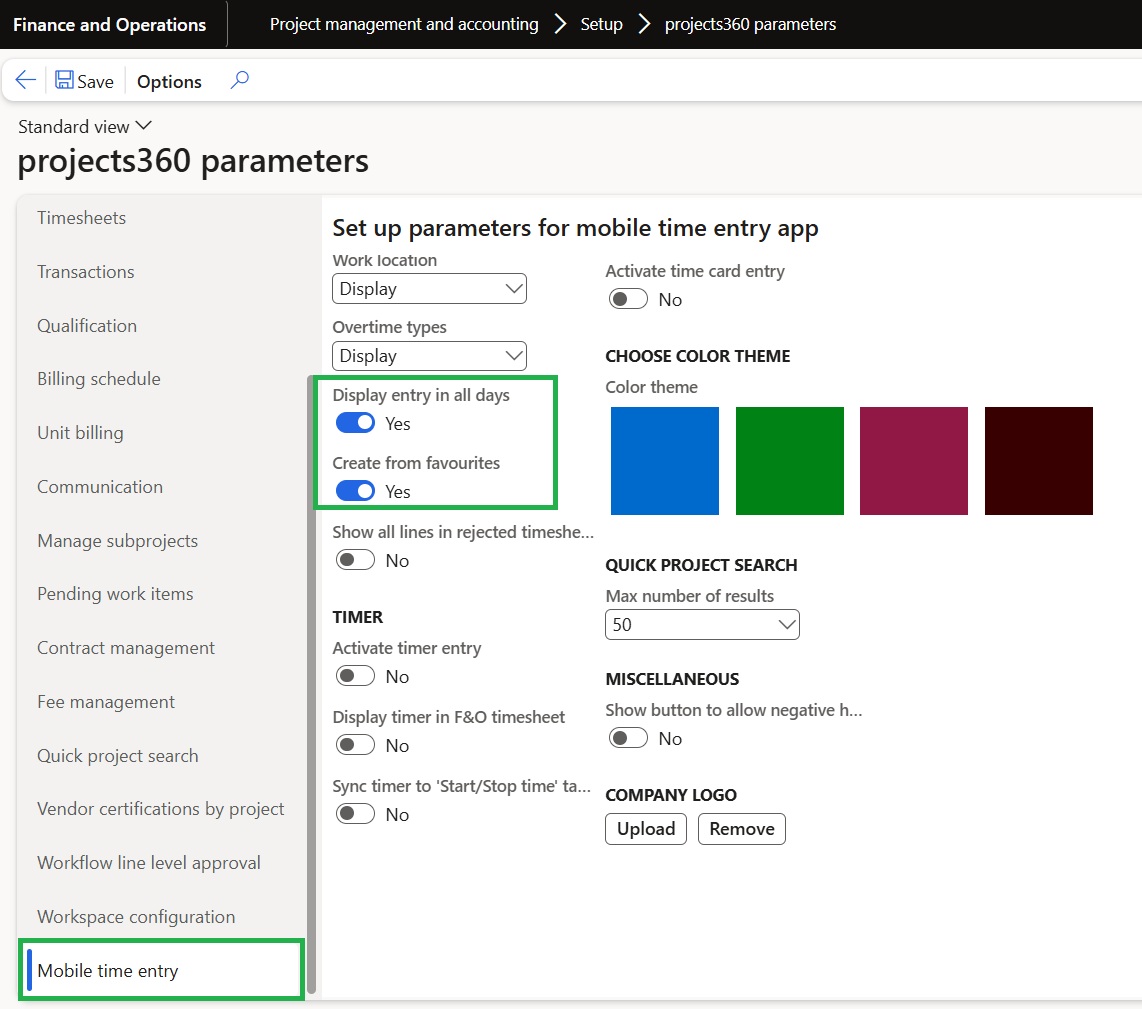
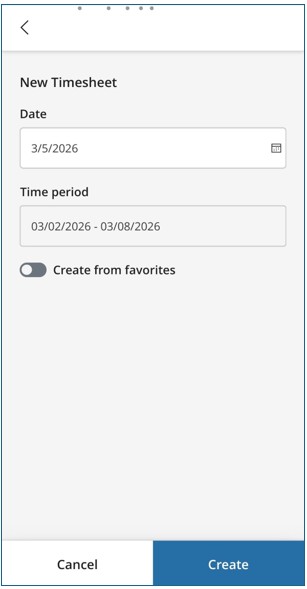
Similar to the ability to create a new timesheet using favorites in Finance and Operations (FO), this feature has now been extended to the Time Entry Power App. A new parameter, “Create from favorites,” has been added to the Projects360 Parameters form.
- This parameter is dependent on “Display entry in all days.” When that option is enabled, Create from Favorites becomes editable.
- Users can edit the Create from Favorites parameter in the Time Entry Power App while creating a new timesheet.
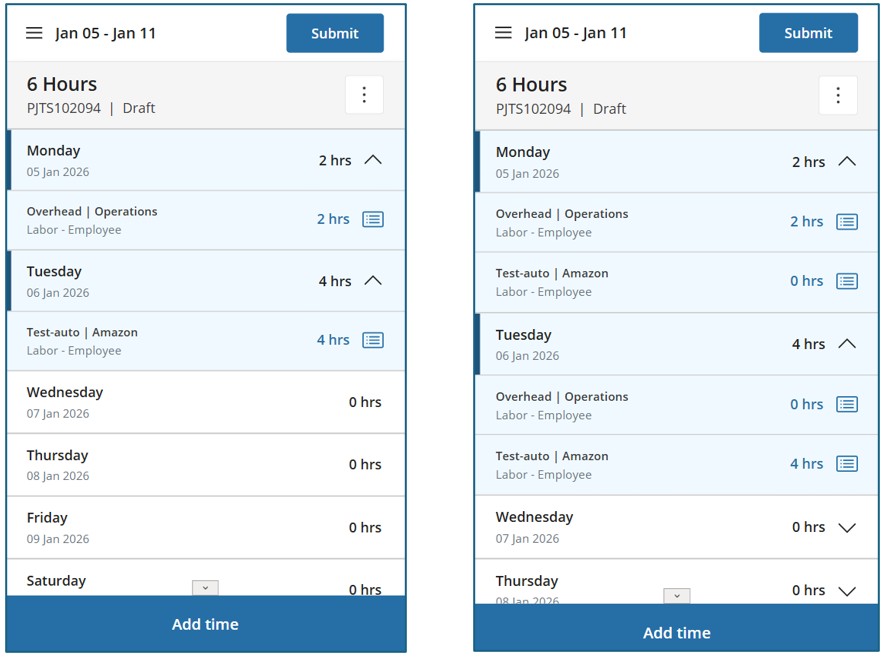
Display entry in all days
A new parameter called ‘Display entry in all days’ is added in ‘projects360 parameters’ form.
- When enabled: All project lines under a header will be displayed for every day of the week, even if they have zero hours.
- When disabled: Project lines will only be displayed for days that have recorded hours for that project.
Show comments in the summary view while submitting
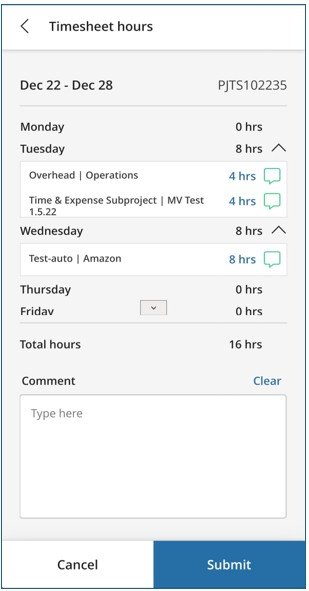
As part of this update, we’ve introduced enhancements that allow users to review both internal and external comment summaries before submitting a timesheet. During submission, a dropdown next to the daily hours displays the comment summary for each timesheet line, making it easier to review and confirm details.
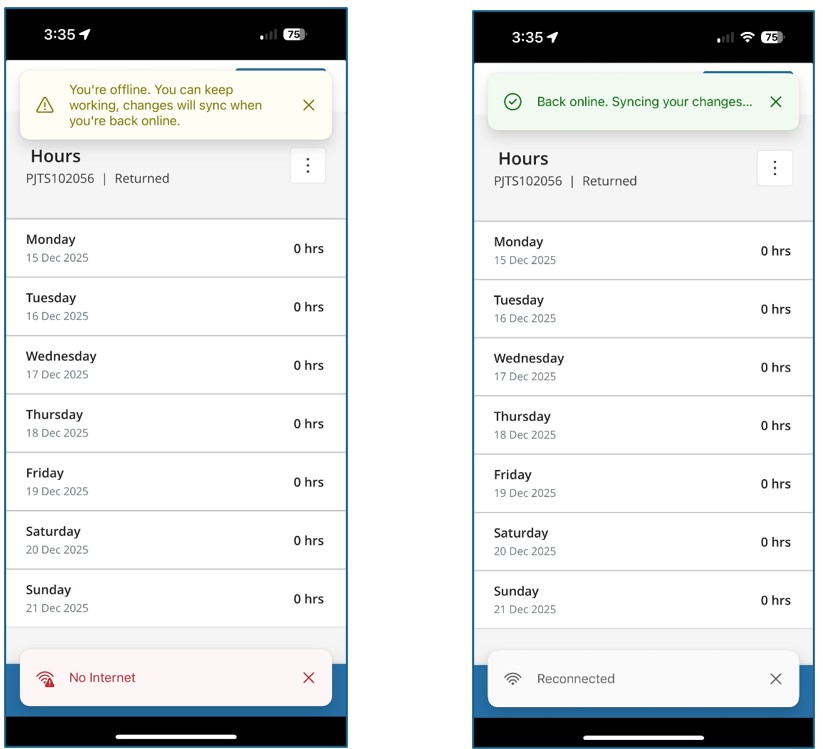
Additionally, we’ve improved the network connectivity status notification within the Time Entry Power App, ensuring users receive clearer and more reliable alerts about connectivity issues.
Allow user to enter zero hour timesheet line via mobile time entry app
We’ve introduced a new parameter, “Allow zero hours entry,” in the Projects360 Parameters form. When this parameter is enabled, users can save a timesheet line with zero hours in the Time Entry mobile app. Additionally, when this parameter is enabled, the “Display entry in all days” parameter will be automatically selected and locked.
Extended monitoring and telemetry capabilities using Application Insights
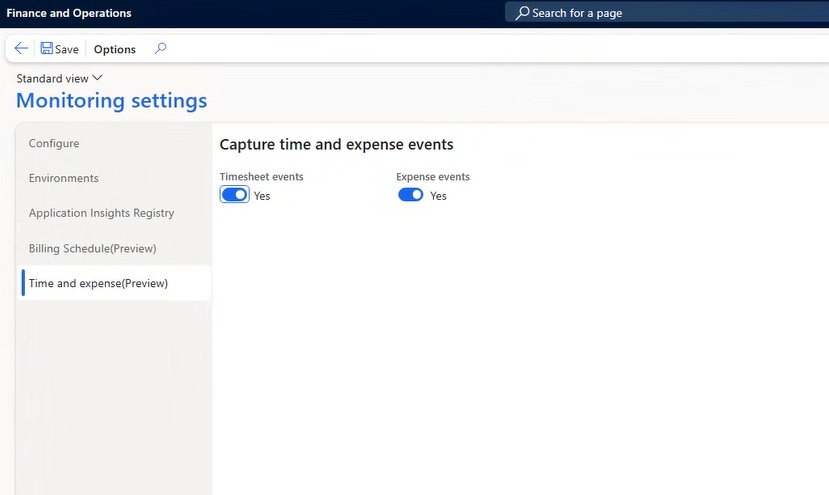
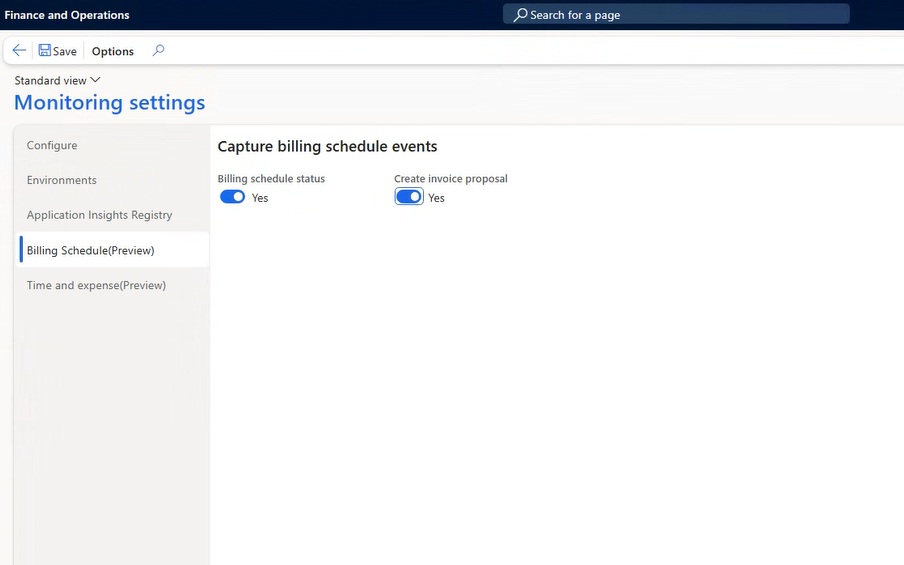
The scope of monitoring has been expanded to include the process like timesheet creation and posting, expense report creation and posting, fee management and invoice posting. The processes are controlled through few parameters.
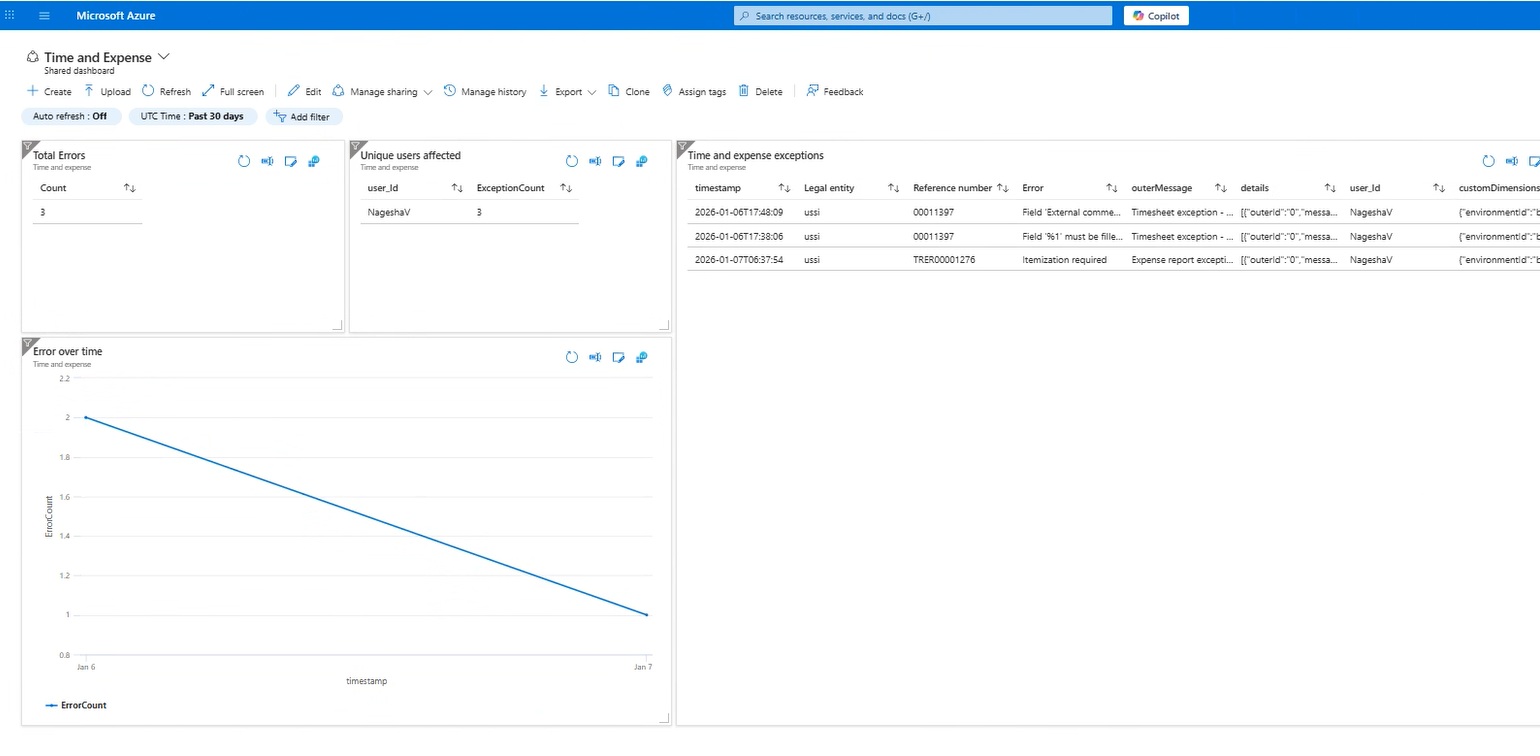
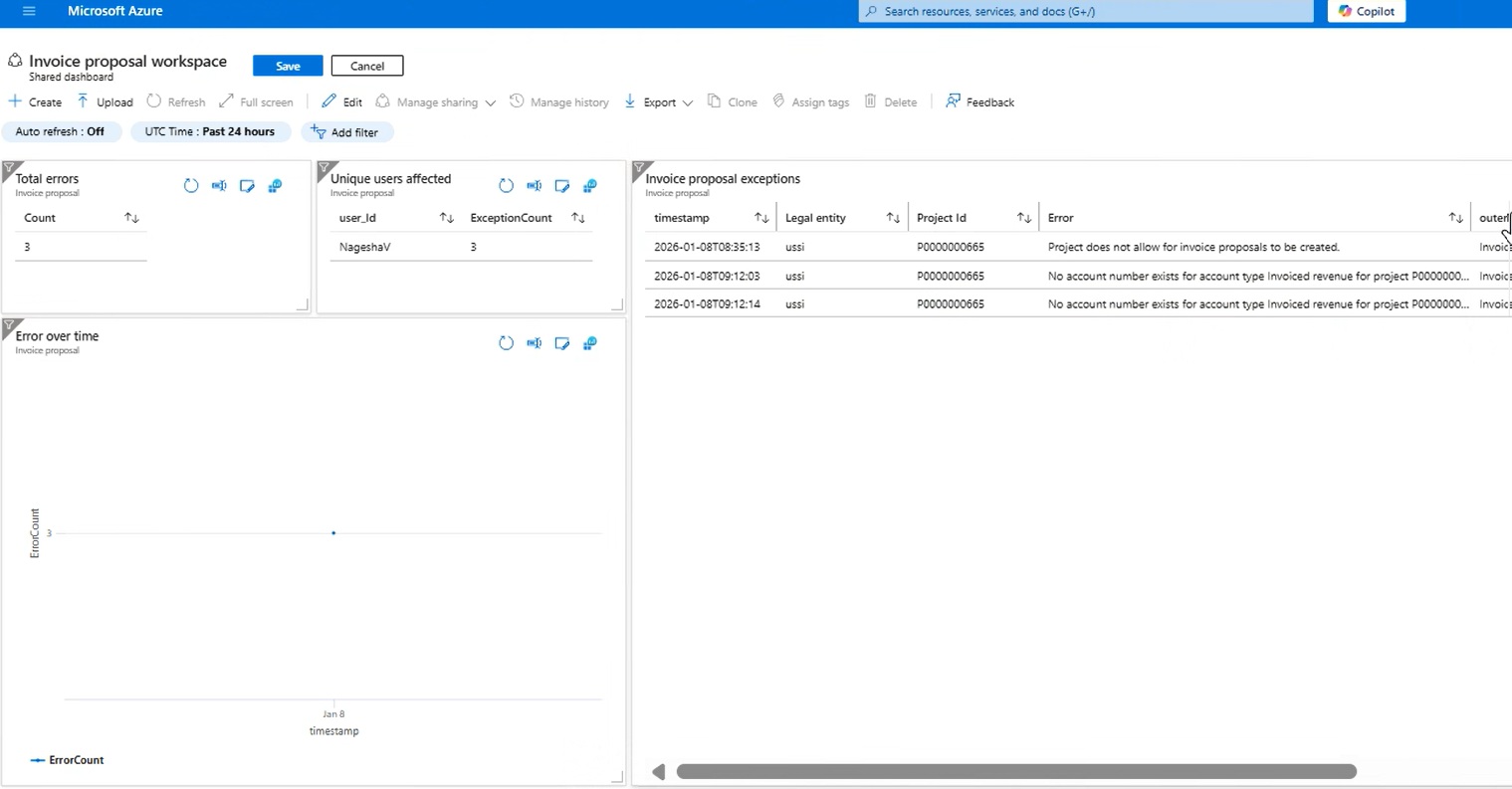
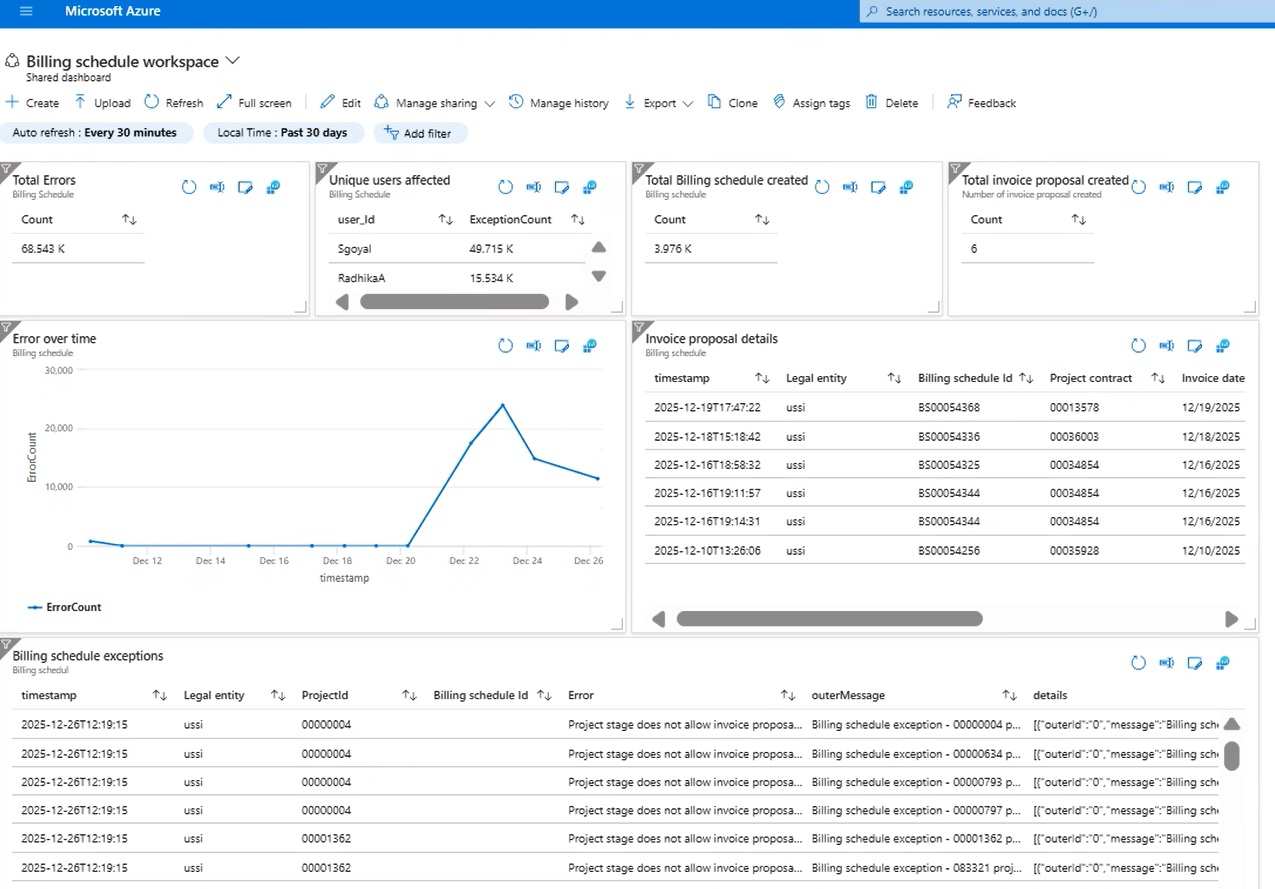
Business process usage and License report in Application Insights (Preview)
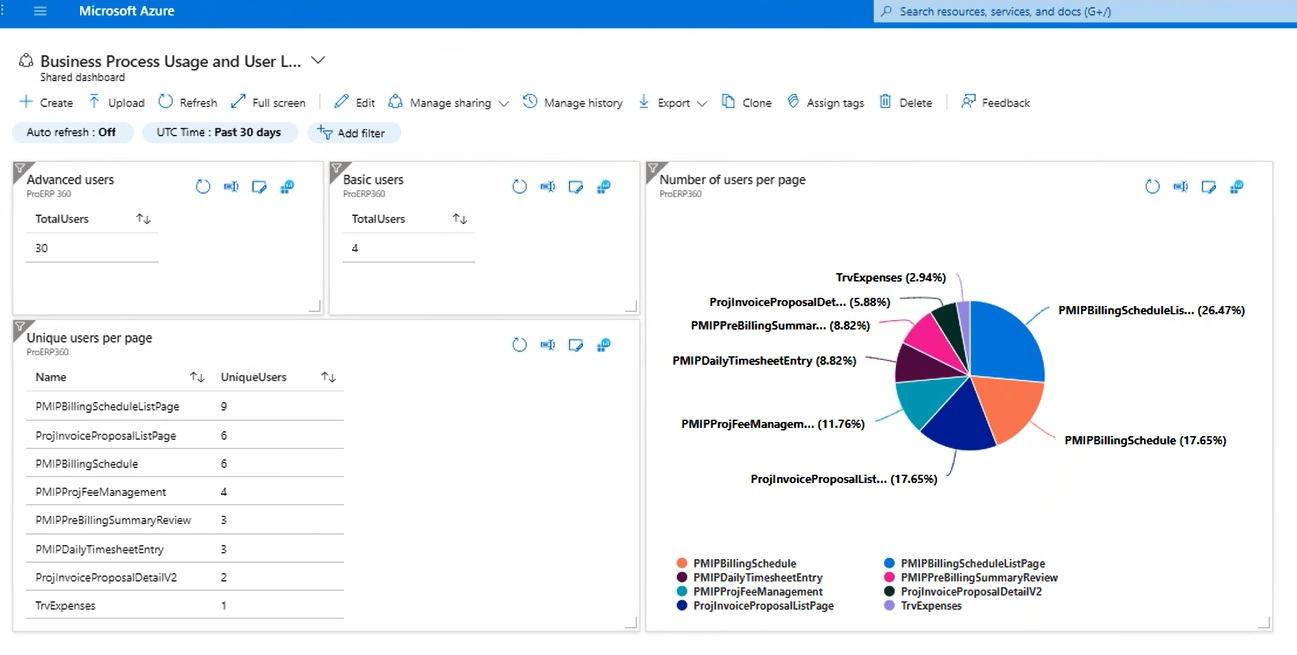
We have introduced enhanced monitoring capabilities to improve visibility into user activities and ensure accurate license classification. This is achieved through a newly developed report titled “Business Process Usage and License Report.”
The new report, powered by Application Insights, offers comprehensive tracking of user interactions across forms and processes, along with detailed categorization by license type:
- Basic License: Time and Expense-related tasks
- Advanced License: Project and Finance-related tasks
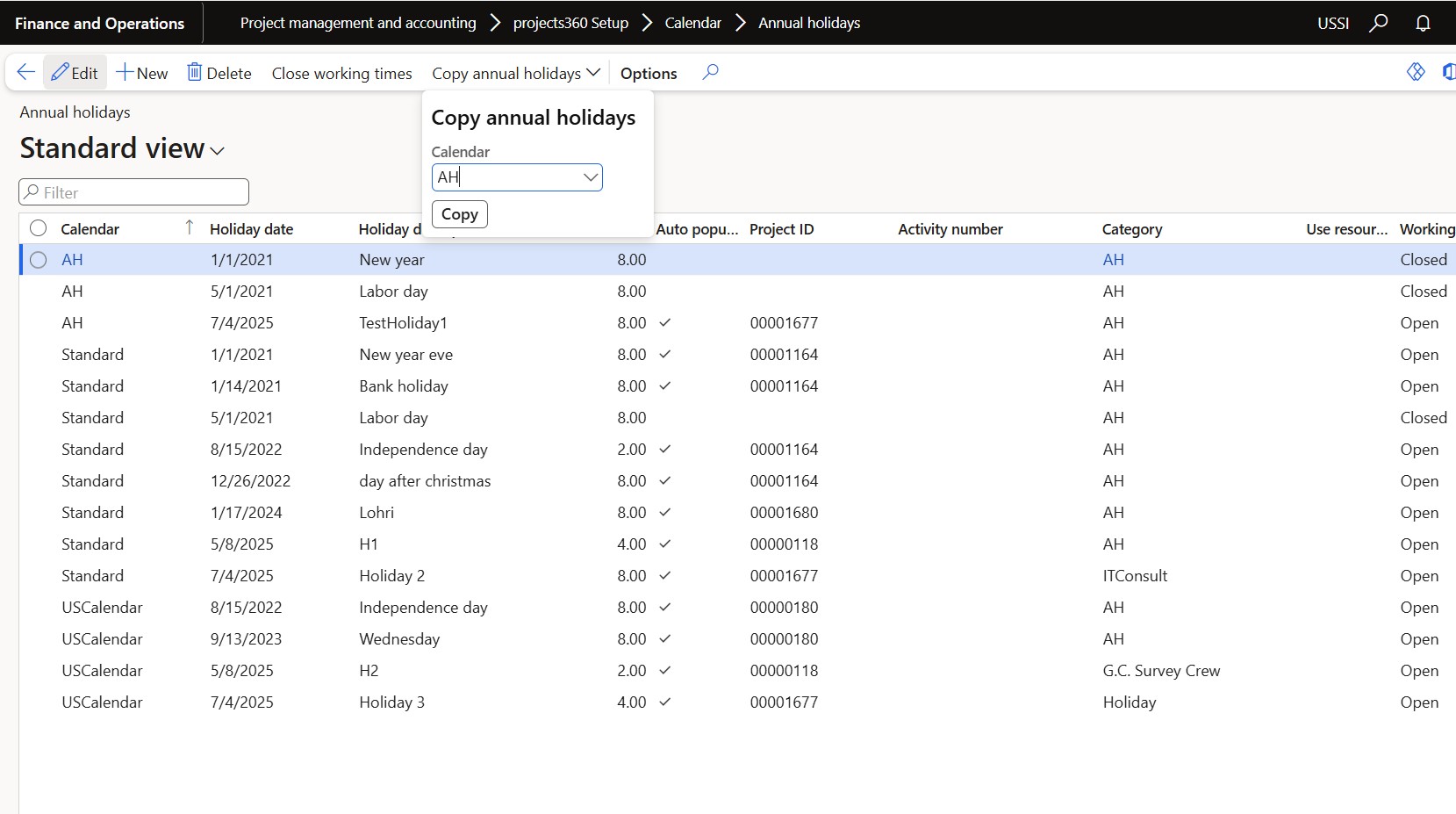
Copy annual holidays
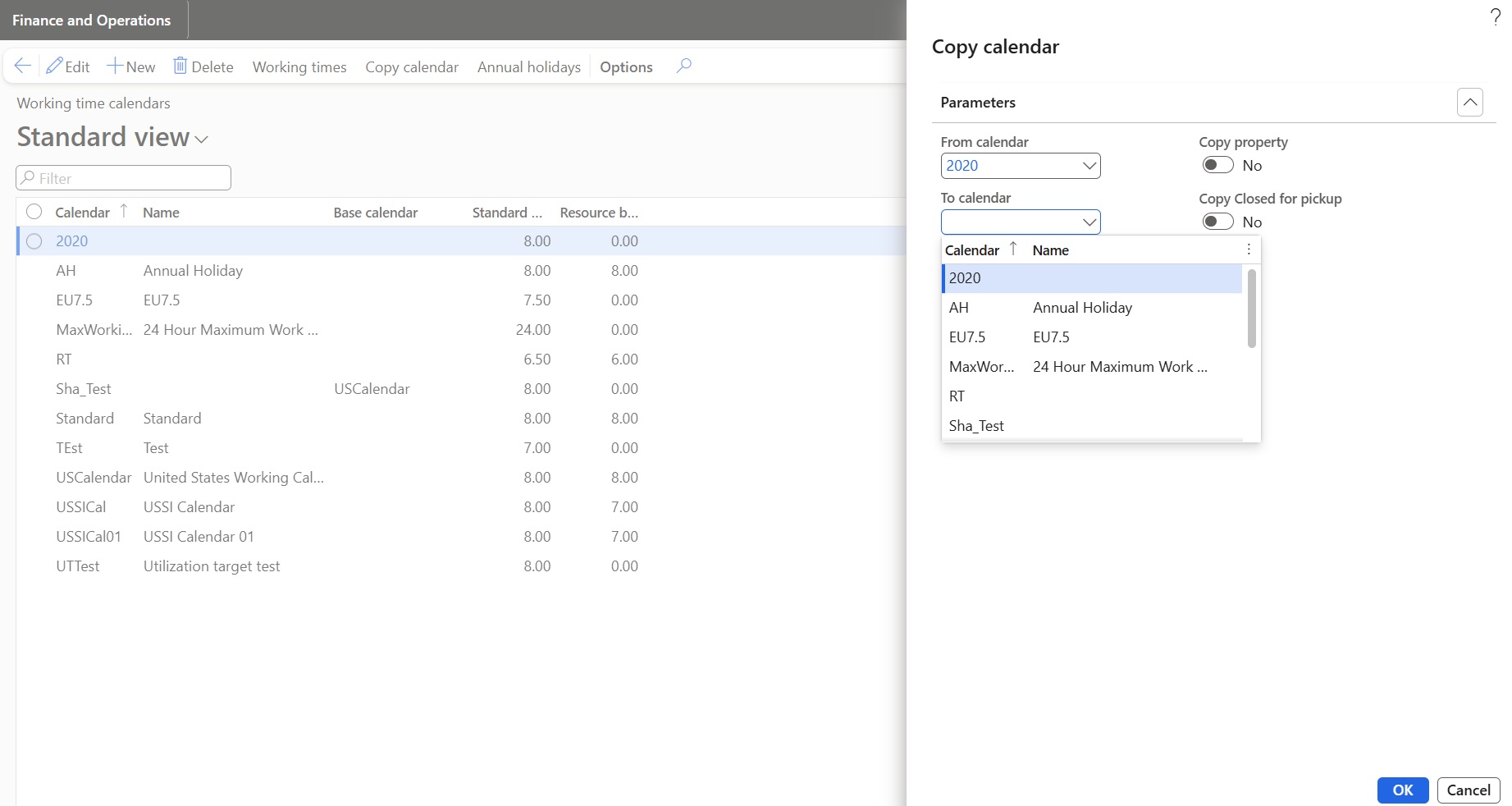
A new feature has been introduced that allows users to copy annual holidays from one calendar to another, providing greater flexibility in managing holiday schedules across multiple calendars.
- A “Copy Annual Holidays” option is now available on the Annual Holidays form.
- When users select this action, a new dialog opens, enabling them to manage the copy process efficiently.
Features Enhanced
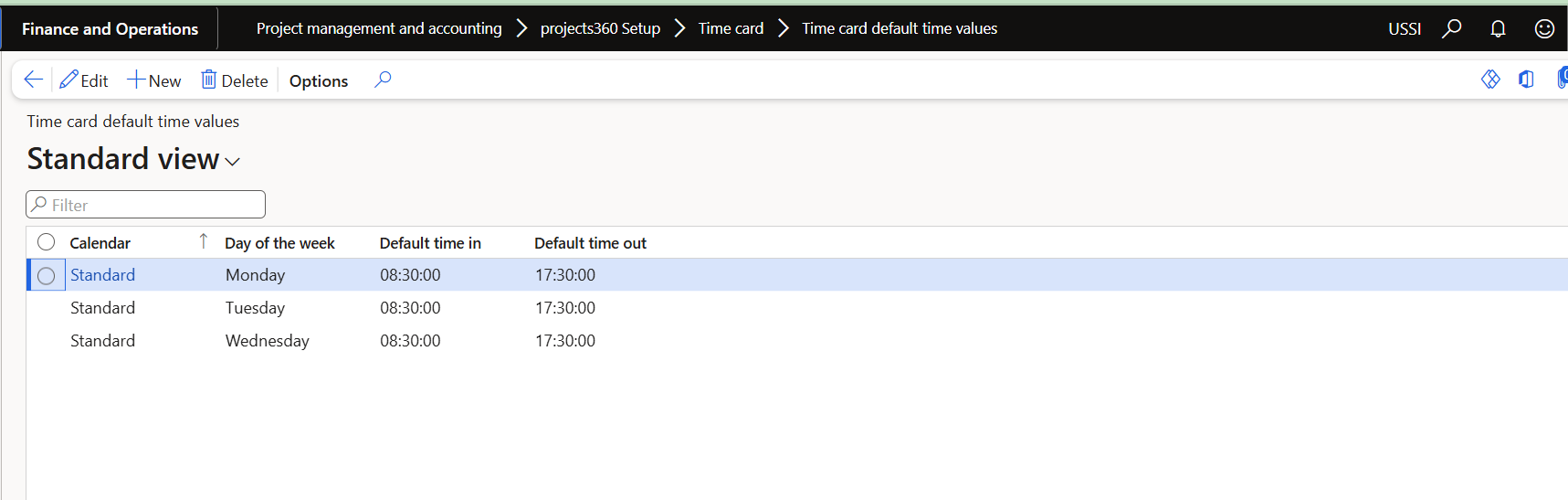
Time card default time values
Time card functionality has been enhanced to provide more flexible and consistent defaulting behavior. Default Time In and Time Out values can now be configured at the calendar level by day of the week, ensuring that time cards reflect each resource’s working schedule more accurately.
- Default Time In and Time Out values can now be defined at the calendar level by day of the week. When a resource’s calendar includes default values, those values are automatically applied to the time card. If no calendar-based defaults exist, the system continues to use the existing defaults from Projects 360 parameters.
- Time break types now support default start time and duration. When a time break is added on a time card, these values are automatically populated based on the selected break type.
- When a non-working day is changed back to a working day, the system now automatically restores the default Time In and Time Out values, eliminating the need for manual re-entry.
Disable timesheet comments
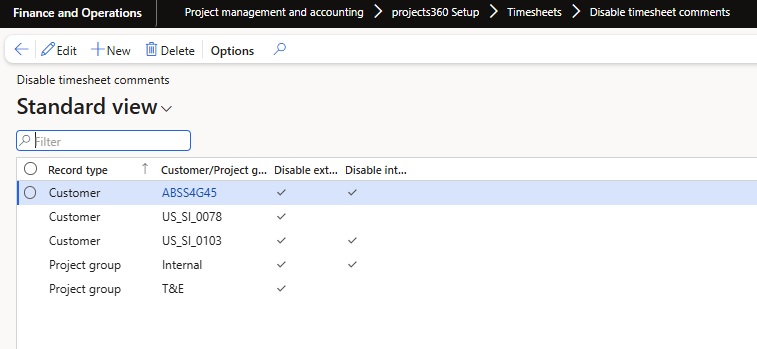
We’ve introduced a dedicated form called “Disable Timesheet Comments” to give users more control over timesheet comment validations.
- A dedicated form “Disable Timesheet Comments” has been added to manage external/internal timesheet comment validations at Customer and Project Group levels.
- Provides greater flexibility to configure comment validation rules at customer and project group levels, reducing repetitive setup and saving time.
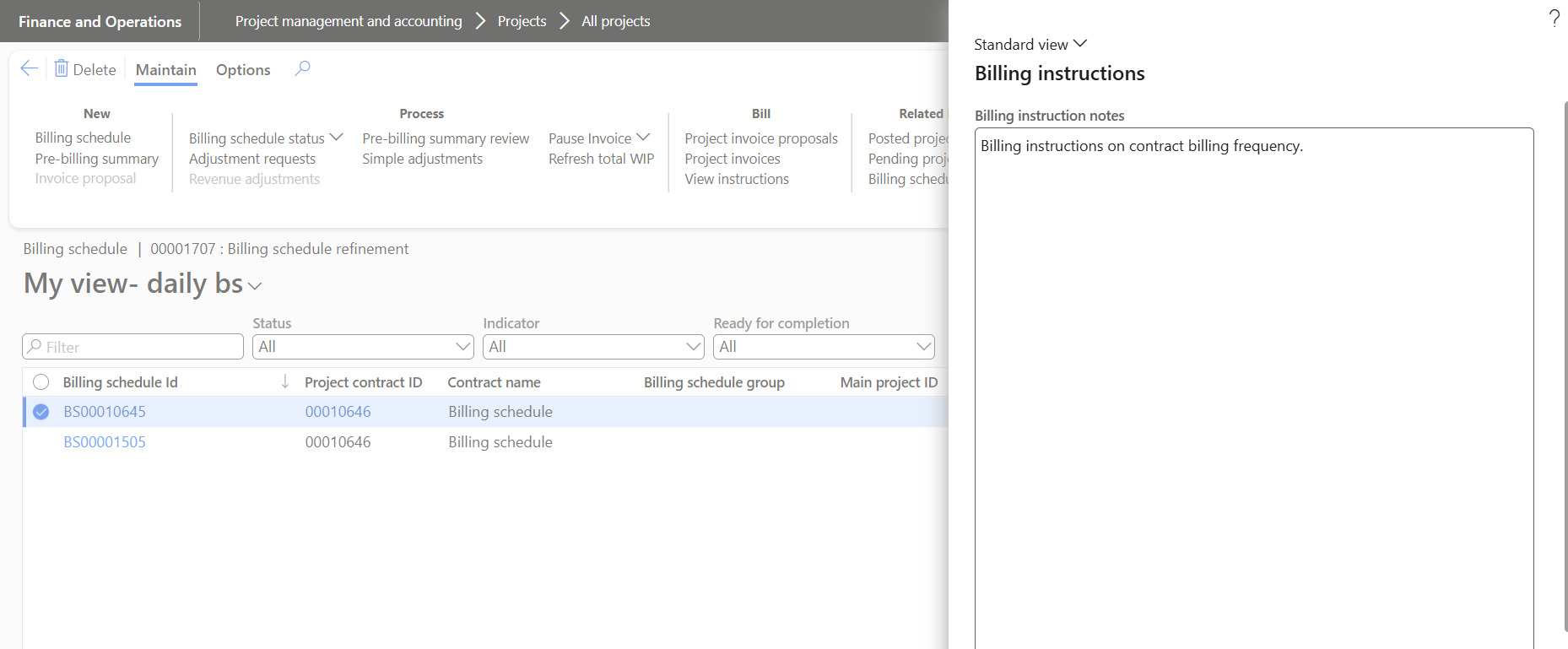
Billing instruction notes editable from Billing schedule and Invoice proposal forms
The Billing Instructions process has been enhanced to allow users to edit billing instructions based on configurable parameters. This enhancement provides greater flexibility and control over billing details.
- Users must define parameters to enable editing of billing instructions on the Billing Schedule and Invoice Proposal.
- When these parameters are enabled, users can edit billing instructions directly on the Billing Schedule and Invoice Proposal.
Invoice proposal performance improvement
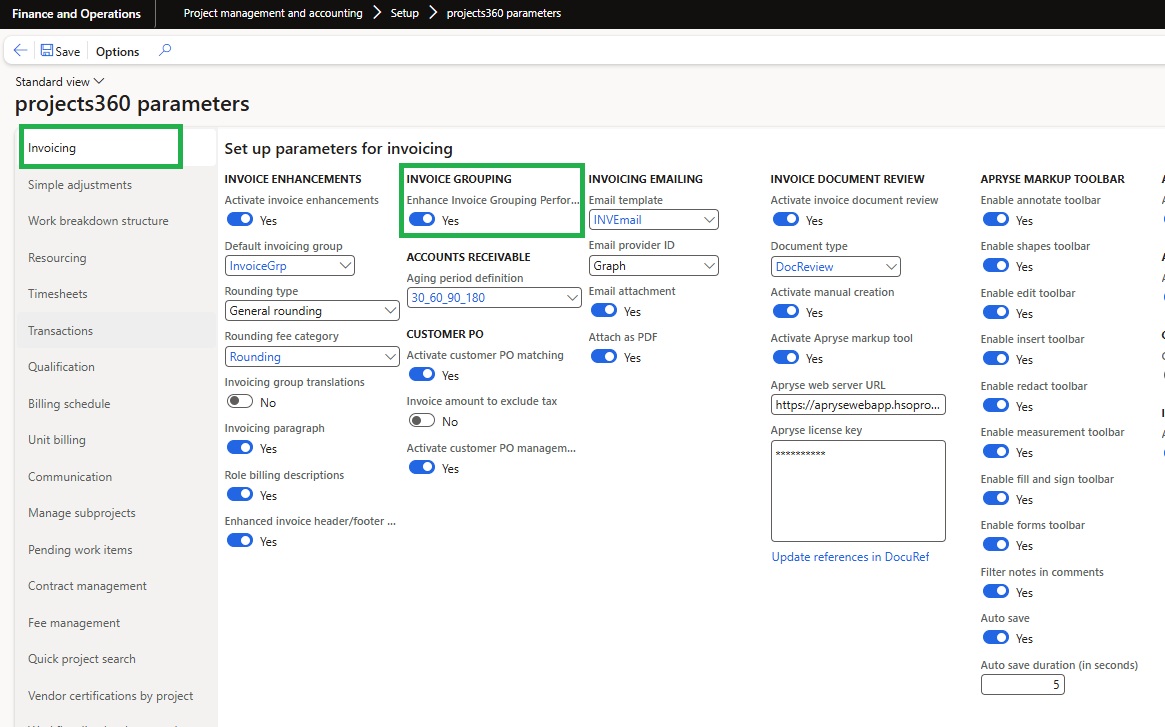
A new parameter named “Enhance Invoice Grouping Performance” is introduced under a newly created parameter group called “Invoice Grouping.” When this parameter is enabled, the system will skip calling the standard insert and update methods on the custom intermediate tables used for invoice grouping.
Ability to make ‘Overtime validation groups’ required
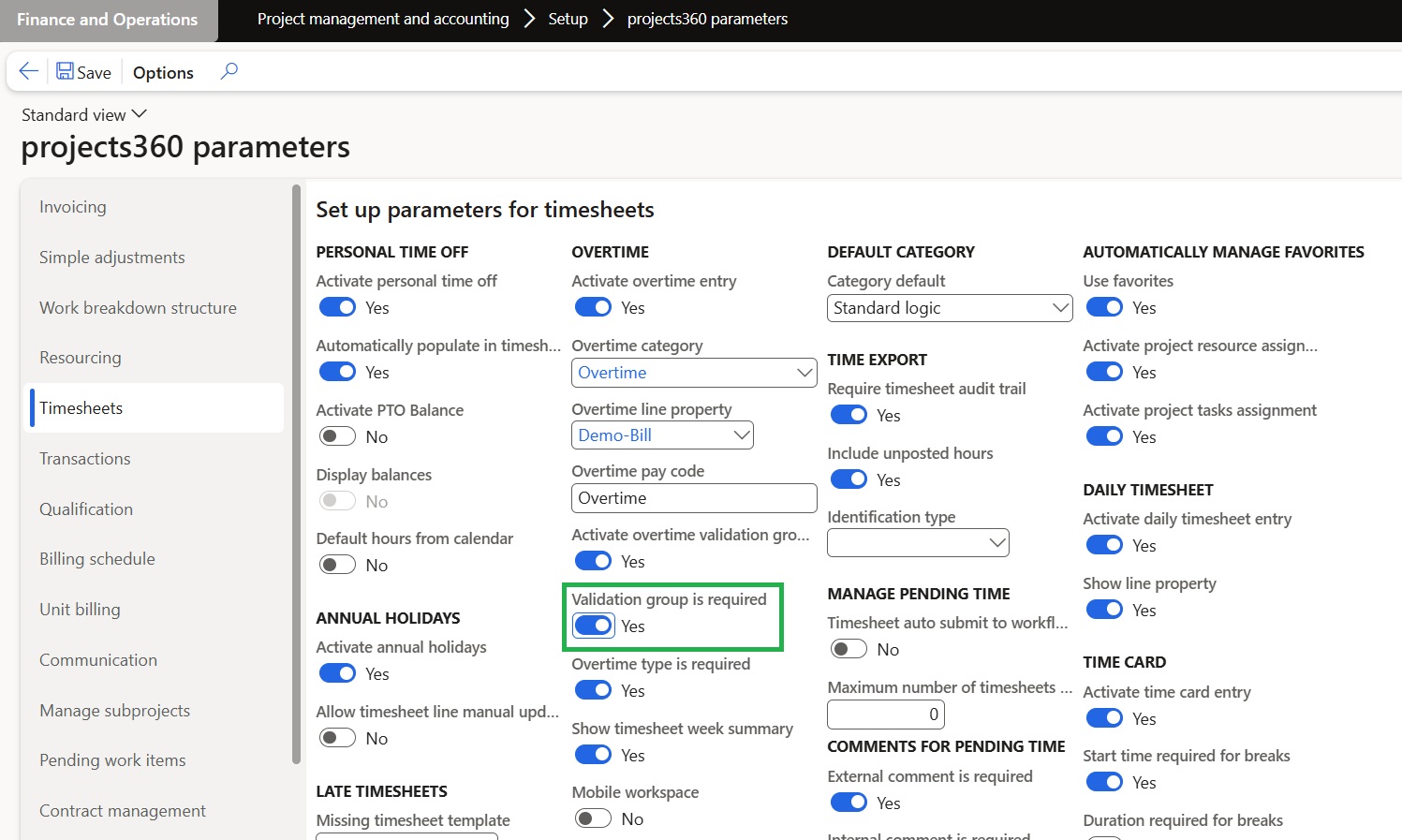
An enhancement has been introduced to improve control over overtime type selection in timesheets, managed through a new Projects360 parameter called “Validation Group is Required.
- When the parameter is enabled, and the logged-in user is not associated with any validation group, the Overtime Type lookup will appear as an empty list, preventing unauthorized selections.
- When the parameter is disabled, the system retains the existing behavior, and the Overtime Type lookup functions as before.
Automatically create vendor agreements for Pay When Paid
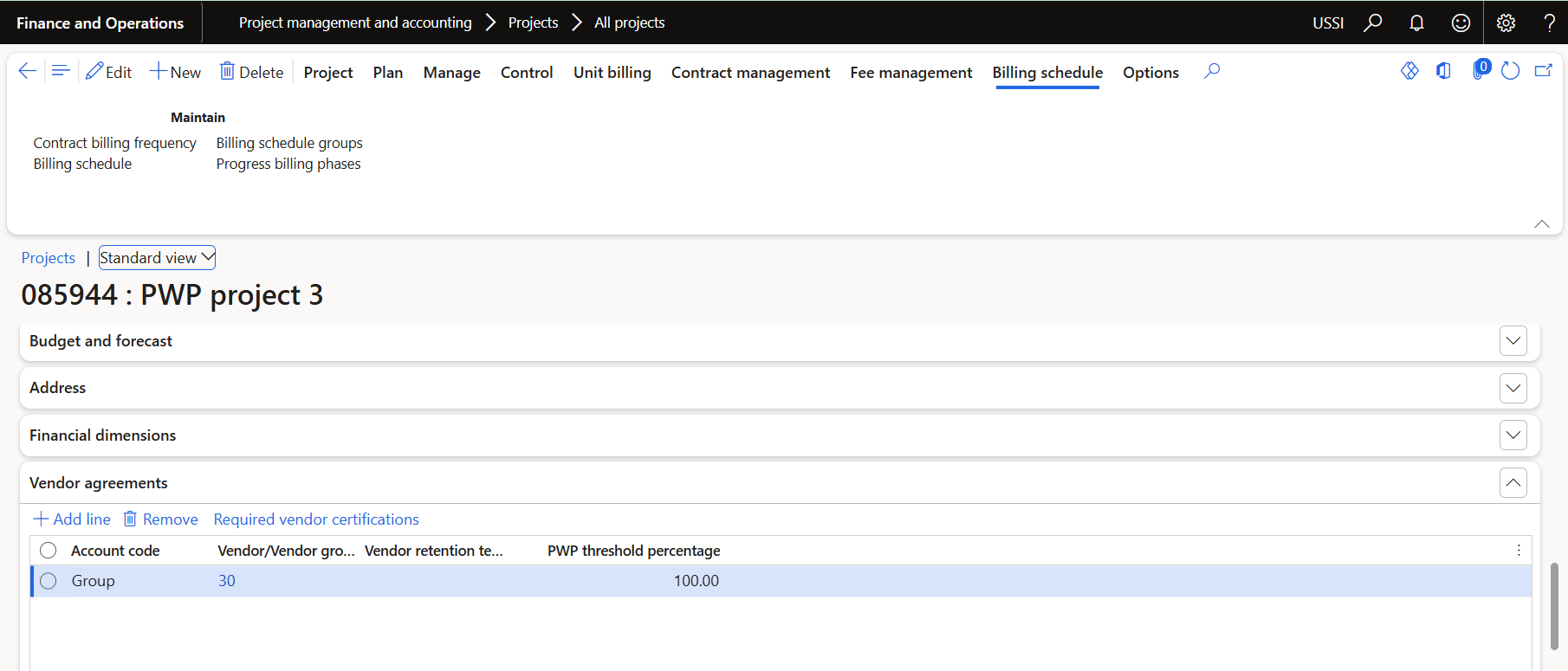
The Pay When Paid process has been enhanced to automatically create a Vendor Agreement when a new project is created. This occurs only if the Default Vendor Group parameter is populated. The logic applies to projects created manually in Finance and Operations, as well as those created automatically through Dual-write when the ProOps integration is enabled.
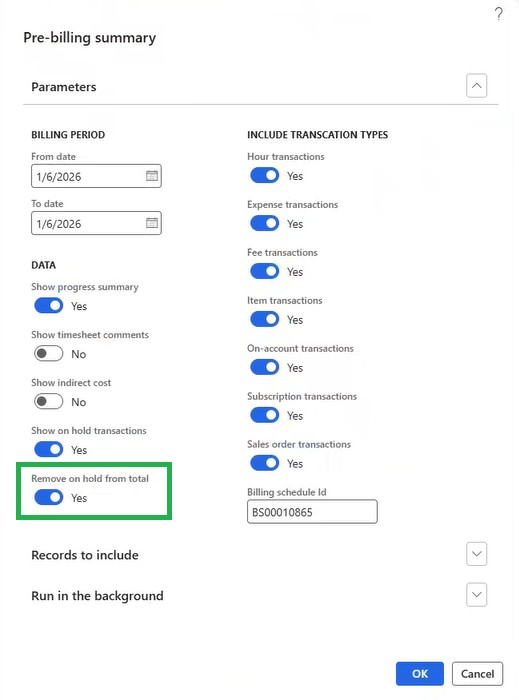
Remove ‘On hold’ from total in ‘Prebilling summary’
A new parameter called ‘Remove on hold from total’ is added in ‘Prebilling summary’ report dialog form.
- If this parameter is enabled, then total amounts in ‘Current billing’ column will not contemplate the ‘On hold’ transactions.
- This parameter will be editable only if ‘Show on hold transactions’ is set as yes.